
What you need
- A My Store Locator account – the Free plan is enough
- A published map (the welcome wizard creates one, see your first map)
- For API & webhooks, Zapier, Make and n8n: Starter plan or higher
Open Integrations
You find Integrations in the menu under Organisation. The page has two tabs: Platforms for website, shop and automation, and API & webhooks for your own connections to an ERP or CRM.
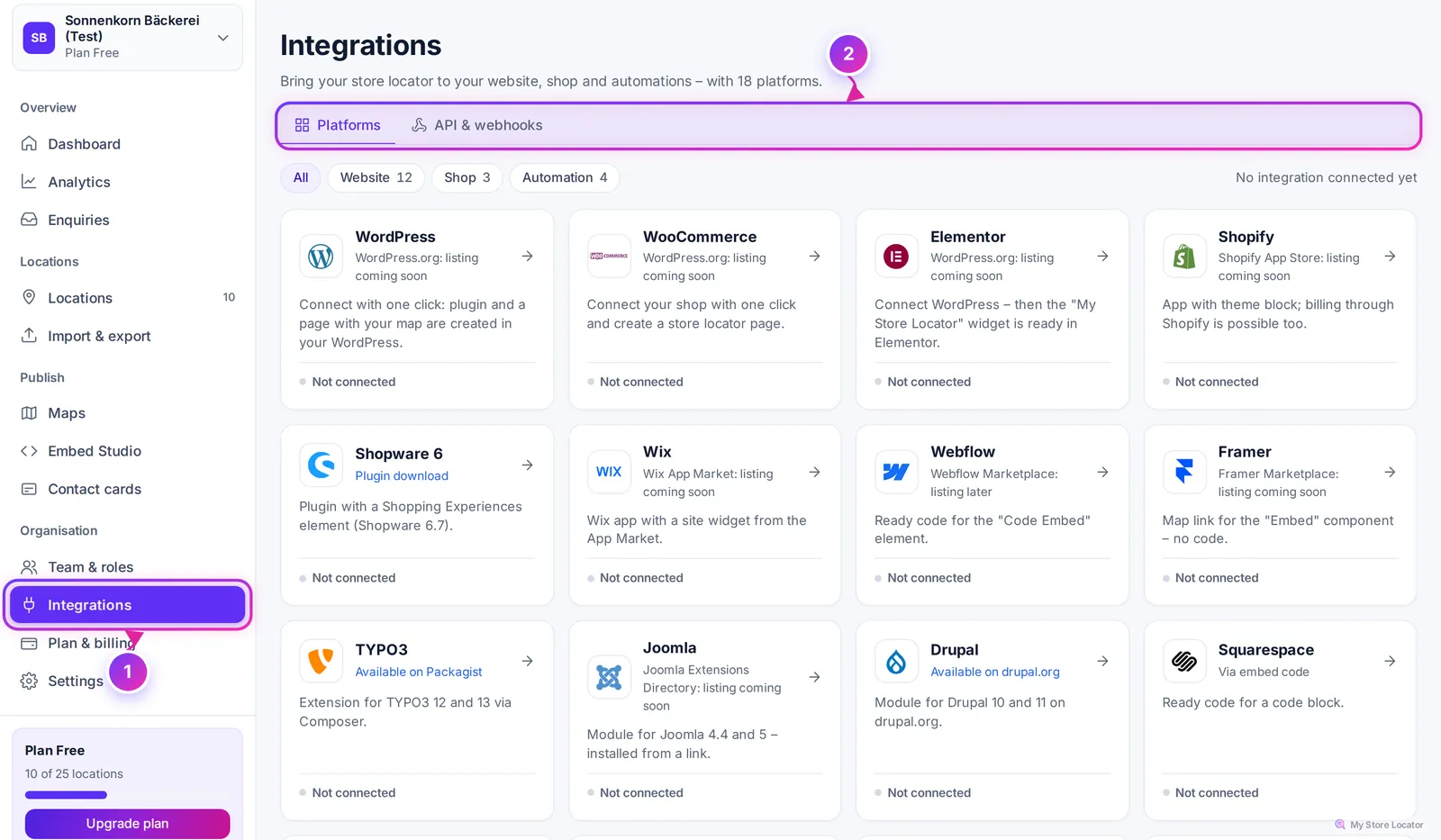
- Click Integrations in the menu.
- Choose the Platforms tab – or API & webhooks for API keys and webhooks (from Starter).
Filter by type
The filters at the top show only what you need right now: website builders and CMS, shop systems or automation. The number shows how many platforms each group has.
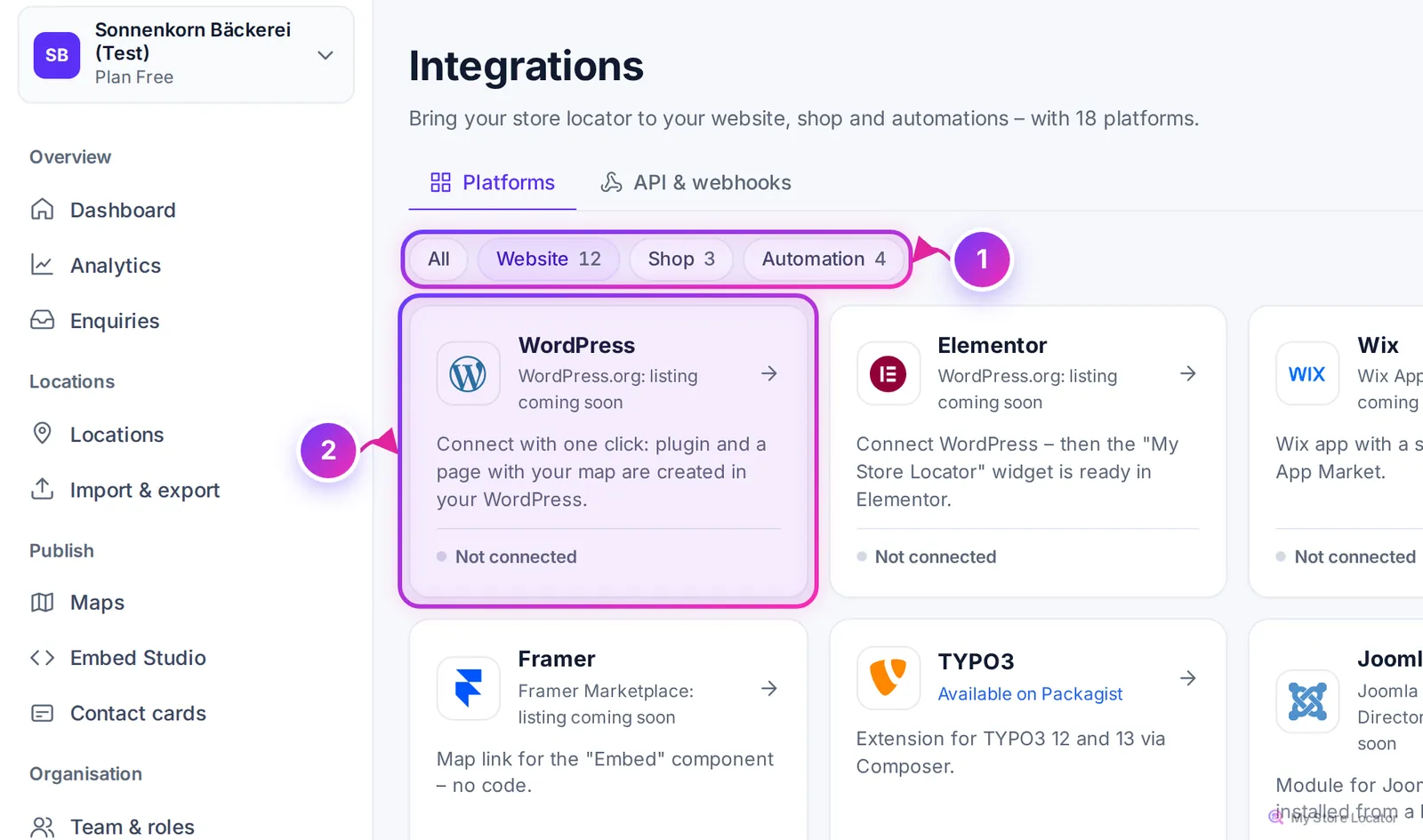
- Choose All, Website, Shop or Automation.
- Click a card to open the platform – for example WordPress.
Read the status of each platform
Below the name you see how the platform is connected today. All 18 work today – by plugin, module, download or ready code. At the bottom of the card you see whether you have connected the platform already.
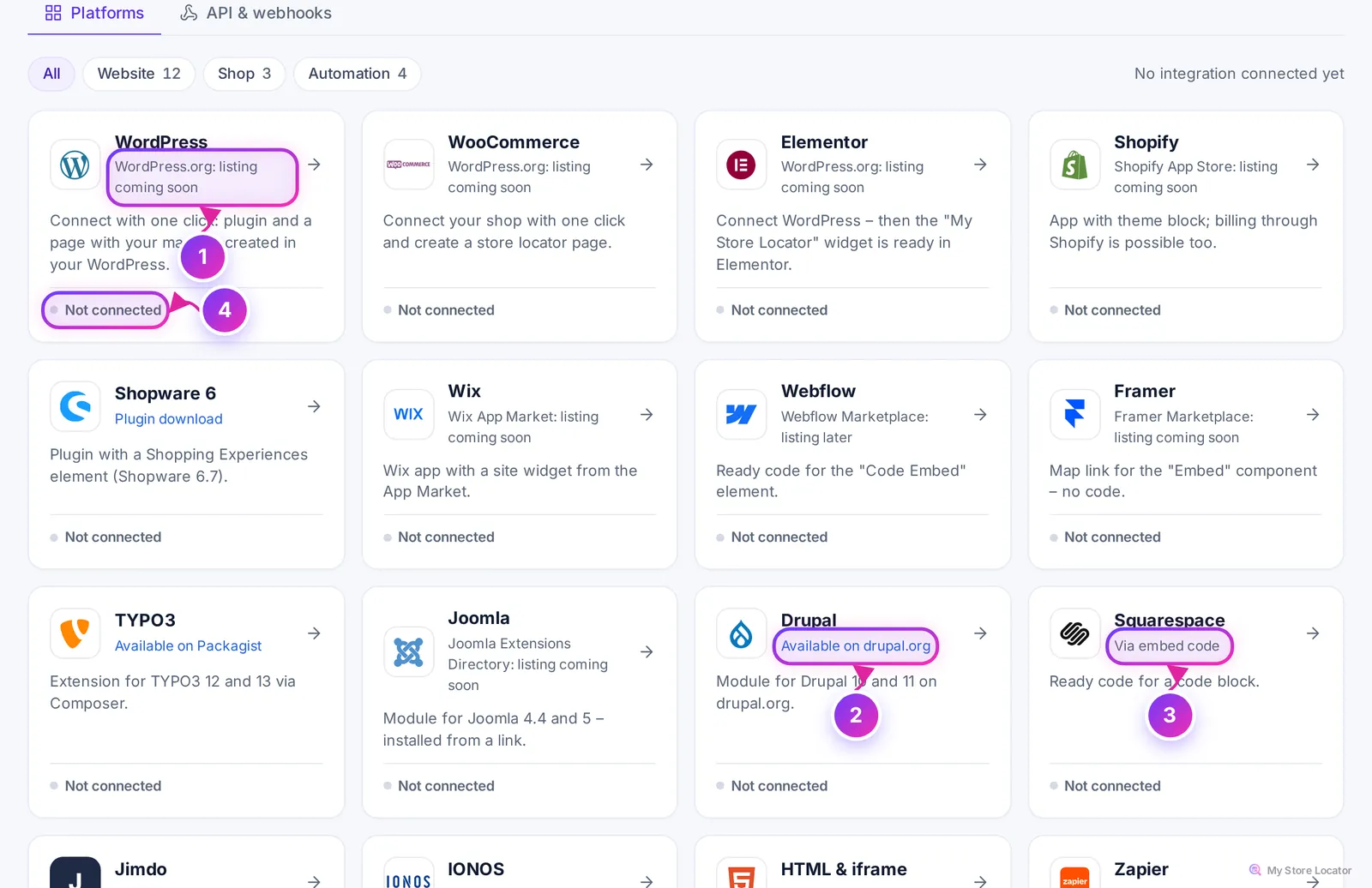
- listing coming soon: works today by connection, download or code; the entry in the store or directory is still to come.
- Available on …: you install the extension straight from the directory, e.g. drupal.org.
- Via embed code: no plugin needed – you paste a ready code into your page.
- The status shows Not connected, Connected or Active.
Tip: Your system is not listed? The code under HTML & iframe works wherever you can paste HTML – and for flyers or e-mails there is a link and QR code.
Open a platform and get started
A click on a card opens the details on the right. Here you see the status, the connections the app has found, and under How it works the three steps with the right button – here with HTML & iframe as the example.
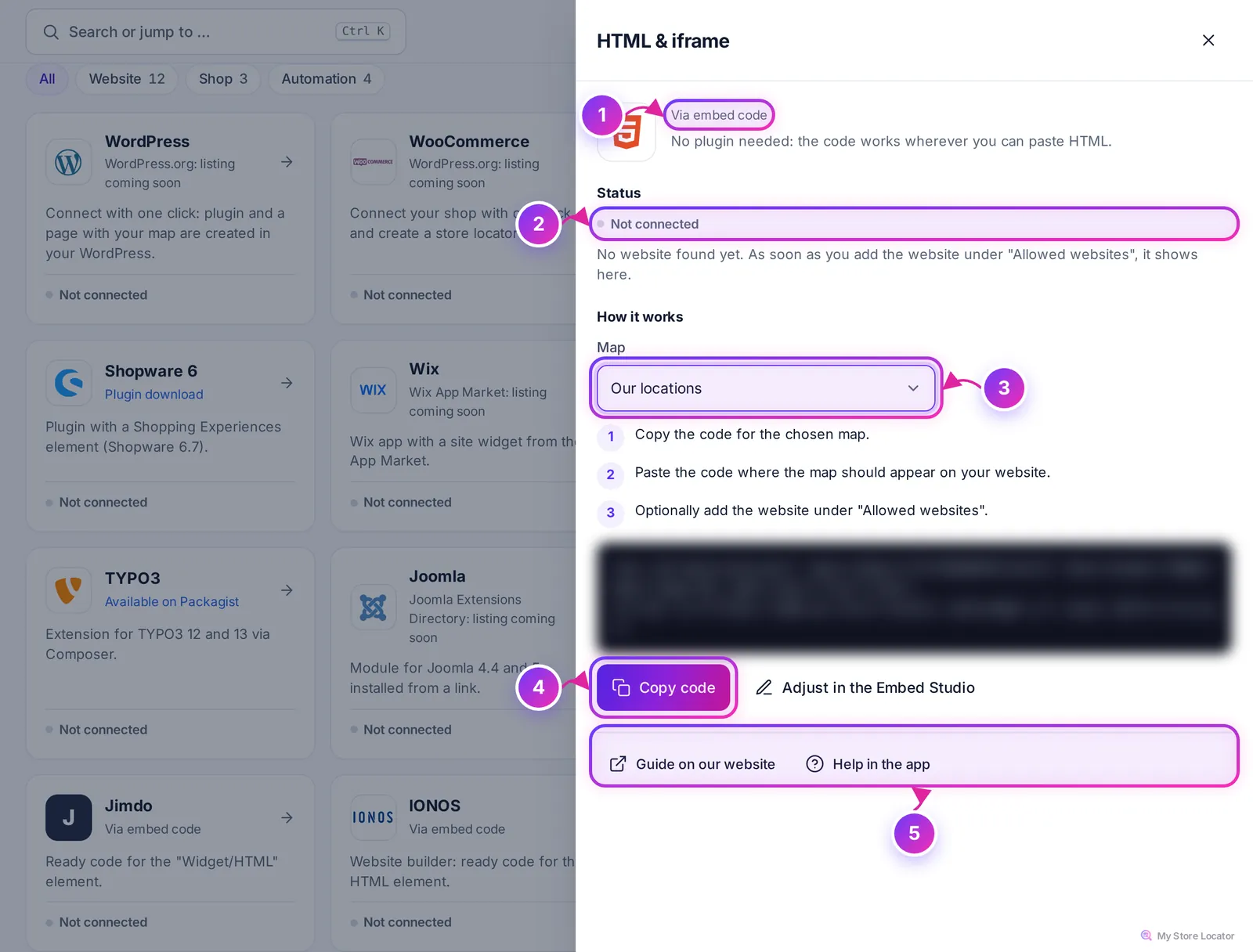
- At the top you see how the platform is connected, here Via embed code.
- Under Status your connections appear, e.g. websites from "Allowed websites".
- Under Map, choose which map to embed.
- Click Copy code and paste the code on your website.
- Guide on our website and Help in the app lead to the full guide for this platform.
Tip: The code never changes. When you later change locations or the map design, visitors see the change automatically after you save.
Good to know
Which platforms work today?
All 18. WordPress (with WooCommerce and Elementor) connects with one click or the plugin zip; Shopware 6, TYPO3, Joomla, Drupal and n8n have their own extensions; Shopify, Wix, Webflow, Framer, Squarespace, Jimdo and IONOS use the ready code; Zapier works via an invite link and Make with its standard "Webhooks" and "HTTP" modules (from Starter).
What does "listing coming soon" mean?
The connection already works – only the entry in the store or directory (e.g. Shopify App Store, WordPress plugin directory) is not online yet. Until then you use the code or the download from the app.
Do integrations cost extra?
No. Embedding on your website works on every plan, including Free. API & webhooks as well as Zapier, Make and n8n are included from Starter – see plan and billing.
Can I use several platforms at the same time?
Yes. The same map can appear on your website, in your shop and via QR code in your store. With several maps you show a different selection on each page.