
What you need
- A published map that is already embedded, see embed the map with HTML or iframe
- Access to your website to replace the code once
Switch on click-to-load
You switch the mode on in the Embed Studio for the chosen map. Then save at the top.
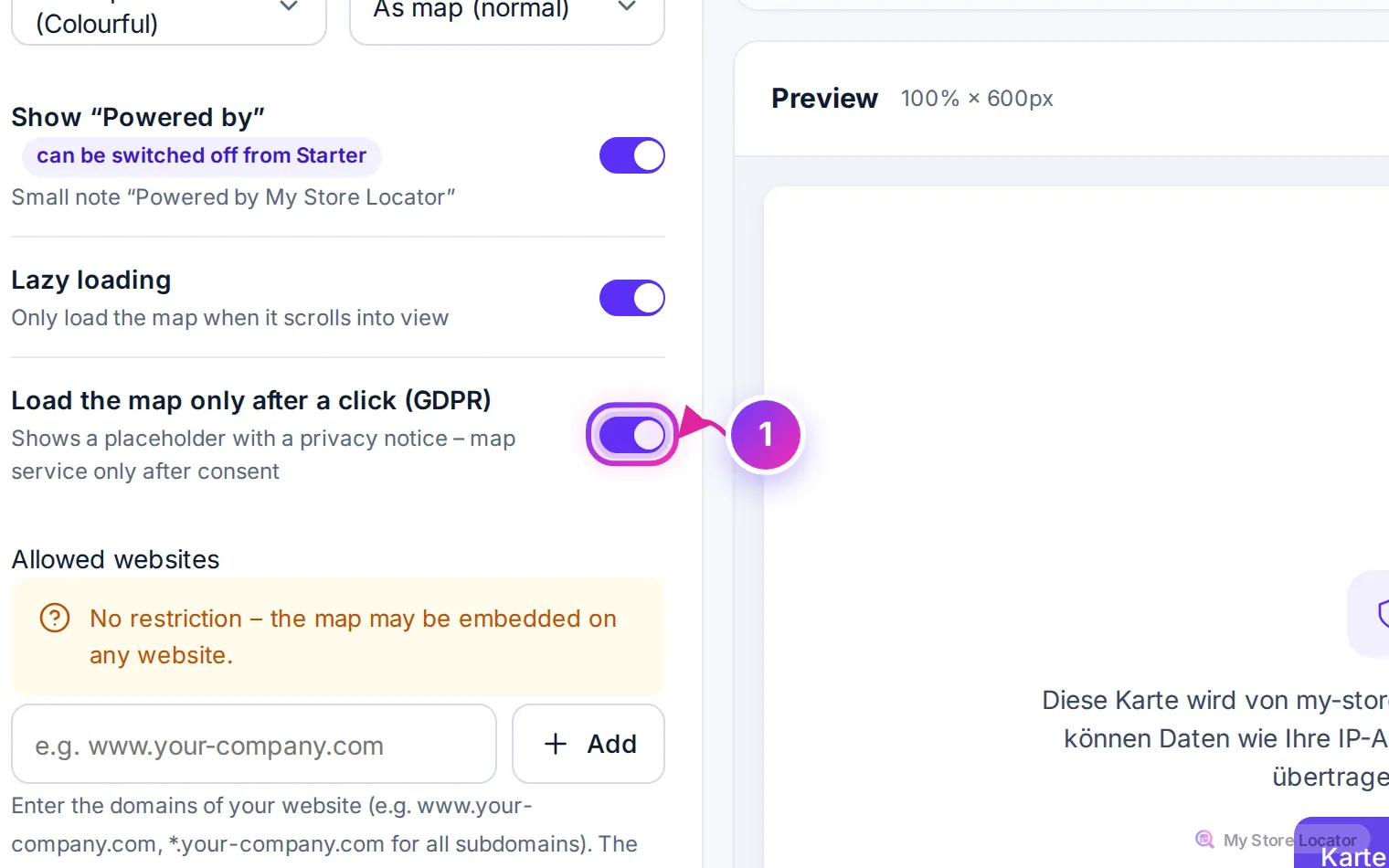
- Switch on Load the map only after a click (GDPR) and click Save at the top.
Copy the code again and replace it
With this mode the embed code changes. Replace the old code on your website once with the new one.
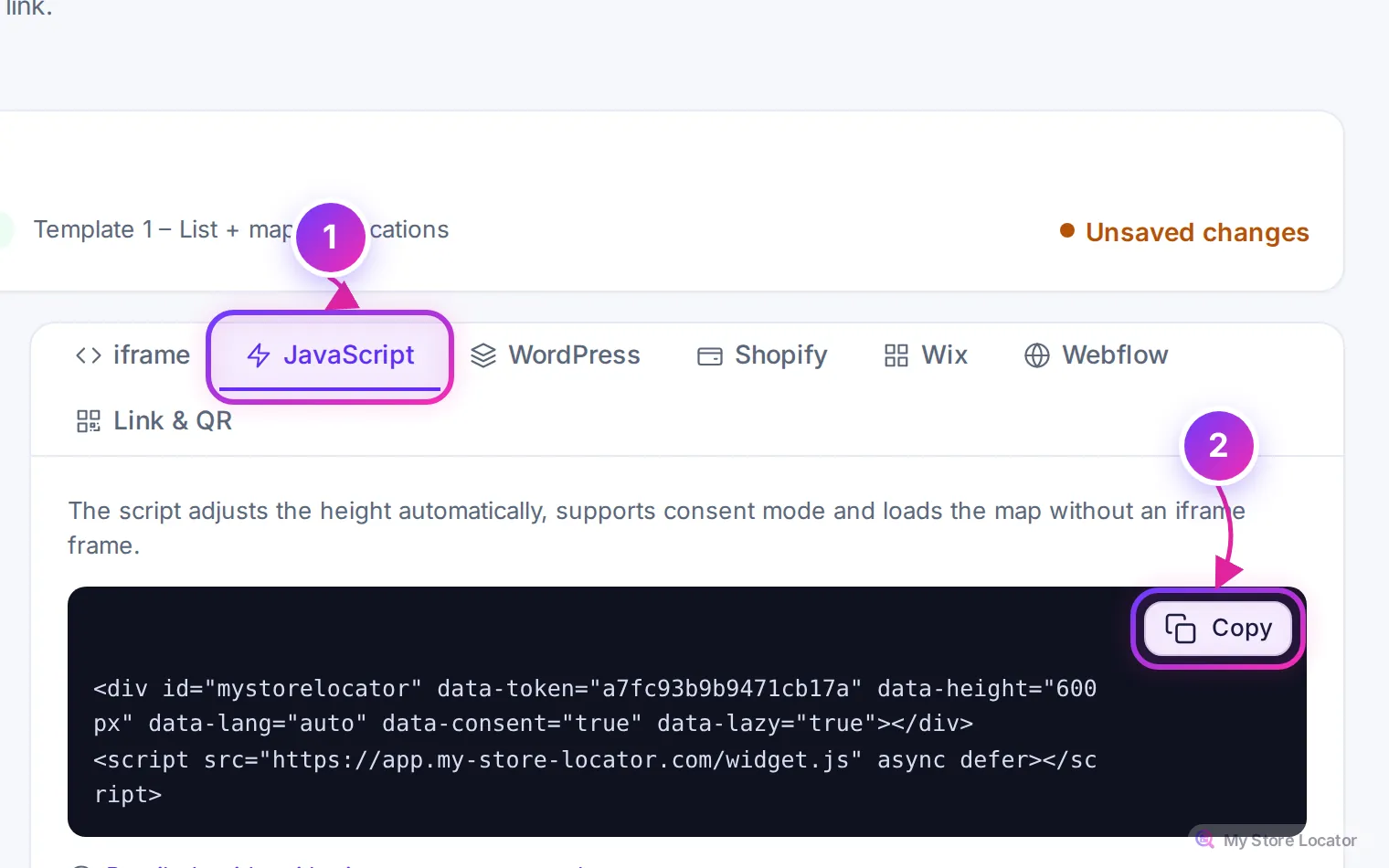
- Choose JavaScript (or iframe) – the JavaScript code now contains
data-consent="true". - Click Copy and replace the code on your website.
What visitors see first
Instead of the map, a notice says that the map is loaded from my-store-locator.com (own map server in Germany) and that the IP address is transferred.
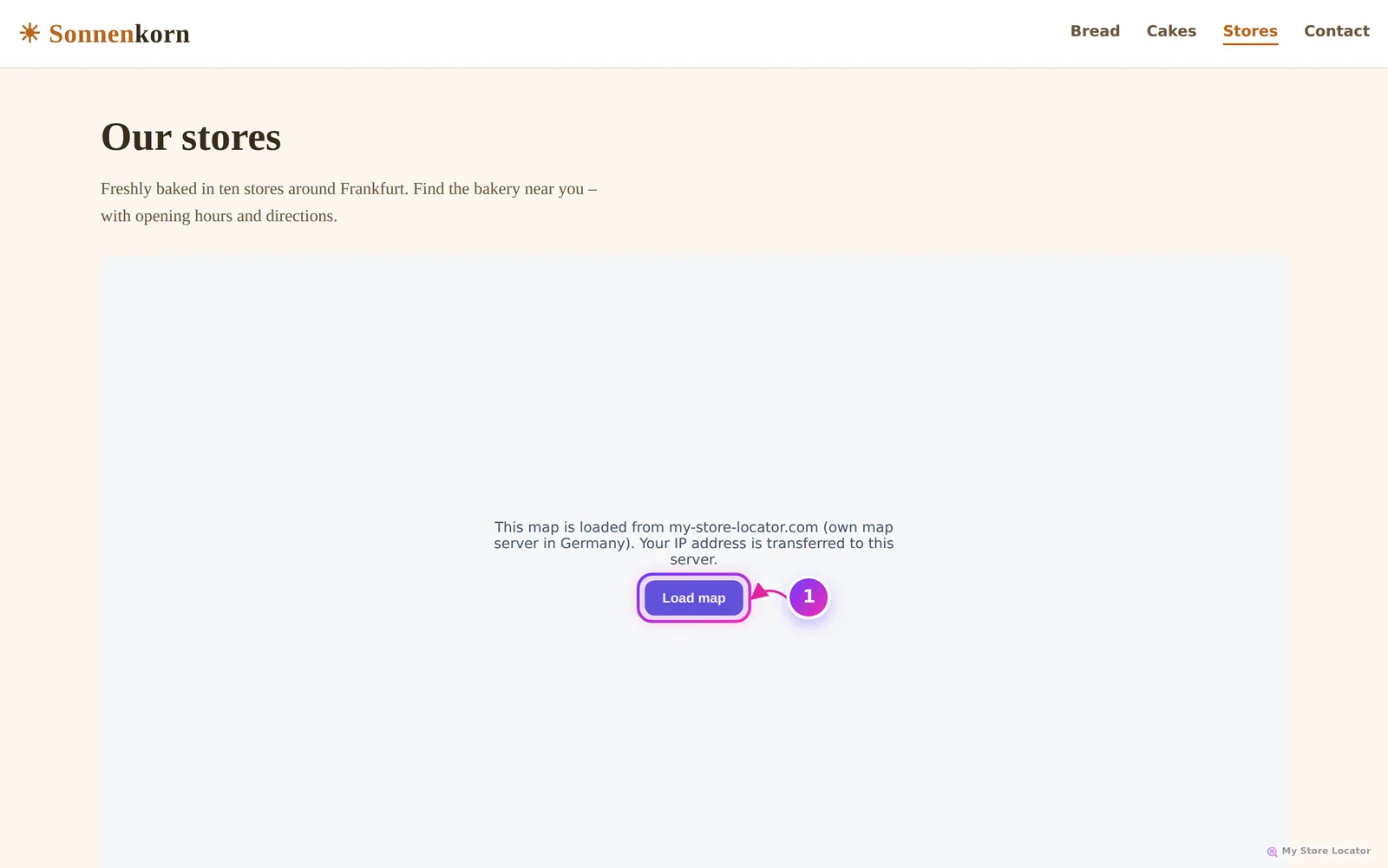
- Only Load map loads the map.
After the click
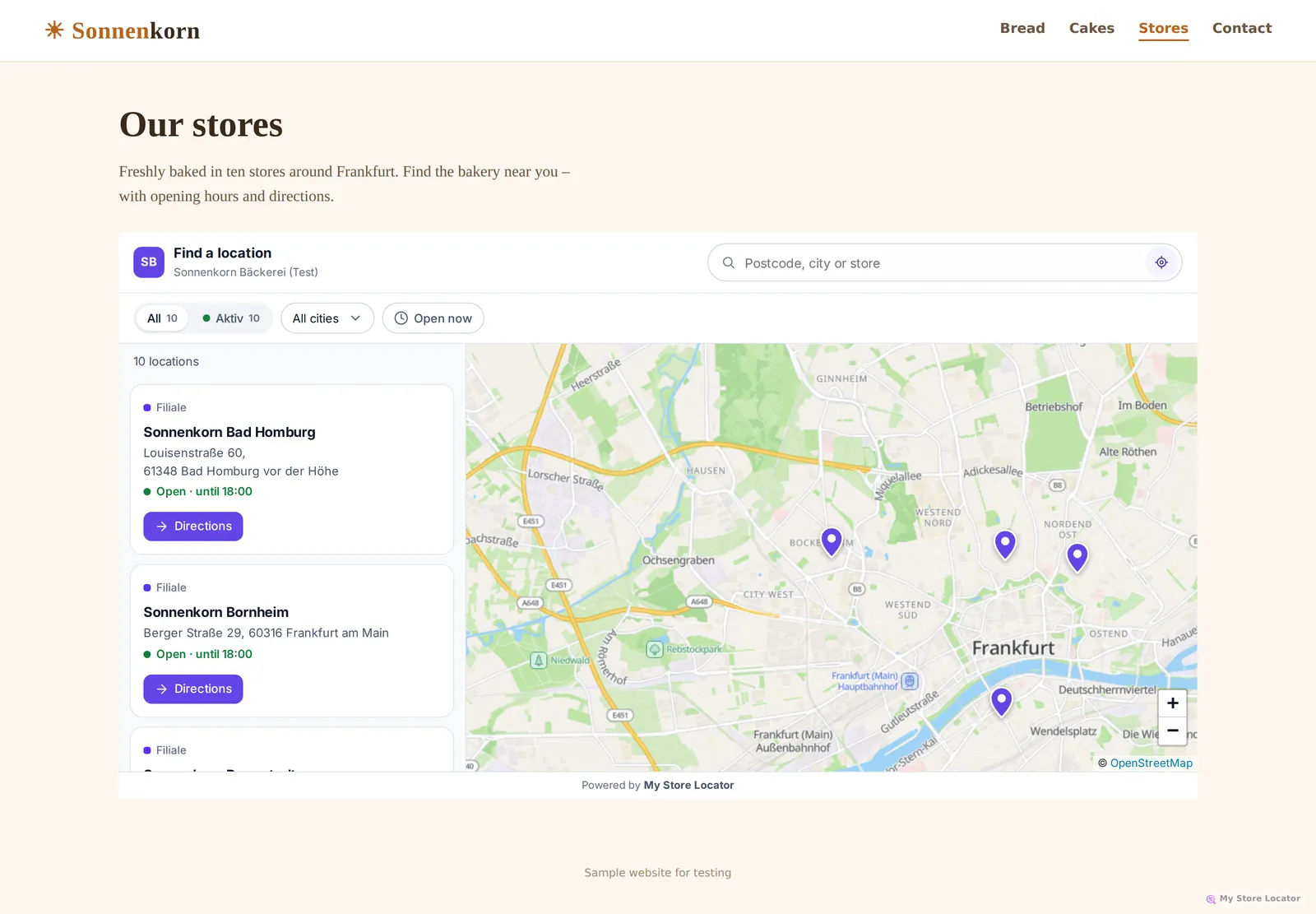
After the click the map appears as usual – with search, filters, list and directions.
Tip: Do you use a consent tool (e.g. Borlabs, Complianz, Real Cookie Banner)? Then the tool can unlock the map too – details in the WordPress guide.
Good to know
Do I need click-to-load?
You or your data protection officer decide. The map runs on our server in Germany and the statistics use no cookies; with click-to-load the map also only loads after consent. More in GDPR: what is stored where.
Does click-to-load cost extra?
No, it is included in every plan, including Free.