
What you need
- A My Store Locator account as owner or administrator
The "Sign once" screen
At the first start the app shows the DPA and the privacy policy in short points. Full text opens both documents in full, Subprocessors the current list.
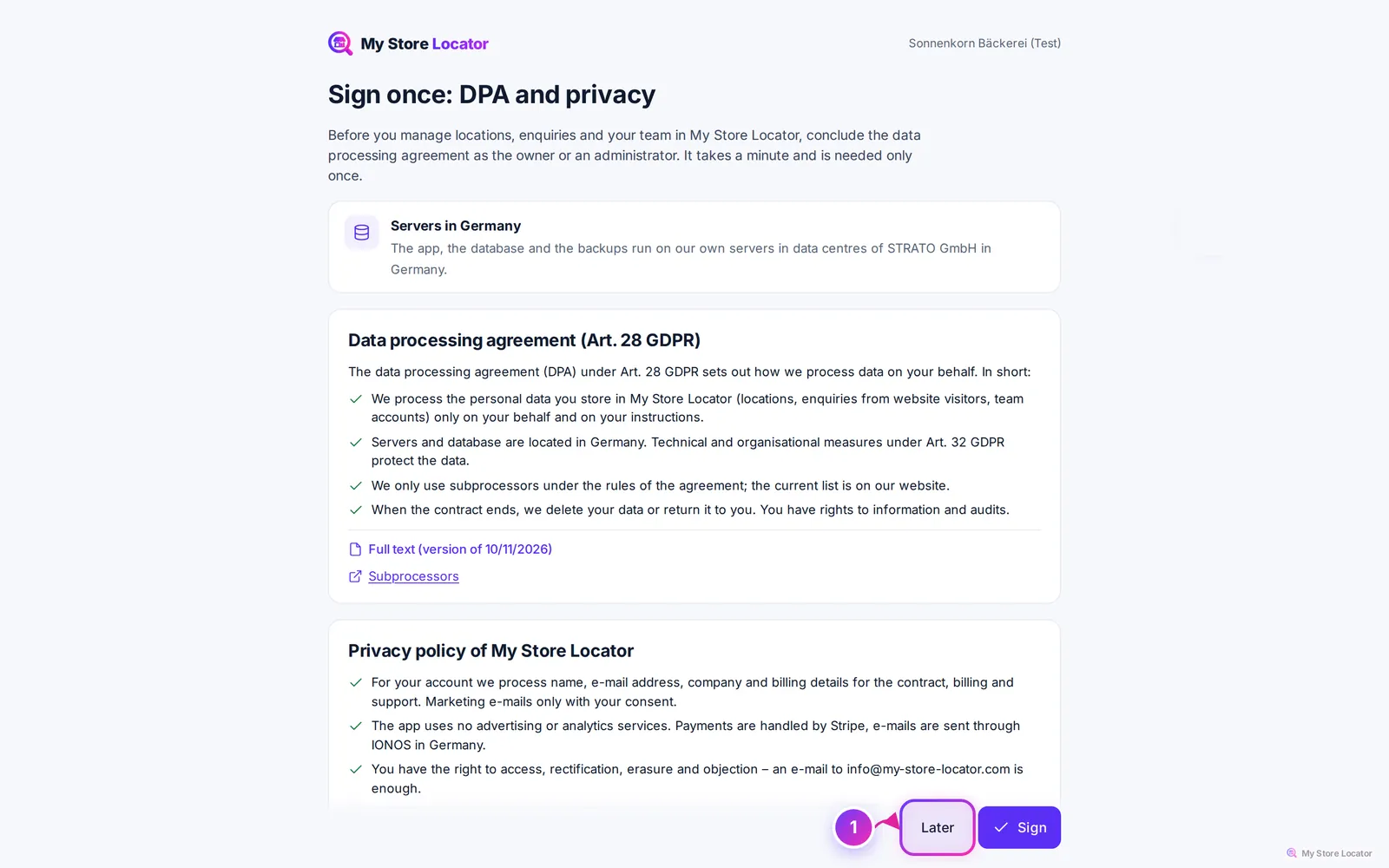
- Later postpones the signature – for 14 days. After that the step is required, and invitations, API keys and plan booking stay locked until then.
Fill in and sign
At the very bottom, in the Signature area, you conclude the agreement on behalf of your company.
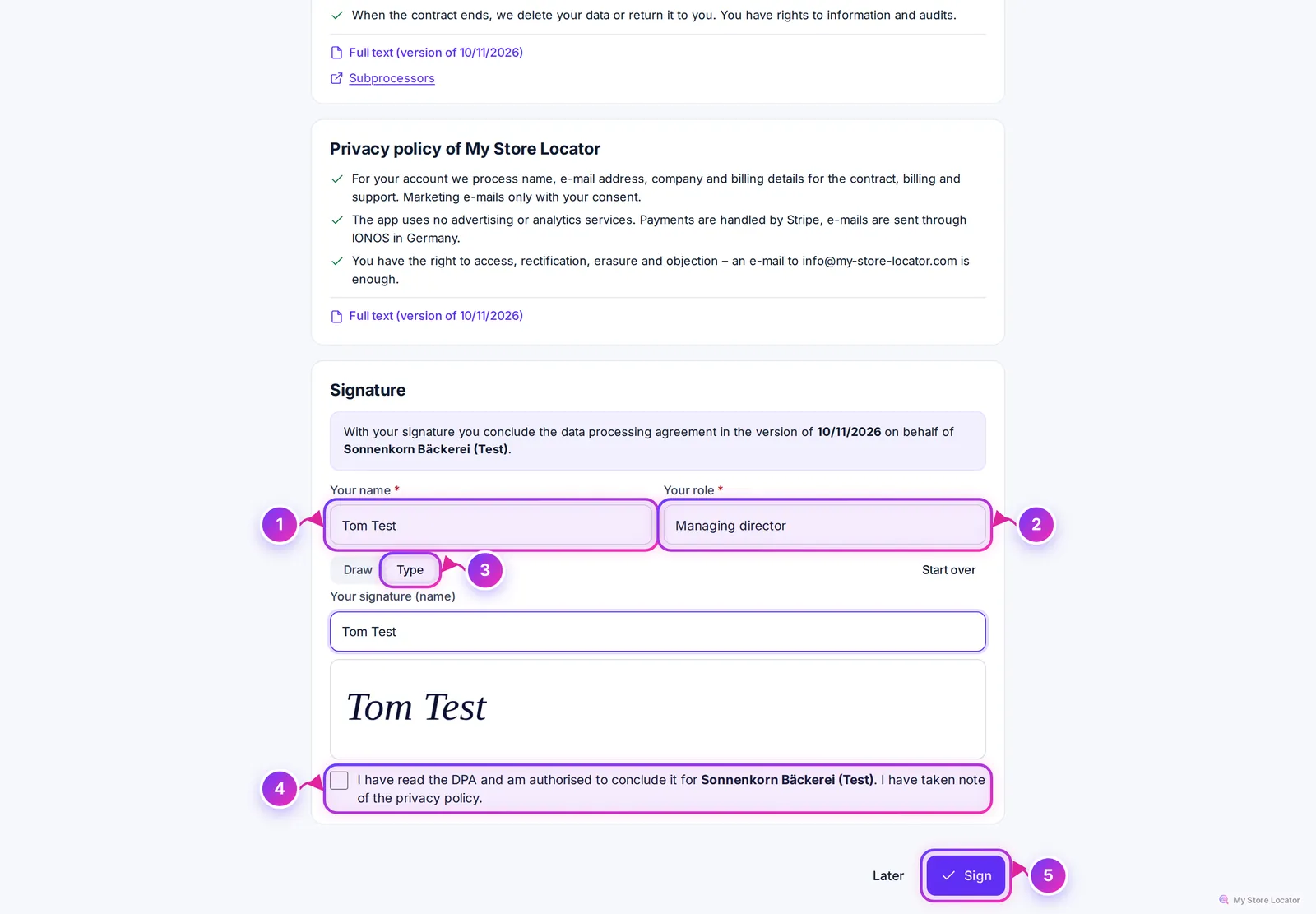
- Your name is already filled in.
- Enter your role, e.g. Managing director.
- Choose Draw (with mouse or finger) or Type (your name as the signature). Start over clears the drawing.
- Tick the box: you have read the DPA and may conclude it for your company.
- Click Sign.
Proof and PDF
After signing you find the agreement at any time under Settings → Privacy.
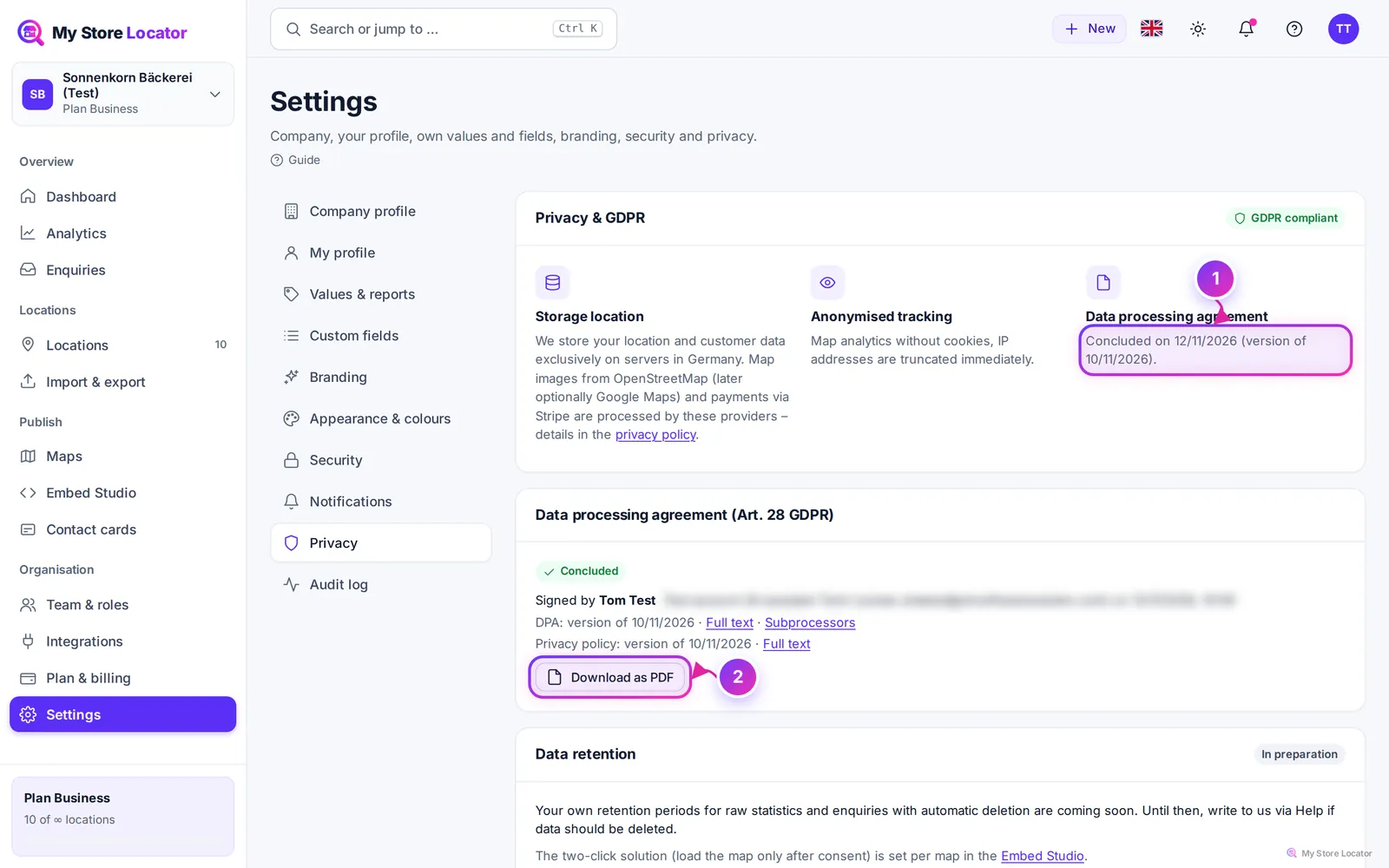
- Here you see when and in which version the agreement was concluded.
- Download as PDF gives you the agreement with your signature for your records.
Tip: If the agreement text changes, the app asks you to sign the new version again.
Good to know
Who may sign?
The owner or an administrator with the right to change company data. Other team members don't see the screen.
Where is my data stored?
The app, the database and the backups run on our own servers in data centres of STRATO GmbH in Germany.