
What you need
- An e-mail address (ideally your business one) or a Google or Microsoft account
Step 1: e-mail or Google/Microsoft
Open app.my-store-locator.com and click Sign up for free – or start with "Start for free" on the website. At the bottom you see what the Free, Starter and Pro plans include.
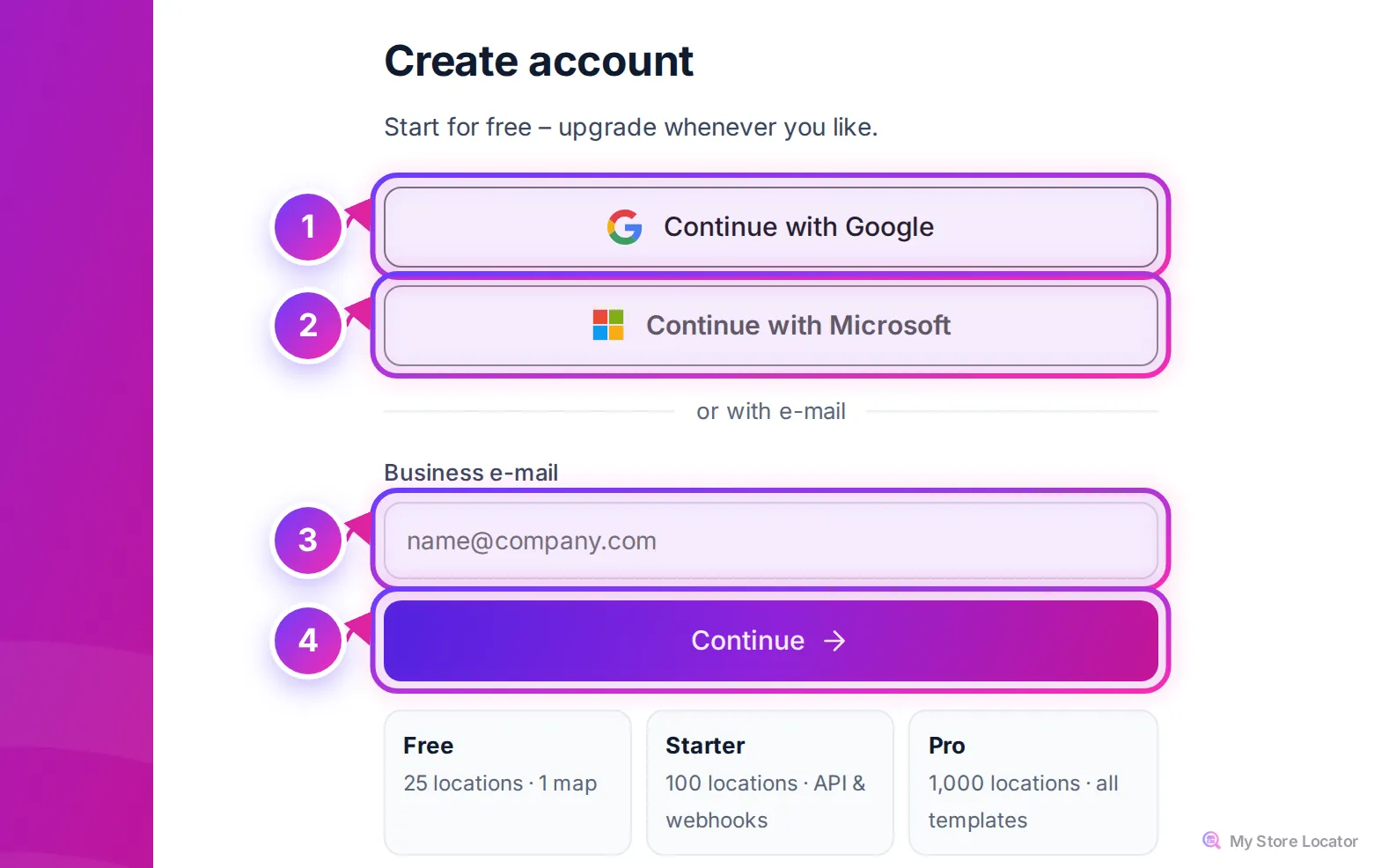
- Continue with Google – you sign up with your Google account.
- Continue with Microsoft – the same with a Microsoft account.
- Or enter your business e-mail …
- … and click Continue.
Step 2: your details
Your e-mail address is shown at the top; use Change to correct it.
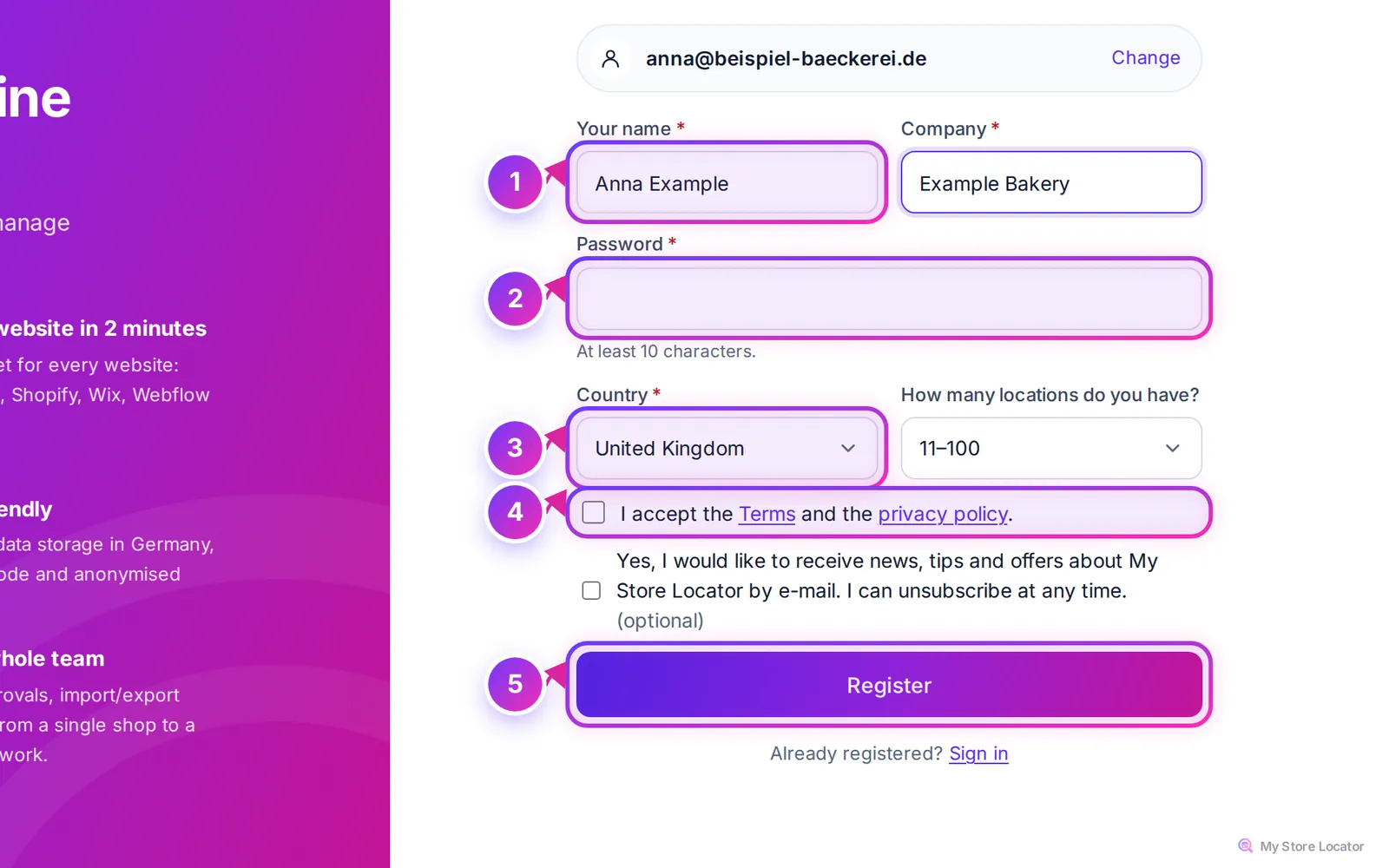
- Enter your name and your company.
- Choose a password with at least 10 characters.
- Choose your country and, if you like, how many locations you have.
- Tick I accept the Terms and the privacy policy – you set this tick yourself. News by e-mail is optional.
- Click Register.
Tip: Your account works straight away, and the welcome wizard starts. Then confirm the link in the e-mail – until then, booking a plan, invitations and API keys are locked.
Good to know
Do I need a password with Google or Microsoft?
No. After signing in, My Store Locator only asks for name, company and country and for the tick for terms and privacy. You can add a password later under Settings → Security.
Does the account cost anything?
No. The Free plan is free of charge (25 locations, 1 map). You can book a bigger plan any time later.