
What you need
- An account, see Sign up
Step 1: enter your e-mail
Open app.my-store-locator.com. For security reasons the page never reveals whether an account exists for an address.
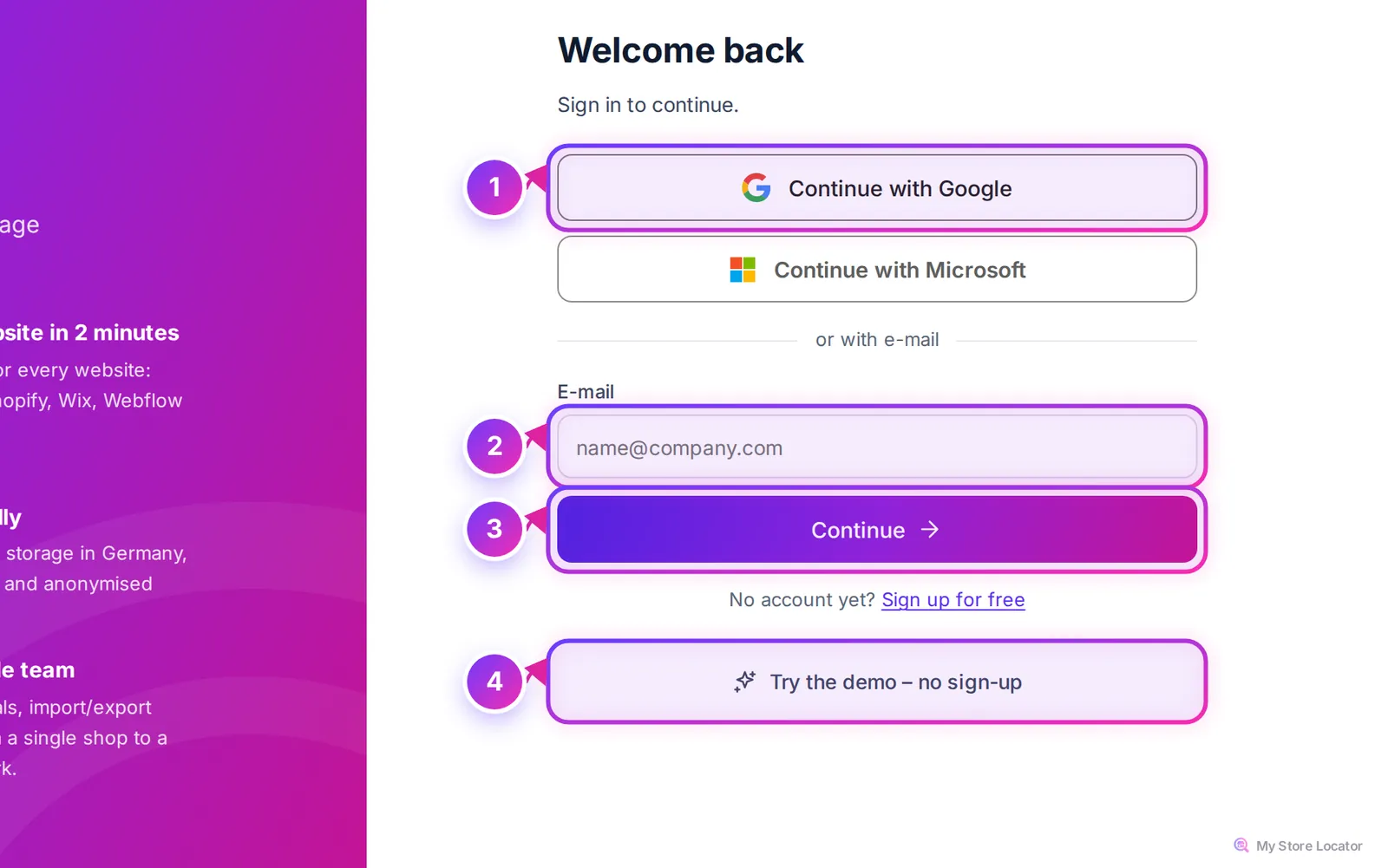
- With Continue with Google or Continue with Microsoft you sign in directly.
- Or enter your e-mail …
- … and click Continue.
- No account? Try the demo – no sign-up shows a sample company.
Step 2: password, passkey or code
In the second step you choose how to sign in.
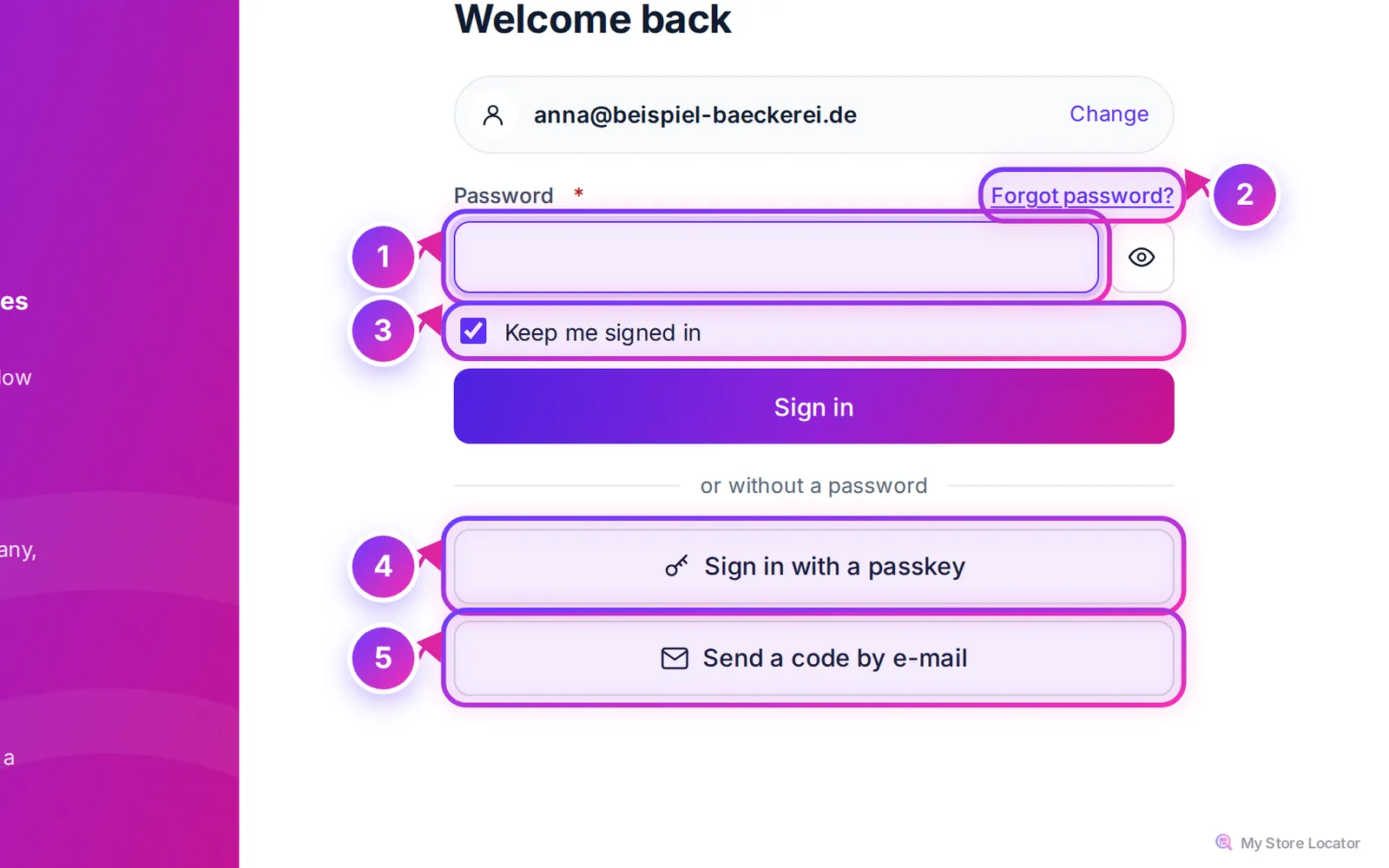
- Enter your password and click Sign in.
- Forgot password? leads to the reset, see Forgot password.
- Keep me signed in is preselected. On other people's devices, untick it.
- Sign in with a passkey: with Face ID, fingerprint or a password manager – without a password.
- Send a code by e-mail: you receive an e-mail with a sign-in link and a 6-digit code (valid for 15 minutes).
Tip: If two-factor sign-in is on, My Store Locator then asks for the 6-digit code from your authenticator app – also with Google and Microsoft.
Good to know
I signed up with Google. How do I sign in?
Click Continue with Google. You only have a password once you add one under Settings → Security.