
What you need
- A My Store Locator account – the Free plan is enough
- A published map (status "Live"), see create and publish a map
- Access to your website at a place where you can paste HTML
Open the Embed Studio and choose the map
The Embed Studio gives you the code for your website. If you have several maps, choose the one you want at the top. Only published maps can be reached by visitors.
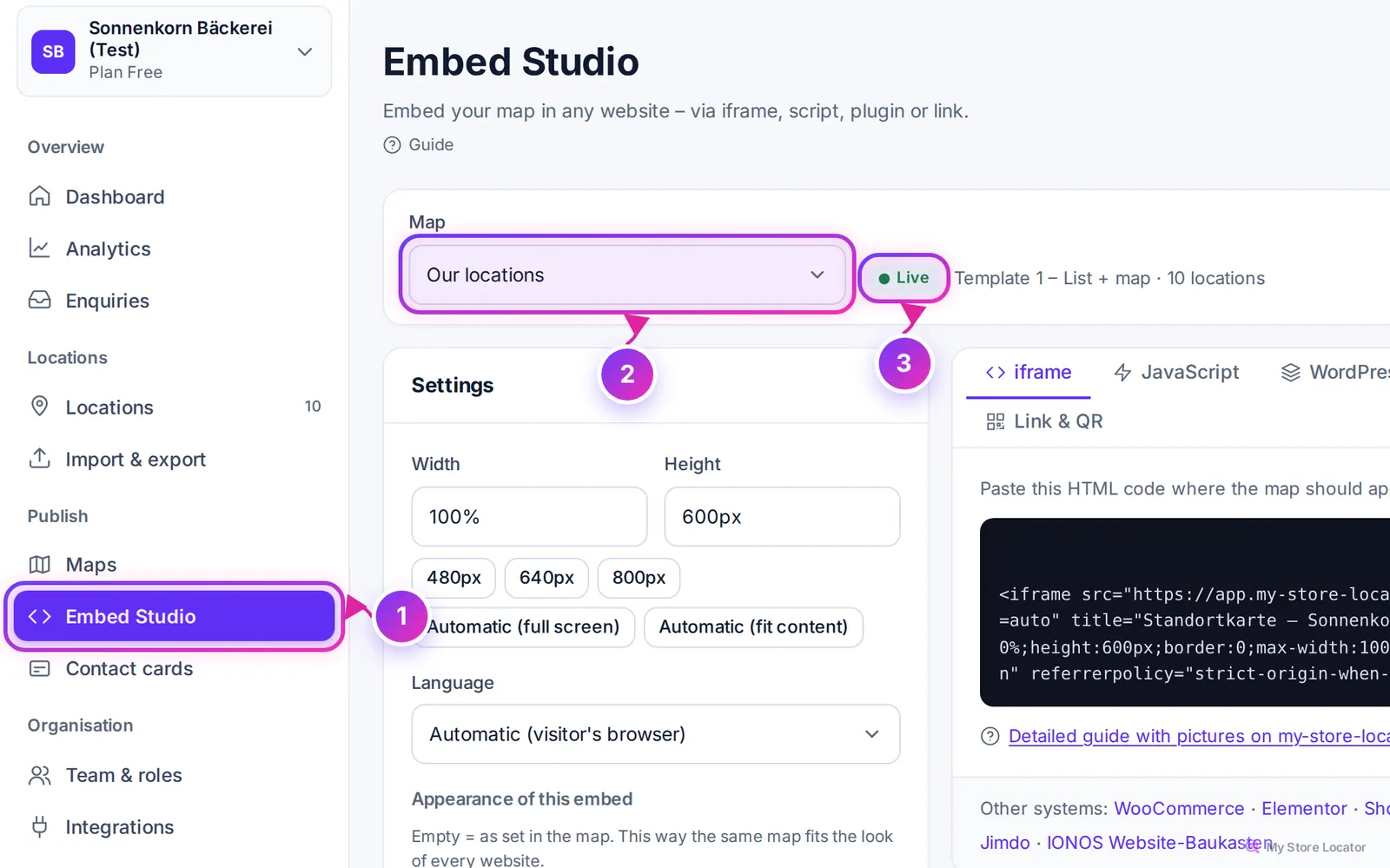
- Click Embed Studio in the menu.
- Under Map, choose the map that should appear on your website.
- Check that the map is Live. If it says "Draft", publish it first in the map editor.
Set size and language
Width 100% fits the map to your page. The presets help with the height; "Automatic (fit content)" makes the map as tall as the list, so visitors only scroll your page.
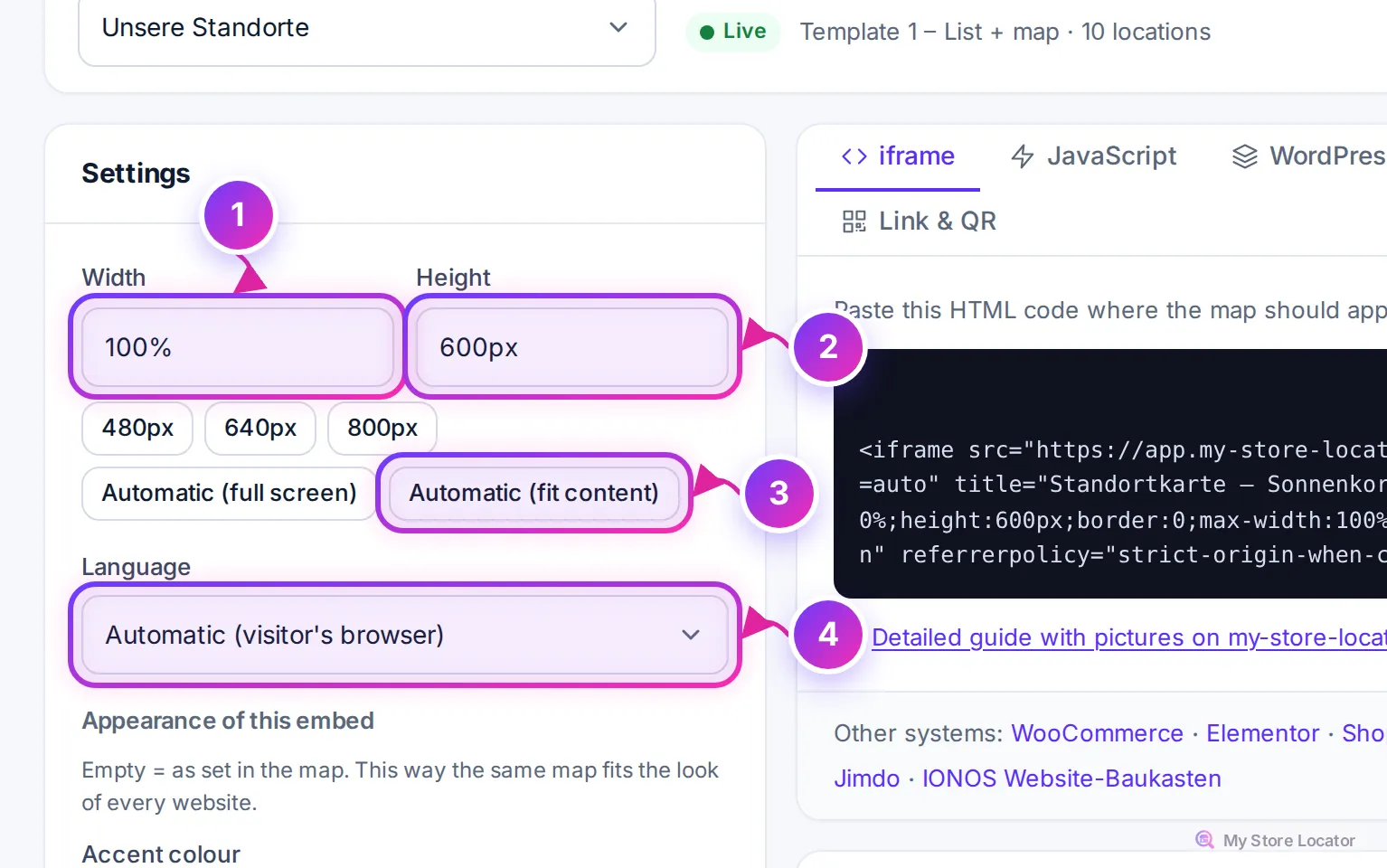
- Width: usually 100%.
- Height: type a value or pick a preset (480px, 640px, 800px).
- Or choose Automatic (fit content) or Automatic (full screen).
- Language: German, English or Automatic (visitor's browser).
Tip: These settings belong to the map. Click Save at the top and copy the code afterwards – then it contains your values.
Choose iframe or JavaScript and copy the code
Both versions show the same map. The iframe works in practically every site builder; the JavaScript adjusts the height itself and loads the map without an iframe frame.
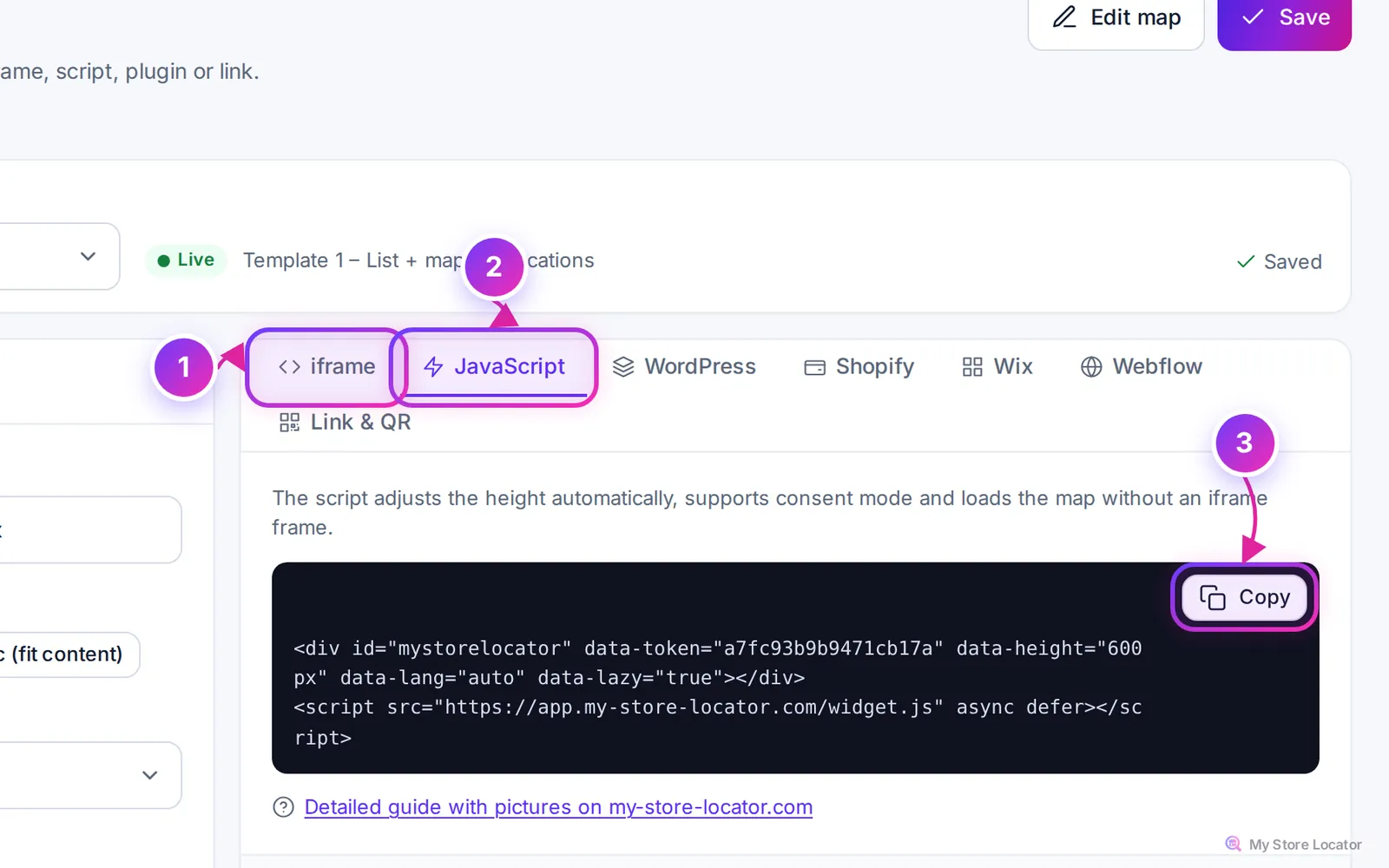
- iframe tab: for site builders that only allow simple HTML elements.
- JavaScript tab: adjusts the height itself, supports click-to-load mode and loads without an iframe frame.
- Click Copy.
| iframe | JavaScript | |
|---|---|---|
| Works in every site builder | Yes | If scripts are allowed |
| Height adjusts | Fixed height | Automatic |
| Frame around the map | iframe frame | No frame |
Paste the code on your website
Paste the code where the map should appear, for example on a "Stores" page. In site builders the element is usually called "HTML", "Code" or "Embed". Once you publish the page, visitors see the map.
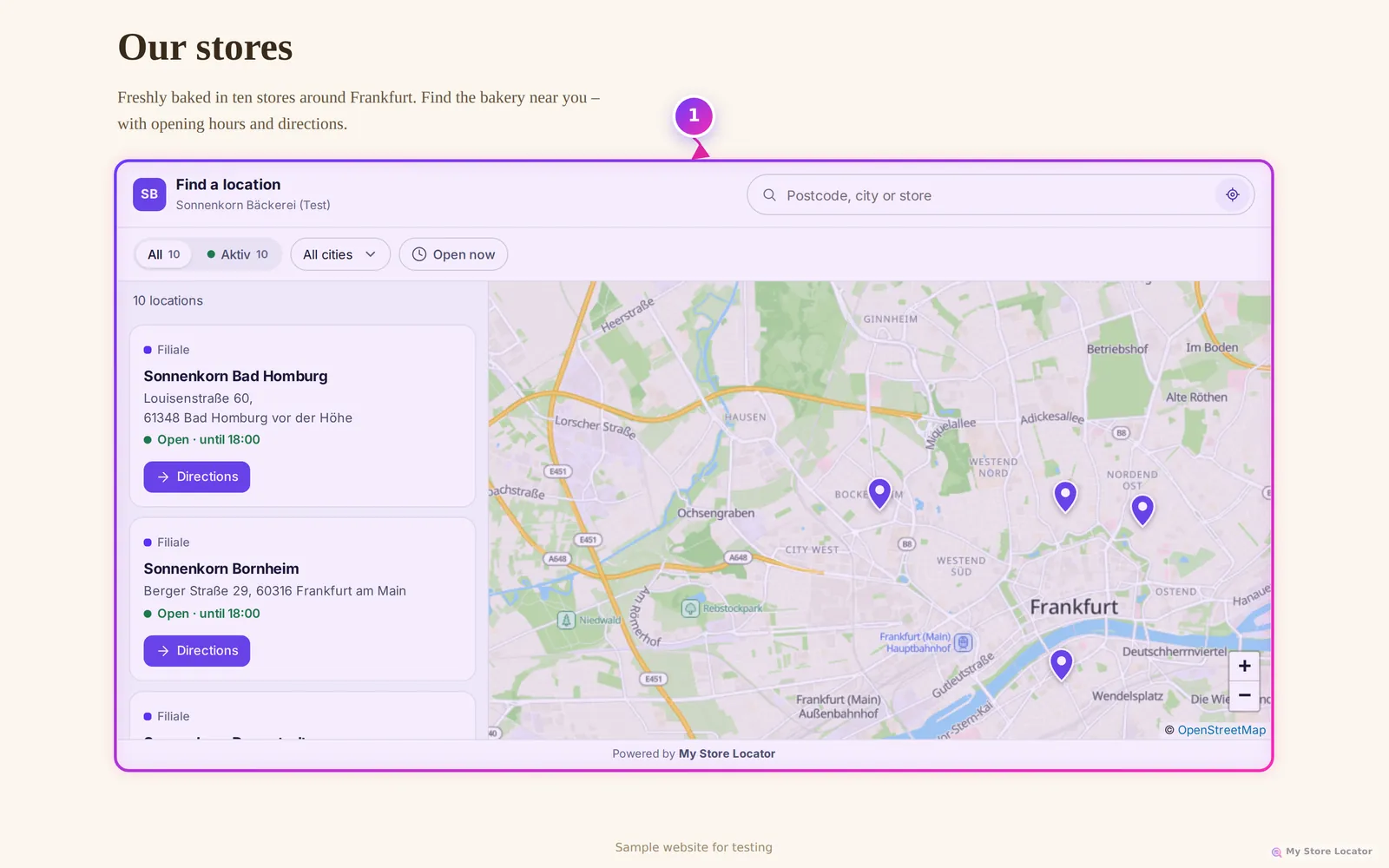
- This is the map on a sample website – with search, filters, list and map.
Tip: The code never changes. When you change locations or the design and save, visitors see the change automatically.
Good to know
Where exactly do I paste the code?
My website shows "Map not available".
The map is still a draft, was deleted, or your website is not under "Allowed websites" while "Show only on allowed websites" is on. See show only on allowed websites.
Can I show several maps on one page?
Yes, with the JavaScript code. Each map has its own code.
Do I need a Google Maps key?
No. Map images, address search and routes come from our own map server in Germany (map data © OpenStreetMap).