
What you need
- A My Store Locator account with a published map – the Free plan is enough
- A Wix website and access to the Wix Editor (tested with the Wix Editor on the free Wix plan)
1. Copy the code in My Store Locator
Open Integrations → Platforms and click Wix. In the section Works today: with a ready code:
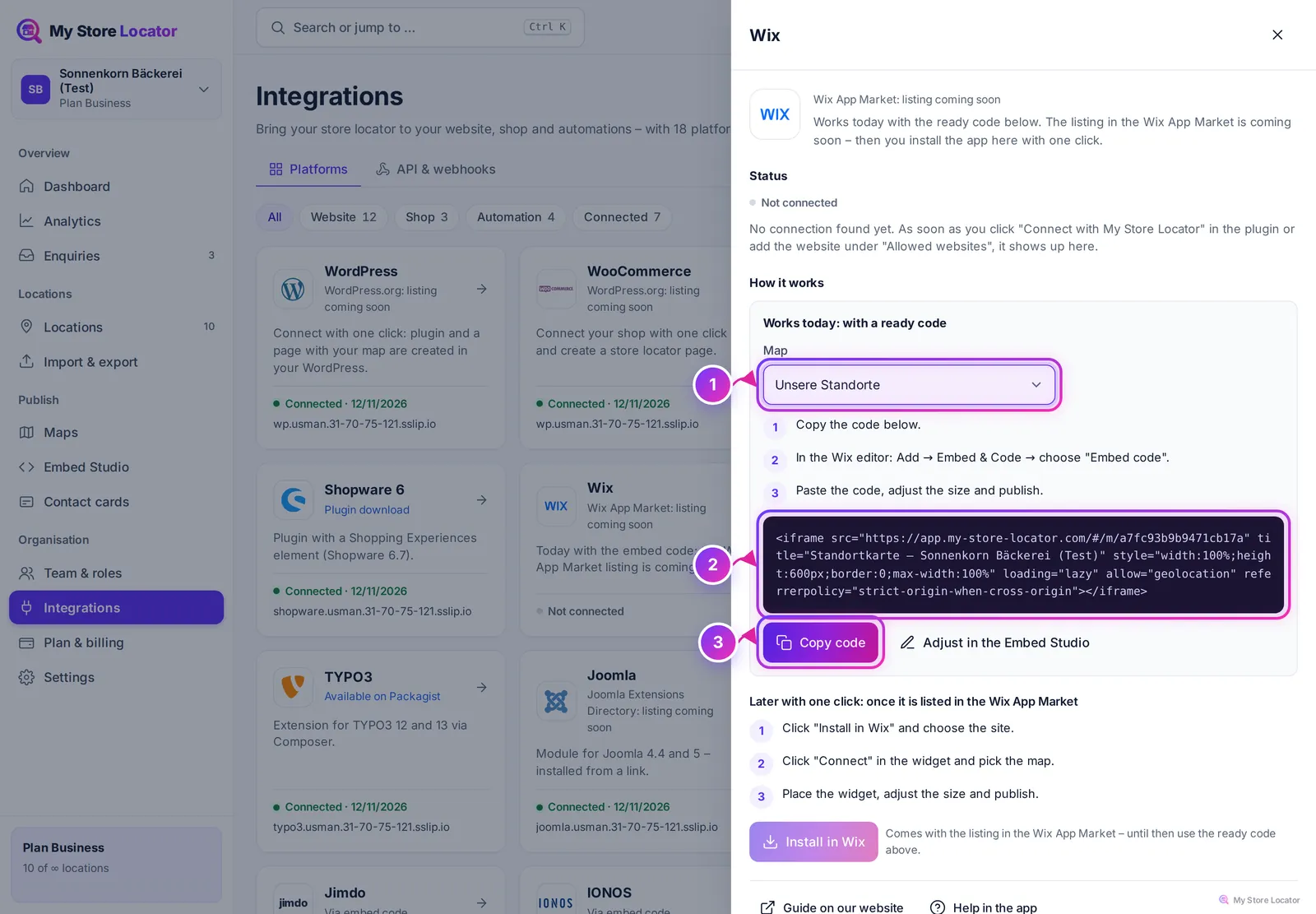
- Under Map, choose the map that should appear on the website.
- This is the ready code – width 100%, height 600 pixels.
- Click Copy code.
Tip: You find the same code in the Embed Studio on the Wix tab – there you can set the height, language and colours first.
2. Add an "Embed HTML" element
Open your page in the Wix Editor (in the dashboard, Design Site or Edit Site).
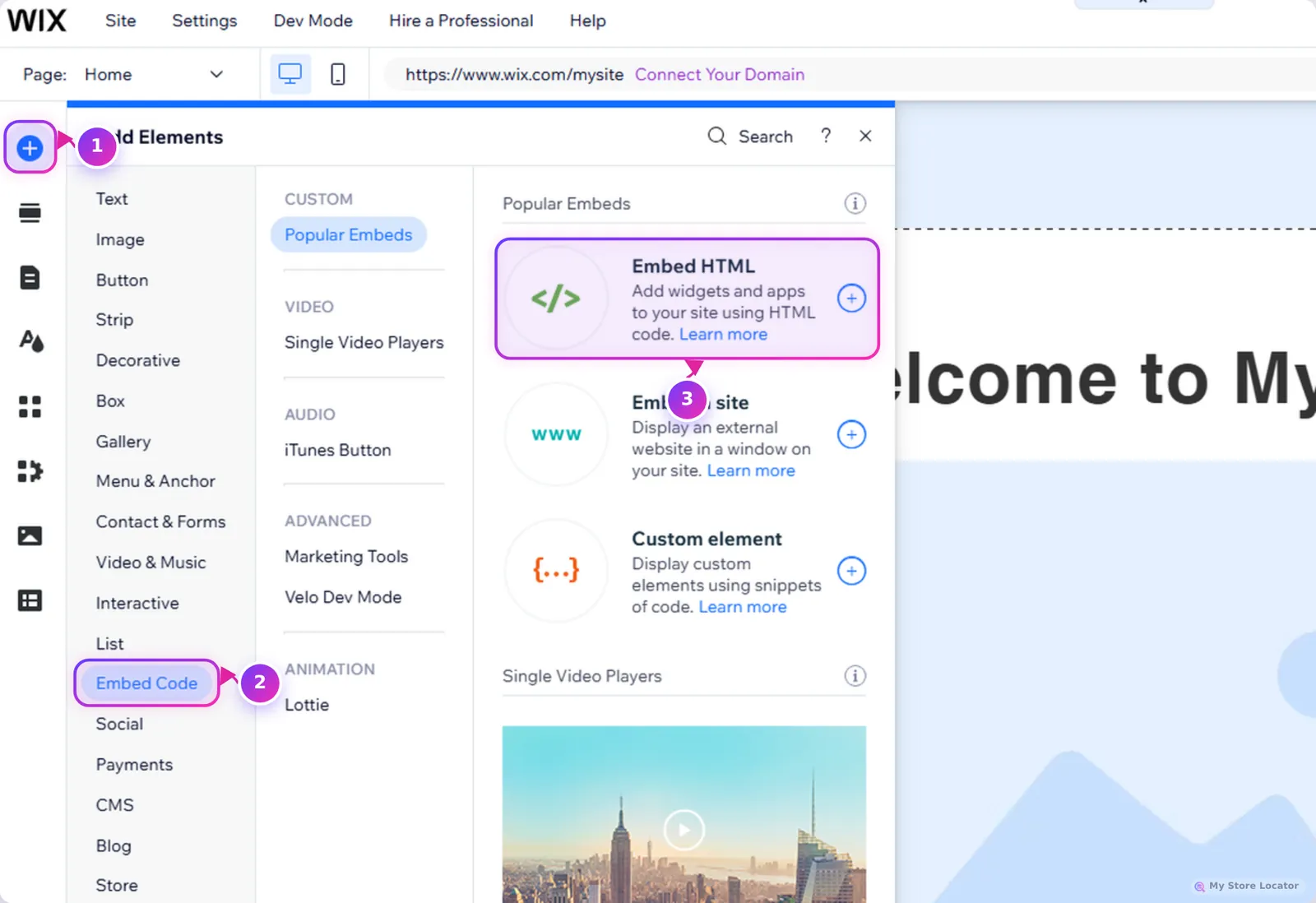
- On the left, click Add Elements (+).
- Choose Embed Code.
- Click Embed HTML – the element appears on the page.
3. Paste the code and apply it
The HTML Settings open (otherwise click Enter Code on the element).
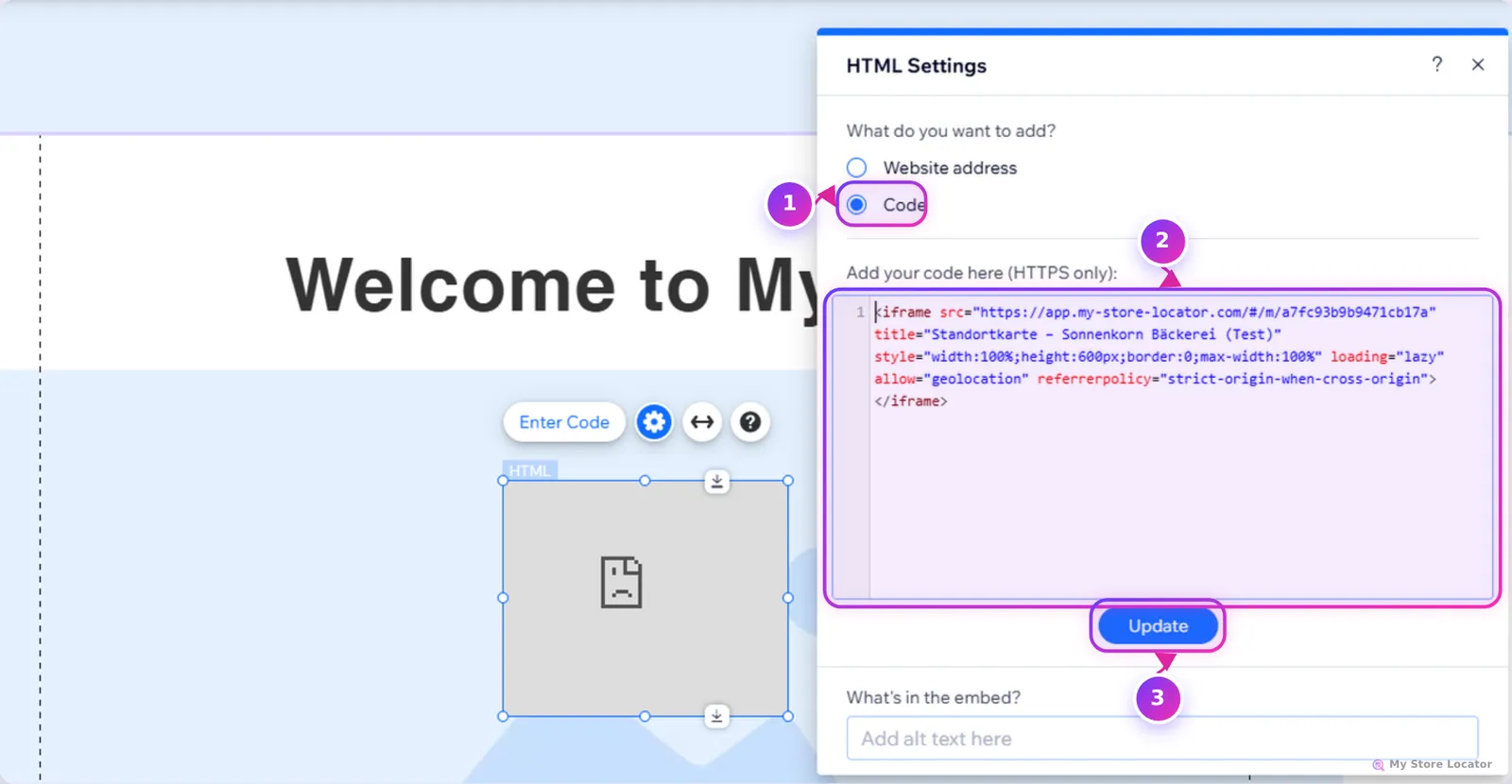
- Under "What do you want to add?", choose Code.
- Paste the copied code into the box.
- Click Update. Wix then asks which cookies the code sets – leave it on Essential.
Tip: Then drag the element's corners to make it big: about as wide as the content and at least 600 pixels high, otherwise Wix shows a scroll bar. Then click Save at the top.
4. Check the preview and publish
Click Preview at the top: the map appears with search, filters and list – exactly as under your map link. Publish puts the page online. After that, changes to locations or to the map appear automatically; you don't need to paste the code again.
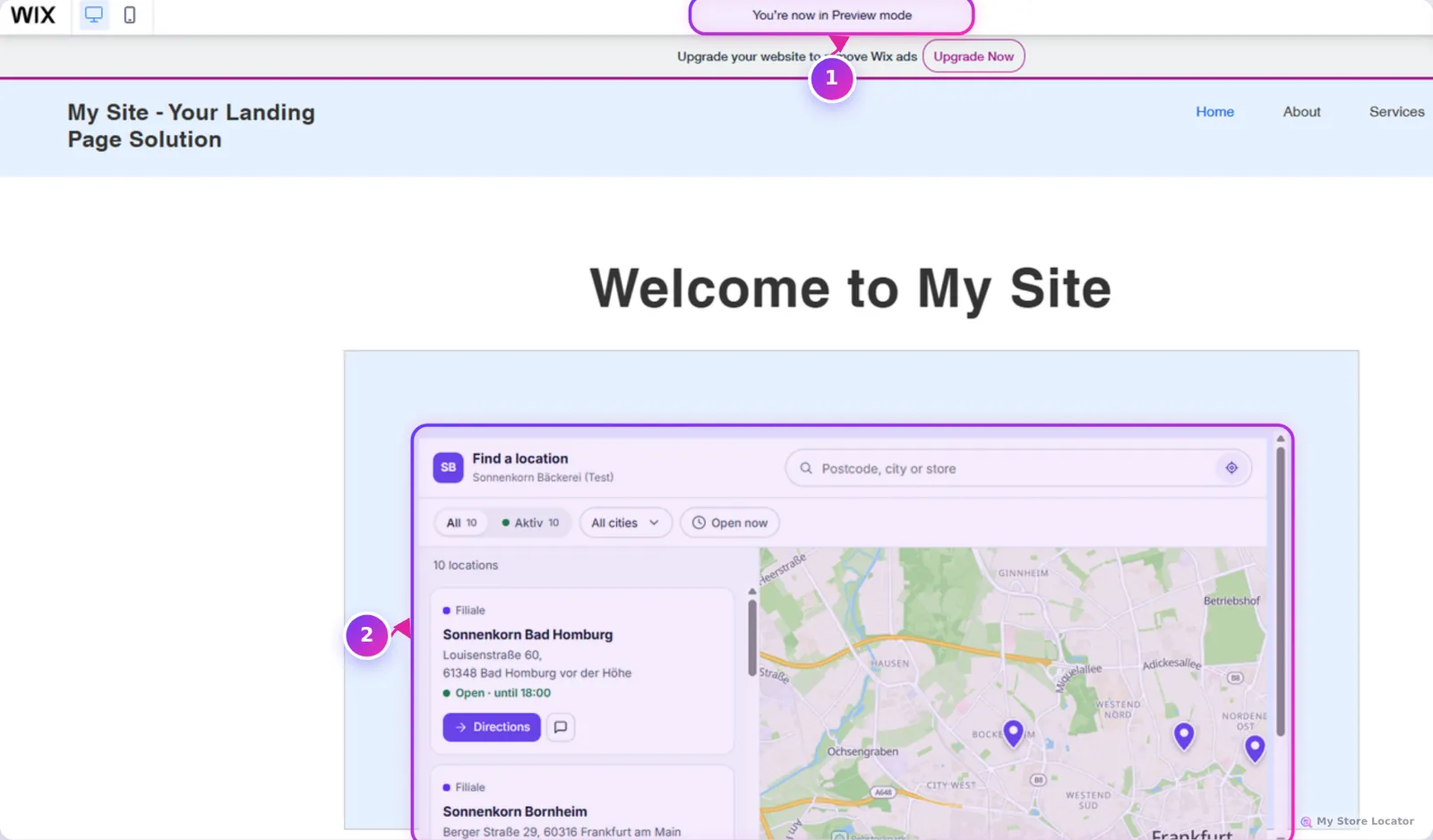
- The preview shows the page as visitors see it.
- The map on your Wix page – test it once: search for a place, click a store, open Directions.
Good to know
Is there a Wix app?
The app for the Wix App Market is coming soon. Then you install it with one click and choose the map in the widget. Until then, Embed HTML is the way to go.
Do I need a paid Wix plan?
No. Embed HTML also works on the free Wix plan (tested on 18 Nov 2026). Paid Wix plans only remove the Wix ads and allow your own domain. On the My Store Locator side, the Free plan is enough, too.
The map has a scroll bar or is cut off.
The Wix element is smaller than the map. Drag the element higher (at least as high as height:600px in the code) or set a smaller height in the Embed Studio and copy the code again.
The map is empty or does not show.
Check that the map is published. If you switched on Show only on allowed websites, add your Wix site's address (e.g. yourname.wixsite.com and your own domain) under Allowed websites.