
What you need
- Plan Starter (2 keys), Pro (5) or Business (unlimited)
- A confirmed e-mail address
Open API & webhooks
Open Integrations and the API & webhooks tab.
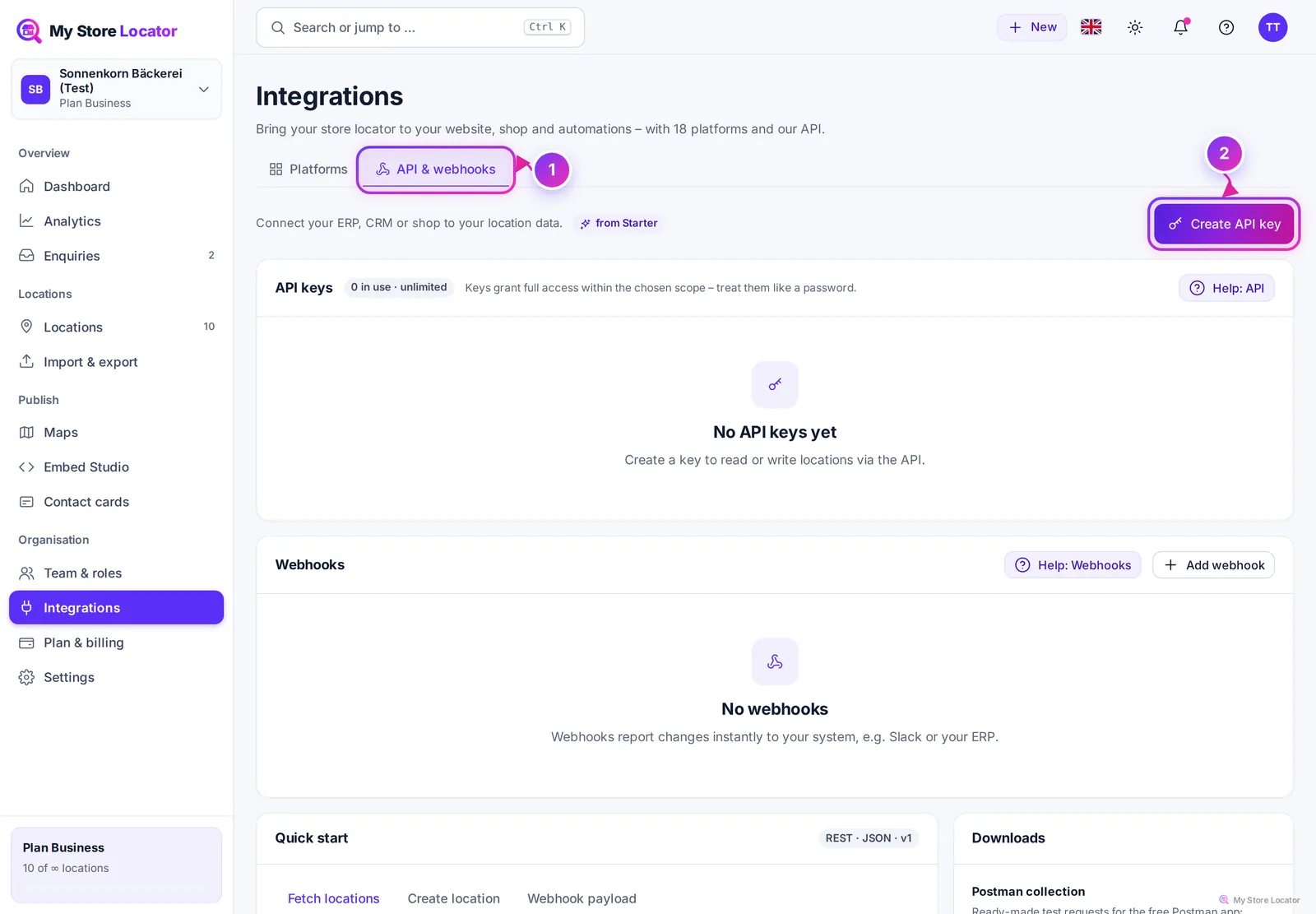
- The API & webhooks tab.
- Click Create API key.
Name and permissions
Give the key only the rights the other system really needs.
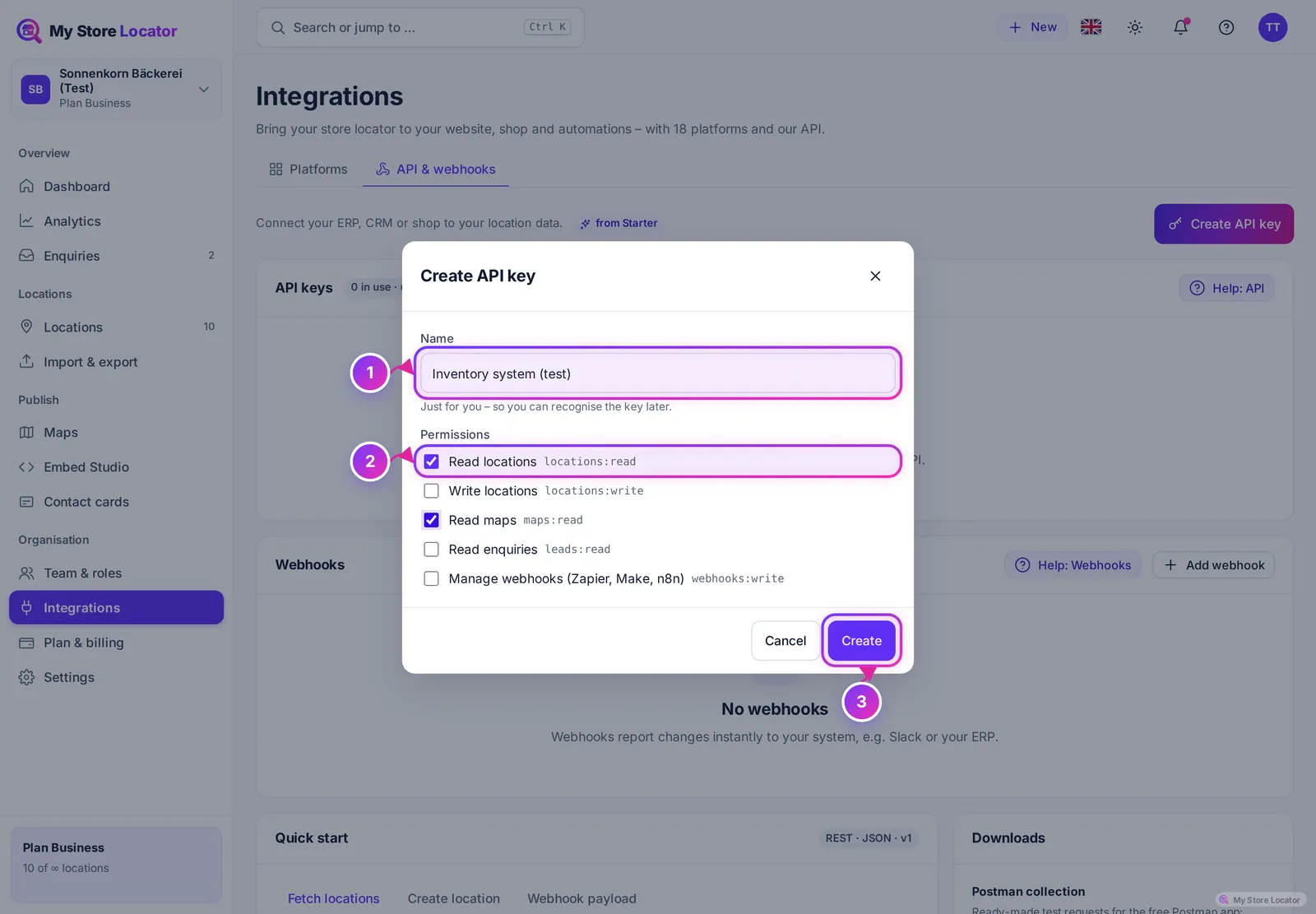
- A name so you recognise the key later, e.g. "Inventory system".
- The permissions: read locations, write locations, read maps, read enquiries, manage webhooks (for Zapier, Make, n8n).
- Create.
Copy the key – visible only now
The key appears exactly once. After that the app only shows its beginning.
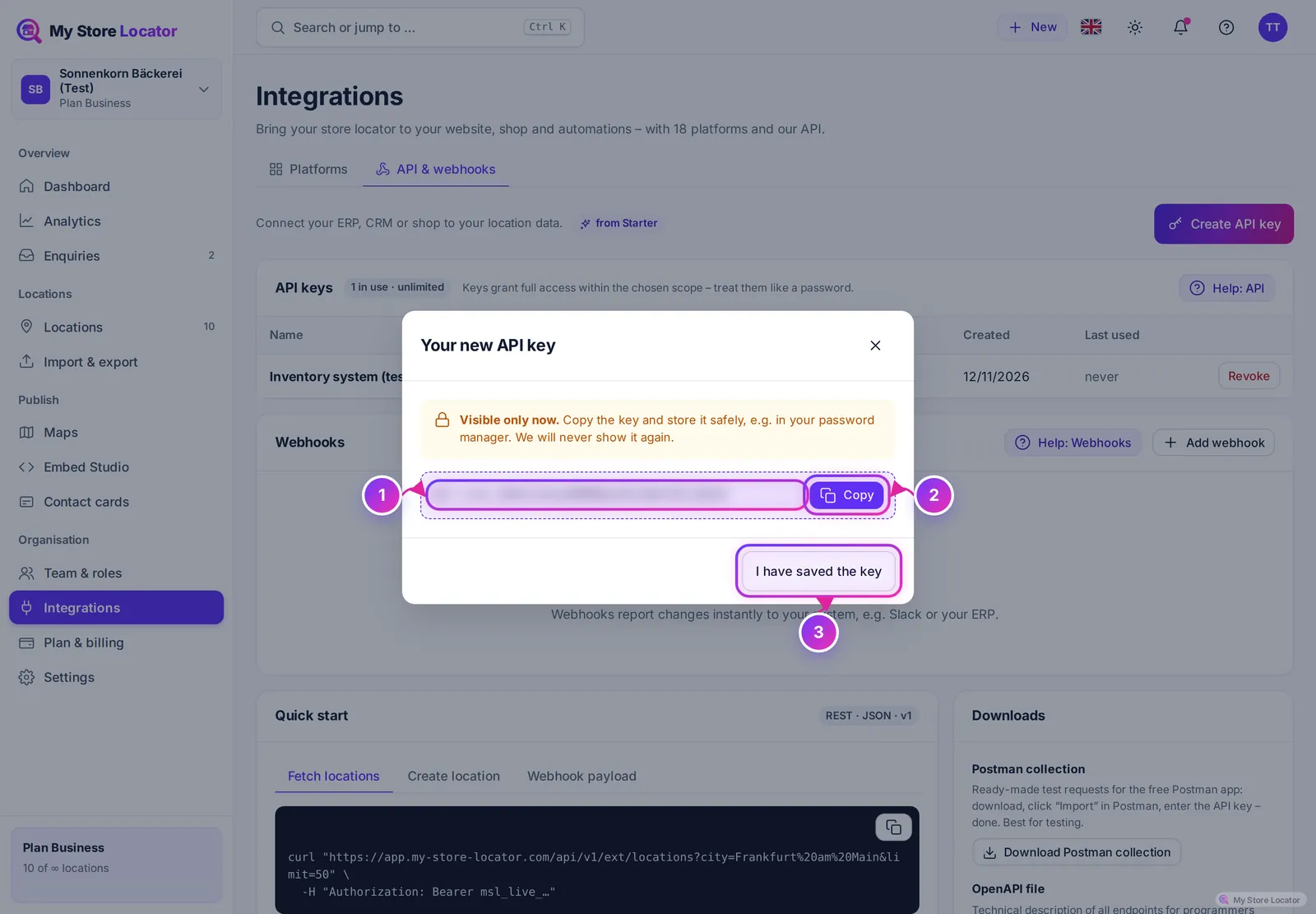
- Your new API key.
- Copy it and store it safely, for example in a password manager.
- Click I have saved the key.
Tip: Treat the key like a password: don't send it by e-mail and don't put it in public code.
Your keys at a glance
The table shows every key with name, beginning, permissions, date and "Last used".
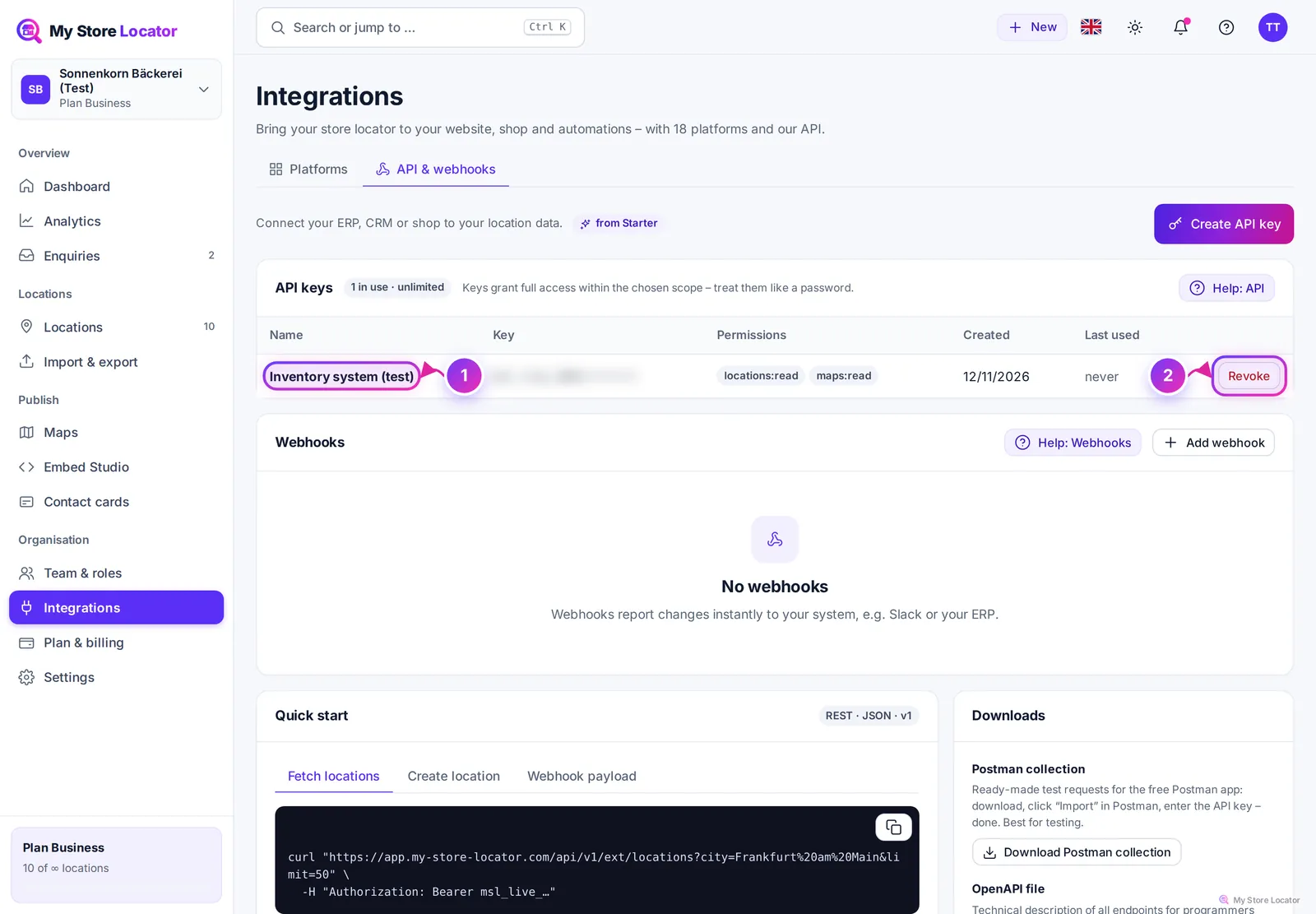
- Your key in the list.
- Revoke blocks the key at once – applications using it lose access.
Tip: Every app connection (Zapier, Make, n8n) counts as one key of your plan.
Good to know
I lost the key.
It can't be shown again. Revoke it and create a new one.
Where is the documentation?
Under API & webhooks: quick start with examples, Postman collection, OpenAPI file and "Help: API".
Are there limits?
600 requests per minute and key, up to 500 entries per page. Above that the API answers with HTTP 429.