
What you need
- Plan Starter (10 webhooks), Pro (25) or Business (unlimited)
- An HTTPS address that accepts requests (e.g. from your CRM, Zapier or Slack)
Add a webhook
Open Integrations → API & webhooks and click Add webhook in the Webhooks card.
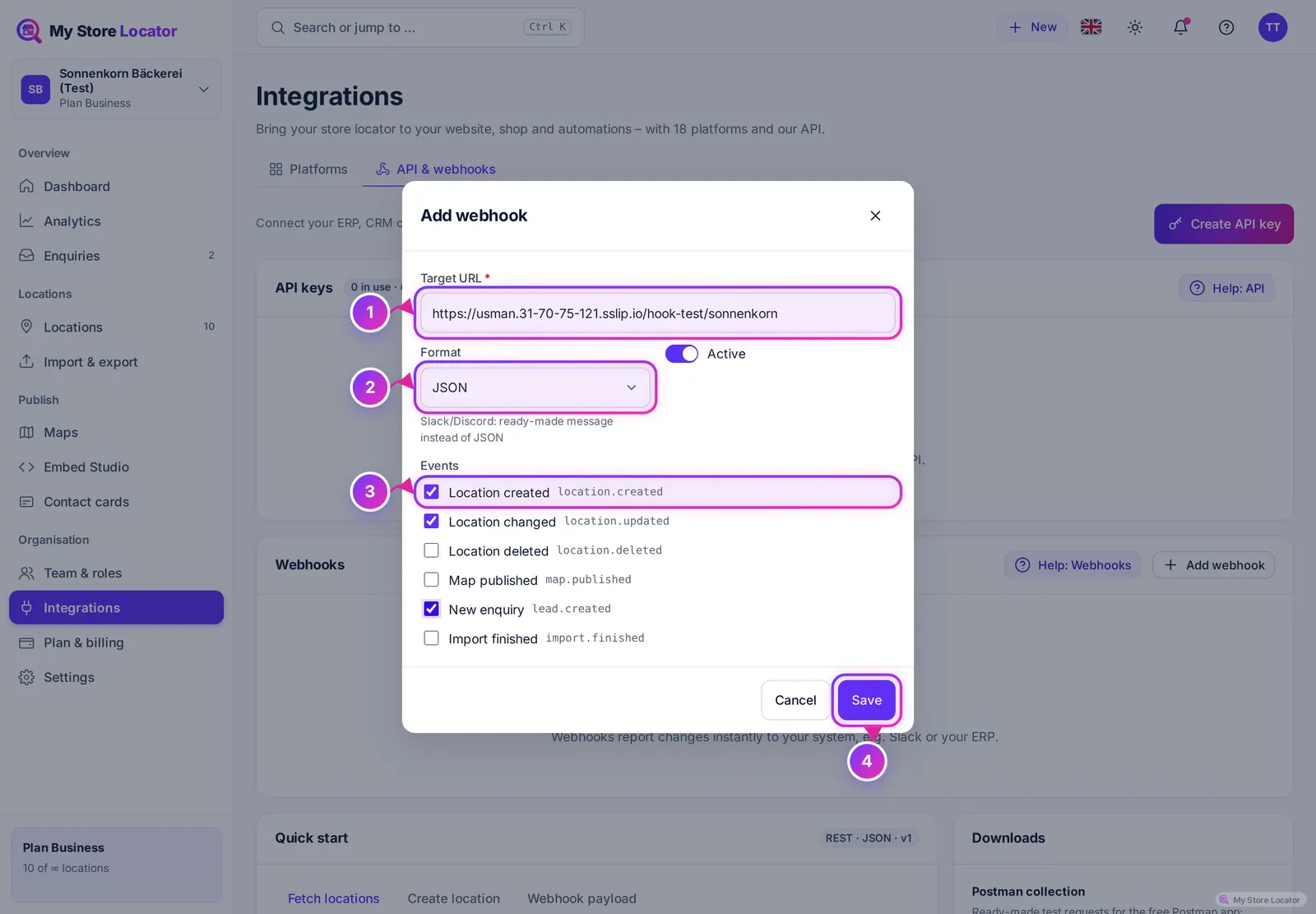
- The target URL – HTTPS only, no internal addresses.
- The format: JSON for your system, or Slack or Discord for a ready-made message.
- The events: location created, changed, deleted, map published, new enquiry, import finished.
- Save.
Send a test
The webhook now appears in the list with events, format and status.
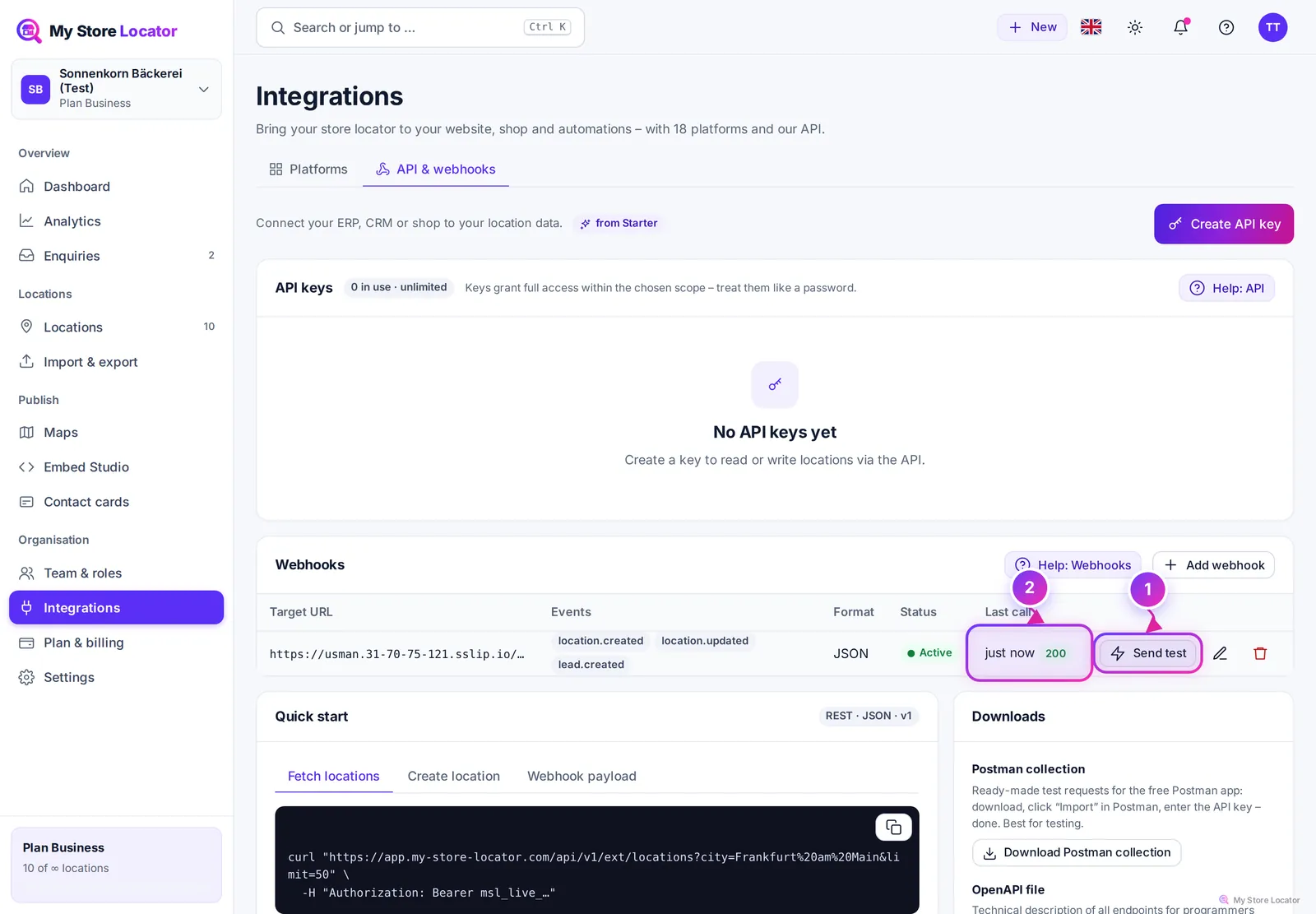
- Send test sends a real test event to your address.
- Under Last call you see at once whether it worked – here with response 200.
Signature and deliveries
The pencil opens the webhook again.
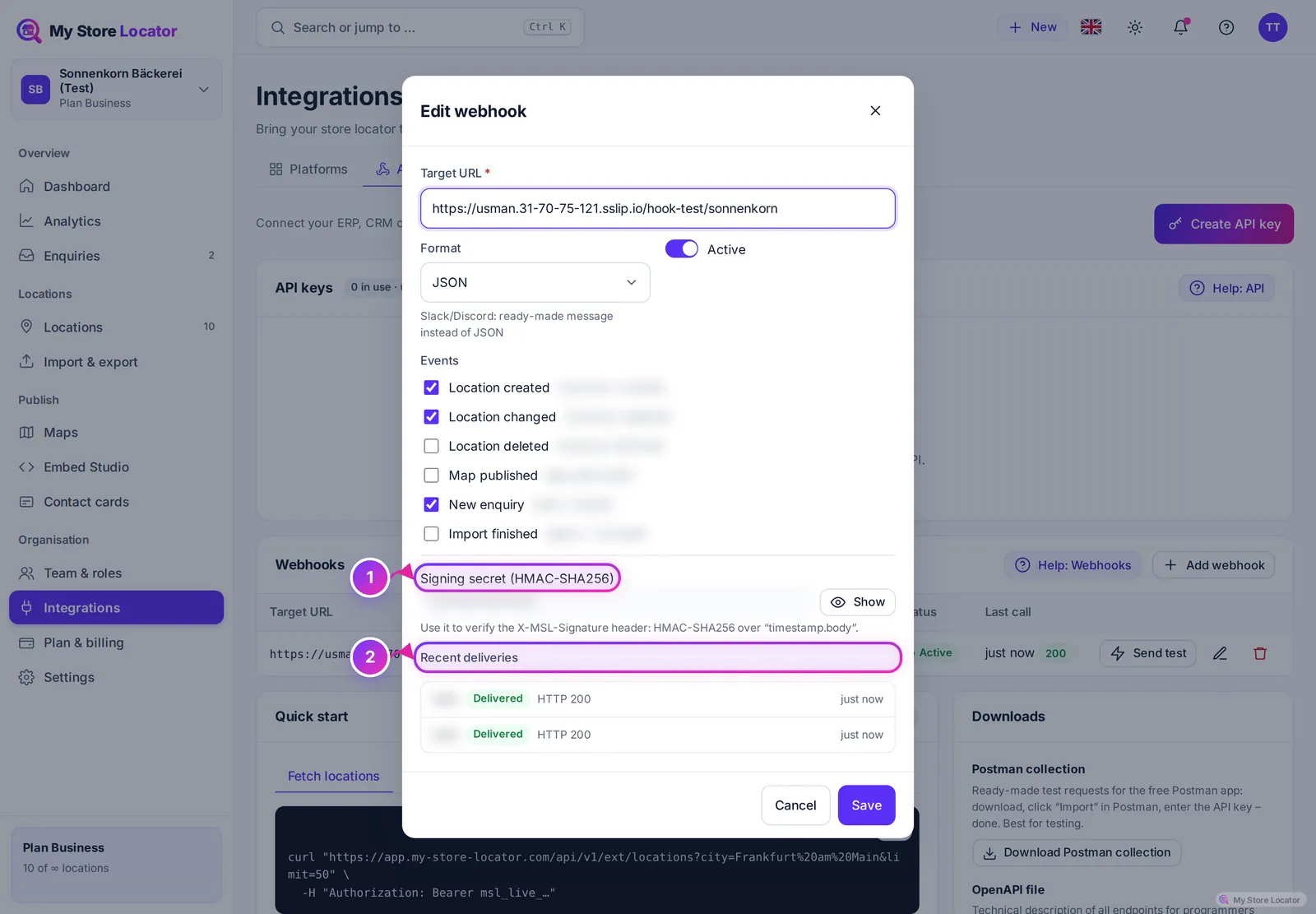
- The signing secret (HMAC-SHA256): your system uses it to check the
X-MSL-Signatureheader and knows the call really comes from My Store Locator. "Show" reveals it. - Recent deliveries shows every call with status and HTTP response.
Tip: If a delivery fails, My Store Locator tries three more times: after 1, 5 and 30 minutes. Your system has 10 seconds to answer.
Good to know
How do I get new enquiries into Slack?
Create an "incoming webhook" in Slack, paste its address here, choose the Slack format and the event "New enquiry". Step by step: Slack or Discord message for new enquiries.
Can I pause a webhook?
Yes. Switch "Active" off – the webhook is kept.