
What you need
- Plan Pro or Business (enquiries are included from Pro, webhooks from Starter)
- A Slack workspace or a Discord server where you may add apps or webhooks
1. Get the webhook address in Slack
Open api.slack.com/apps and click Create an App → From scratch. Enter a name (e.g. "New enquiries") and choose your workspace.
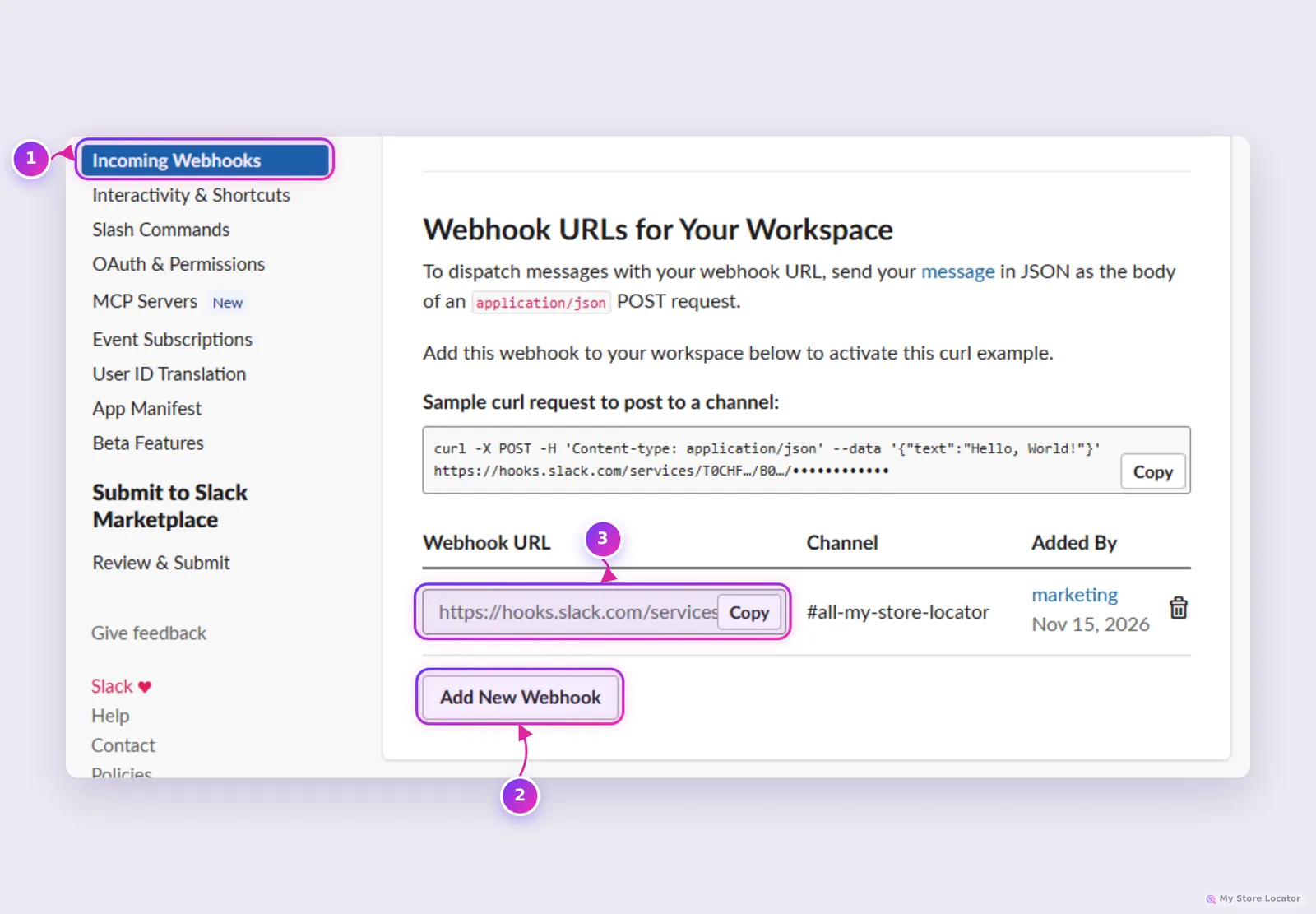
- Under Features on the left, click Incoming Webhooks and switch on Activate Incoming Webhooks.
- Click Add New Webhook at the bottom, choose the channel (e.g. #enquiries) and click Allow.
- Copy the new Webhook URL (it starts with https://hooks.slack.com/services/…) with Copy.
Tip: Treat the webhook address like a password: anyone who knows it can post to the channel. Don't share it in e-mails or screenshots.
2. Add the webhook in My Store Locator
Open Integrations → API & webhooks and click Add webhook in the Webhooks card.
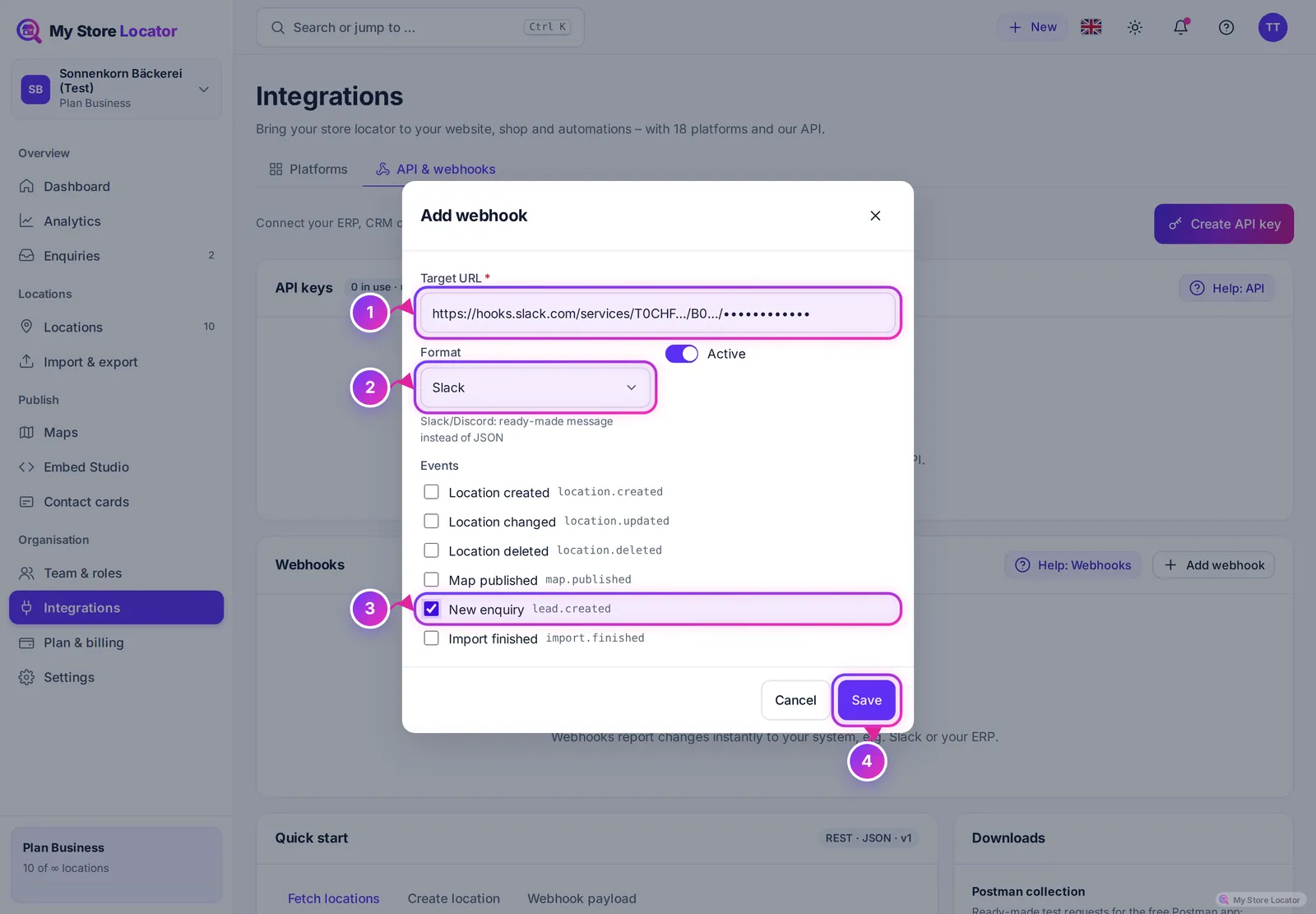
- Paste the copied Slack address into Target URL.
- Under Format, choose Slack – you then get a ready-made message instead of JSON. For Discord, choose Discord.
- Under Events, tick only New enquiry (
lead.created). - Click Save.
3. Send a test
The webhook is now in the list with format Slack and status Active.
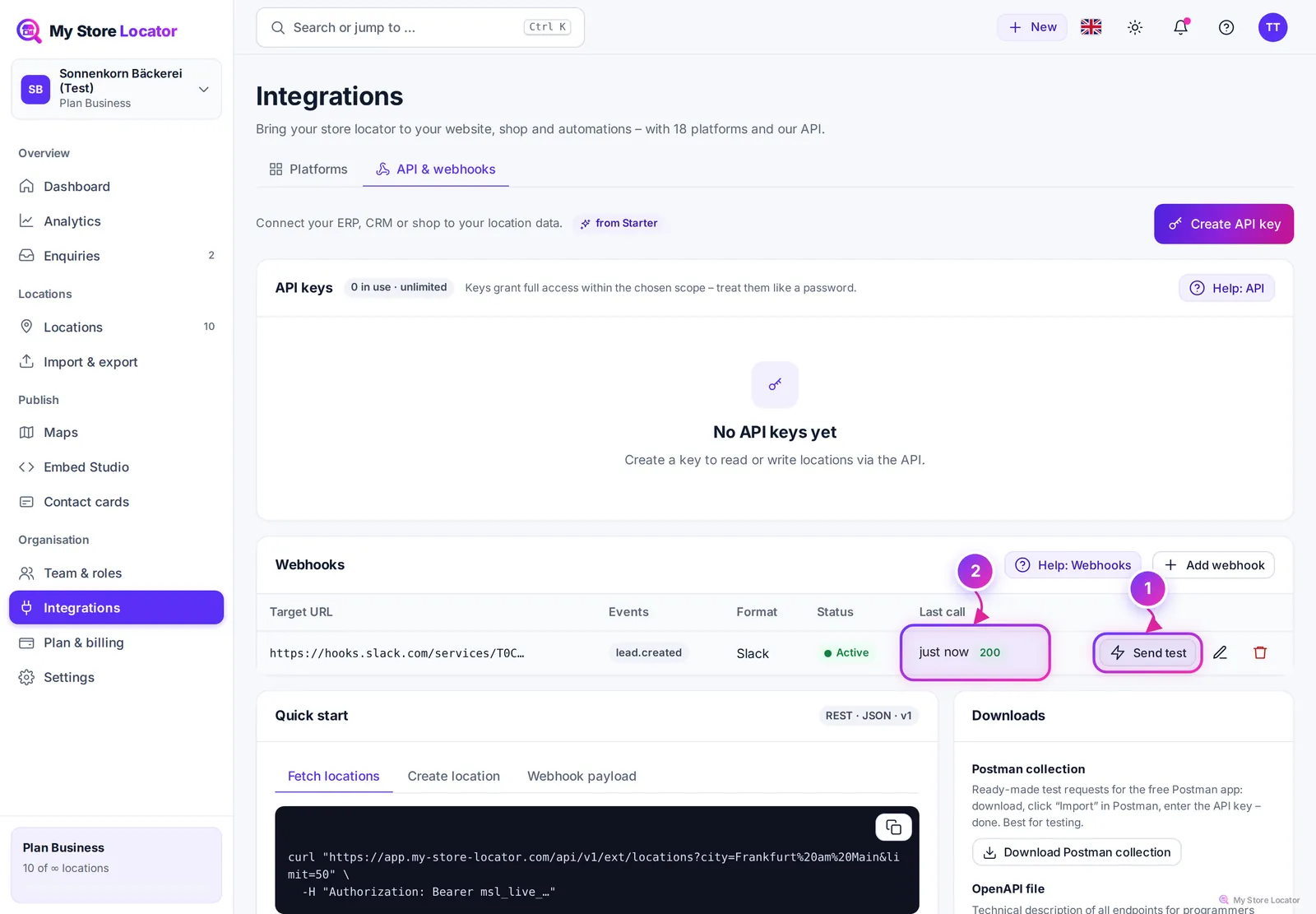
- Click Send test – My Store Locator sends a test message to the channel straight away.
- Last call then shows just now and 200 – Slack has accepted the message.
4. What it looks like in Slack
From now on, every new enquiry from your map appears automatically in the chosen channel.
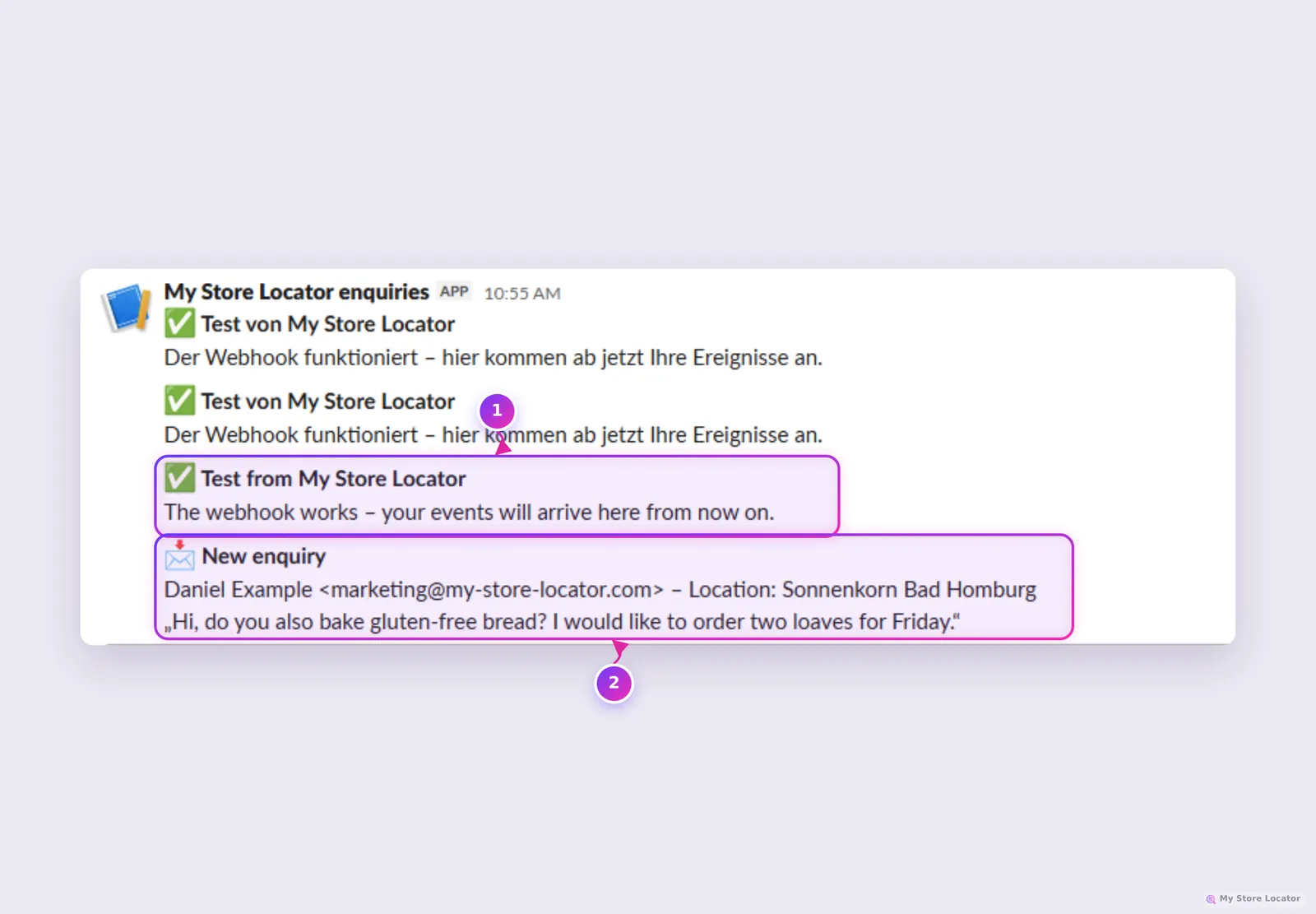
- The test message from Send test.
- A real enquiry from the map: New enquiry with name, e-mail, location and message.
Good to know
Does this work with Discord too?
Discord is even quicker: open Server Settings → Integrations → Webhooks, click New Webhook, choose the channel and click Copy Webhook URL. In My Store Locator, choose Discord under Format – everything else is the same.
Does the store still get the enquiry by e-mail?
Yes. The webhook is an additional channel – the routing under Enquiries → Form & routing stays as it is. If you want enquiries only via the webhook, choose "To a webhook (CRM, Slack …)" there, see Form & routing.
The test fails. What can I do?
Check that the address is copied completely and starts with https://hooks.slack.com/services/ (or https://discord.com/api/webhooks/), and that the format matches the address. If the webhook was removed in Slack, create a new one and enter the new address.
What happens if Slack is not reachable?
My Store Locator tries again automatically three times – after 1, 5 and 30 minutes. Under Edit → Recent deliveries you can see whether a message arrived.
Can I send other events to Slack too?
Yes, e.g. Location created or Import finished. Just tick more events – each one arrives as its own message. More under Set up webhooks.