
What you need
- Plan Pro or Business
- A published map
The button on the map
On every location card a speech-bubble button appears next to Directions.
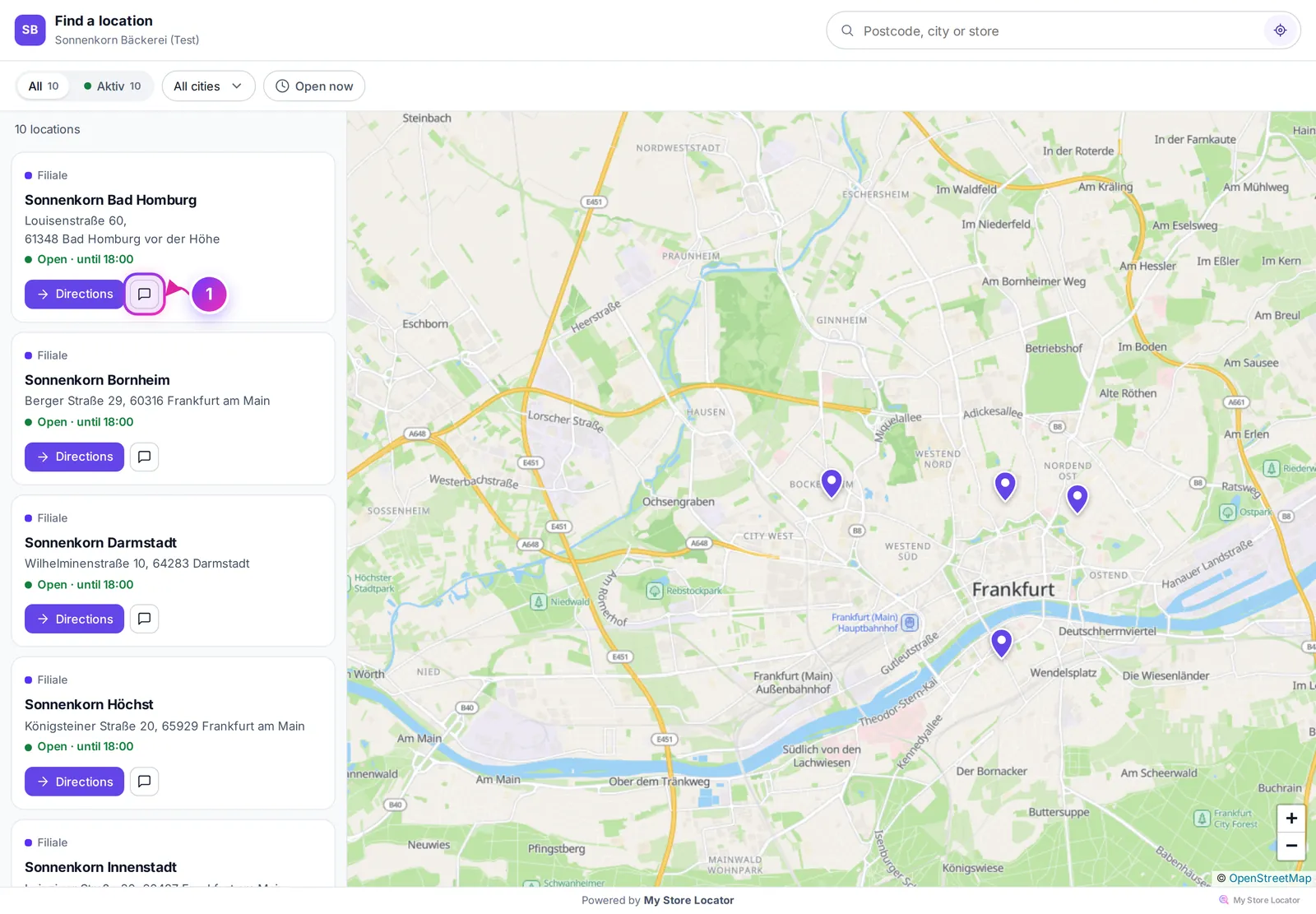
- Visitors click Send enquiry.
The form
The form shows the location at the top, so it is clear where the message goes.
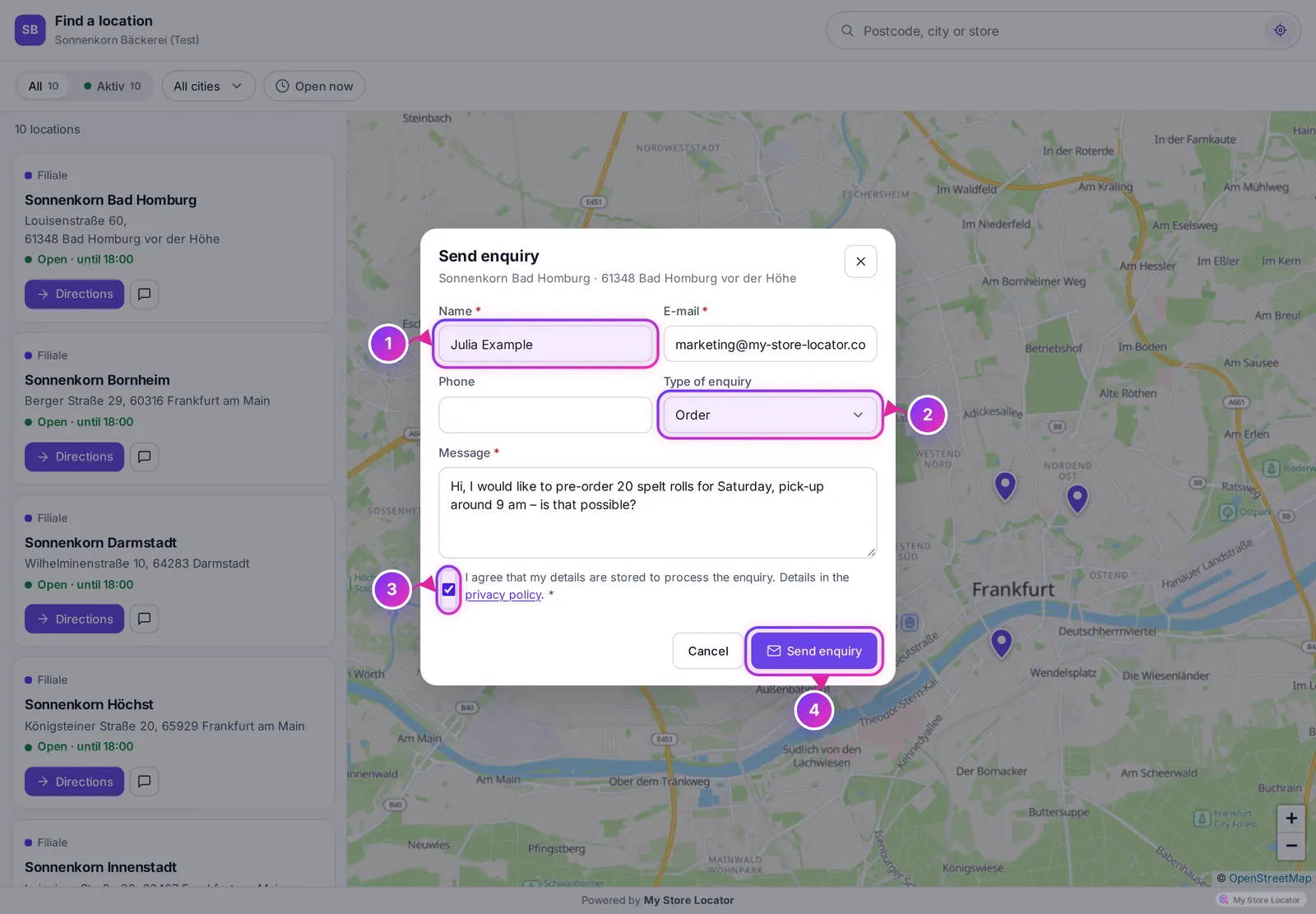
- Name and E-mail are required, phone is optional.
- The type of enquiry: enquiry, order, appointment or job application.
- The form can't be sent without agreeing to the privacy note. The link leads to your privacy policy from the company profile.
- Send enquiry.
Confirmation for the visitor
The visitor sees a confirmation right away. If the automatic reply is on, they also get an e-mail.
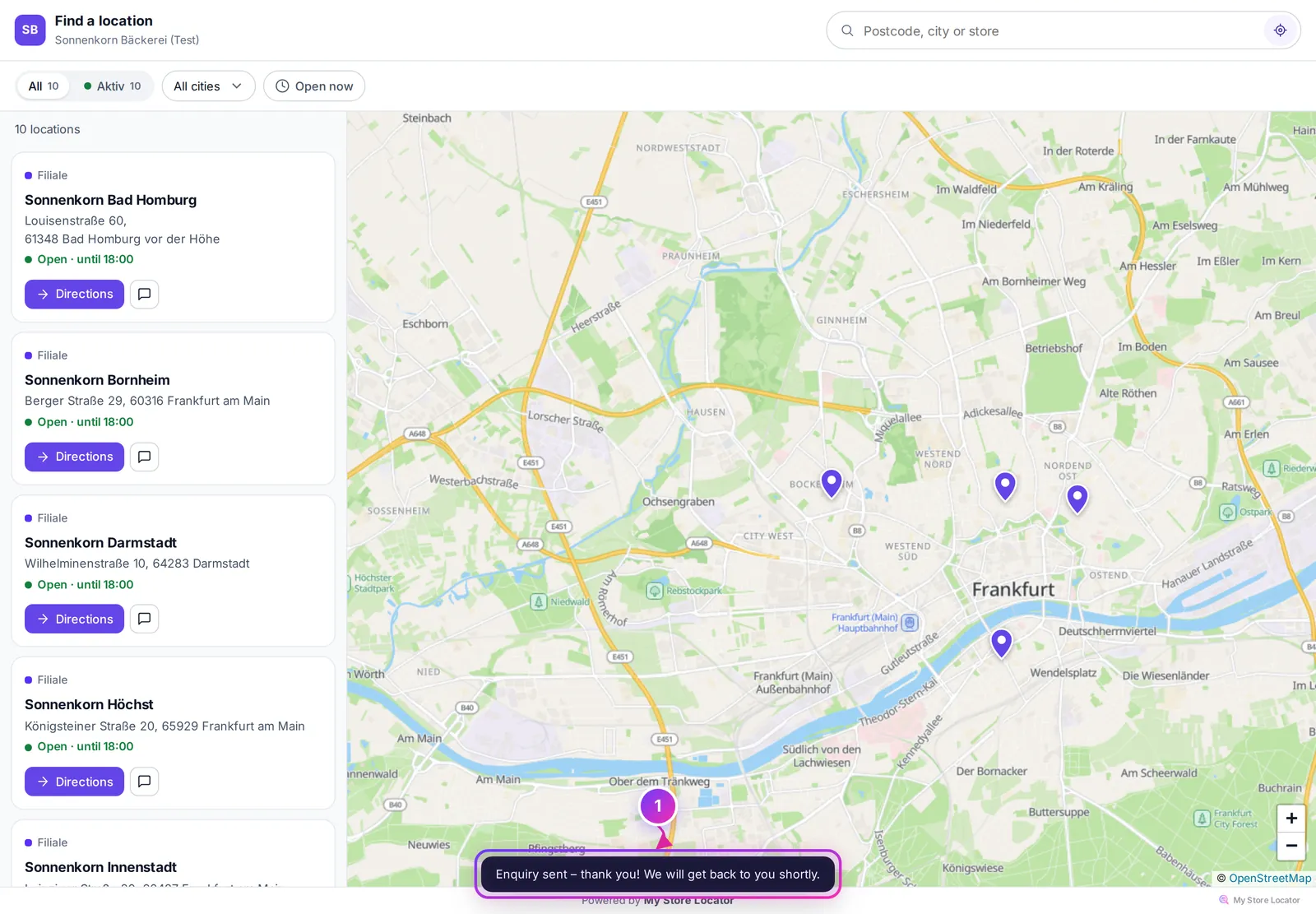
- "Enquiry sent – thank you! We'll get back to you soon."
Enquiries in your inbox
All messages land under Enquiries in the menu. New ones are also counted at the menu item and in the bell.
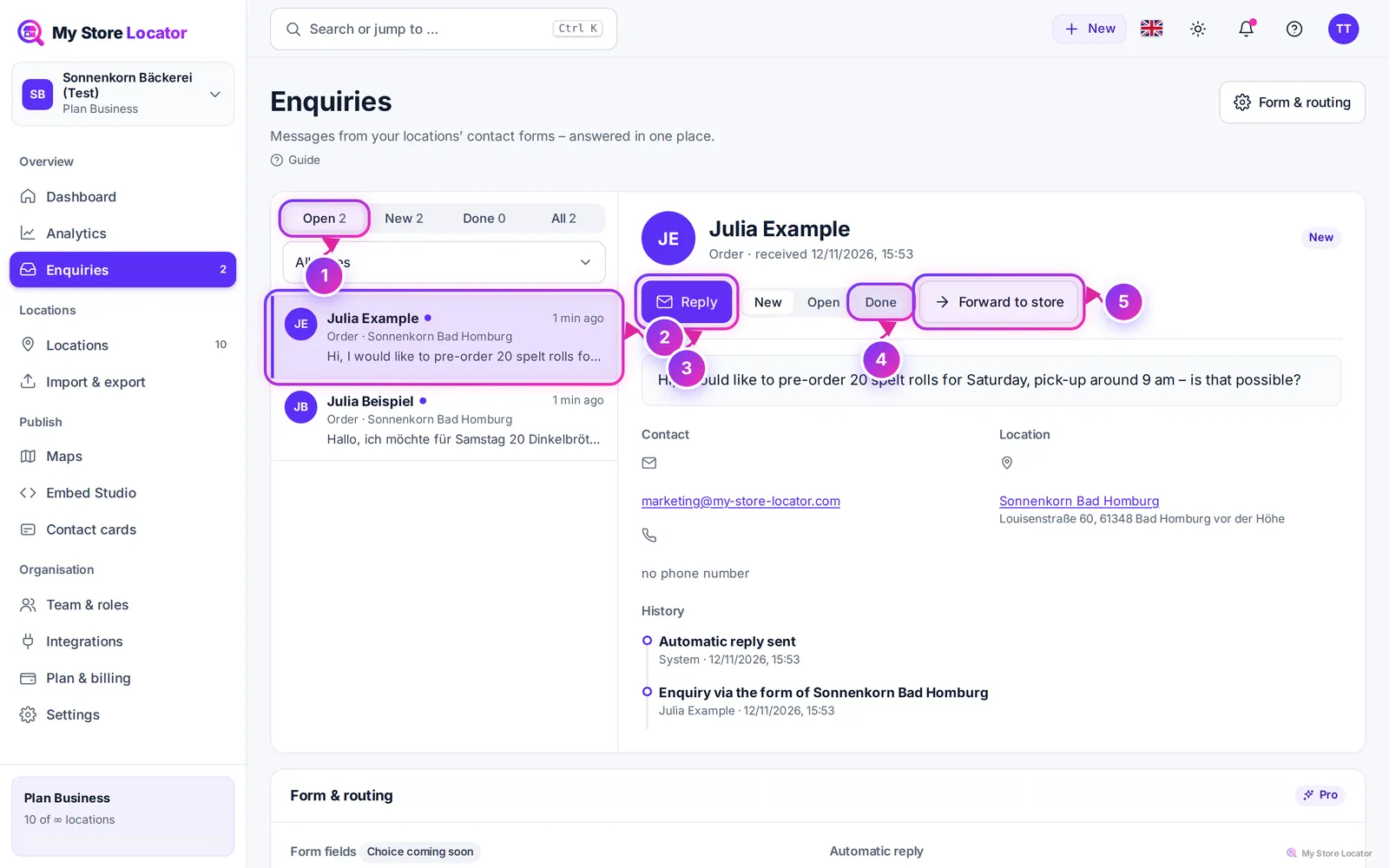
- Filters: Open, New, Done, All – below them by type.
- The enquiry with name, type, location and message.
- Reply e-mails the visitor.
- With New / Open / Done you keep track of the status.
- Forward to store e-mails the enquiry to the location.
Tip: The History shows what happened to the enquiry – for example that the automatic reply was sent.
Reply
The reply is already prepared. The customer's answers go to the location's e-mail or, if there is none, to your company e-mail.
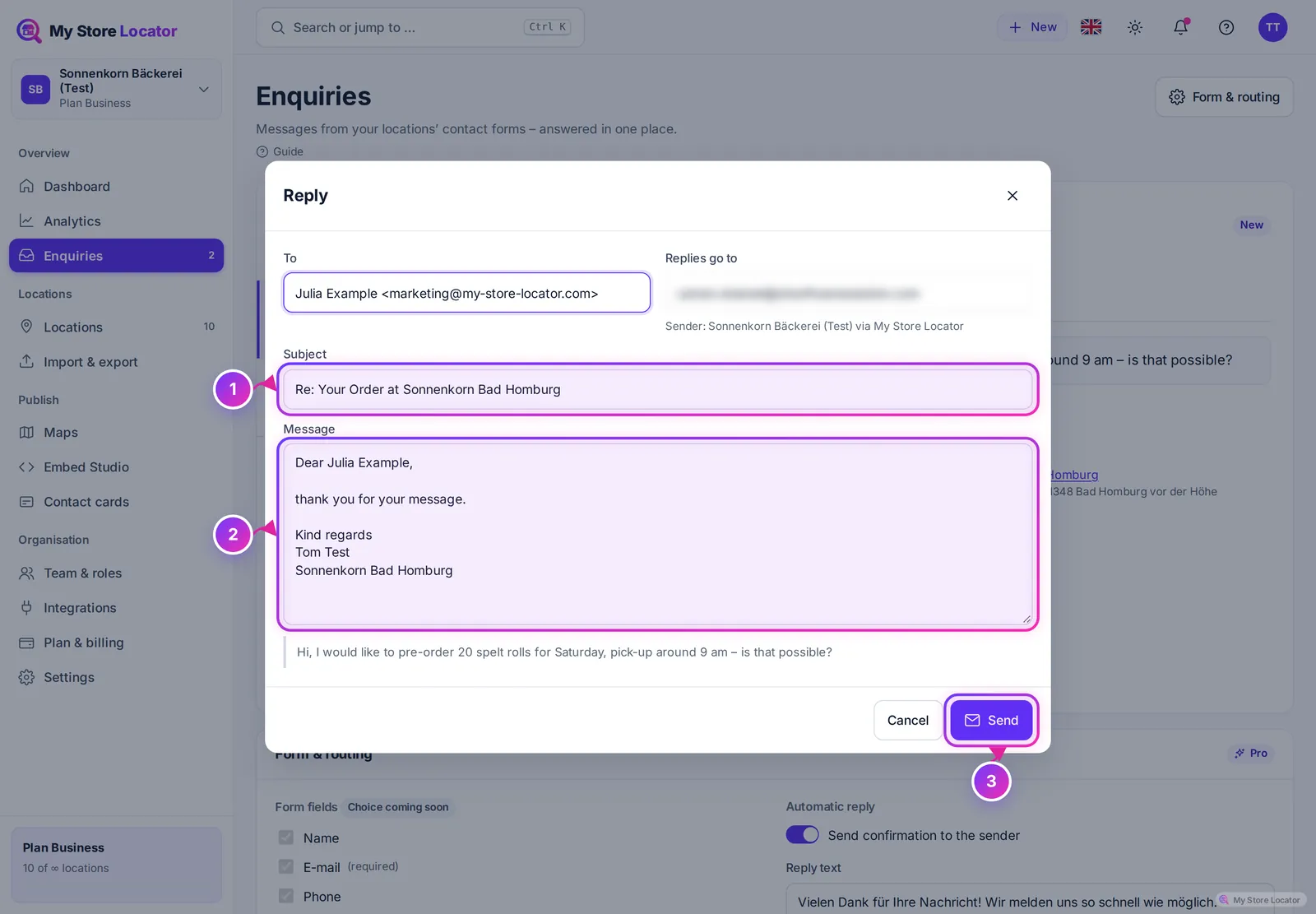
- The Subject is prefilled.
- Write your Message; the original enquiry is quoted below.
- Send – the e-mail really goes out, the sender is your company "via My Store Locator".
Forward to the store
Should the store handle it? Forward the enquiry.
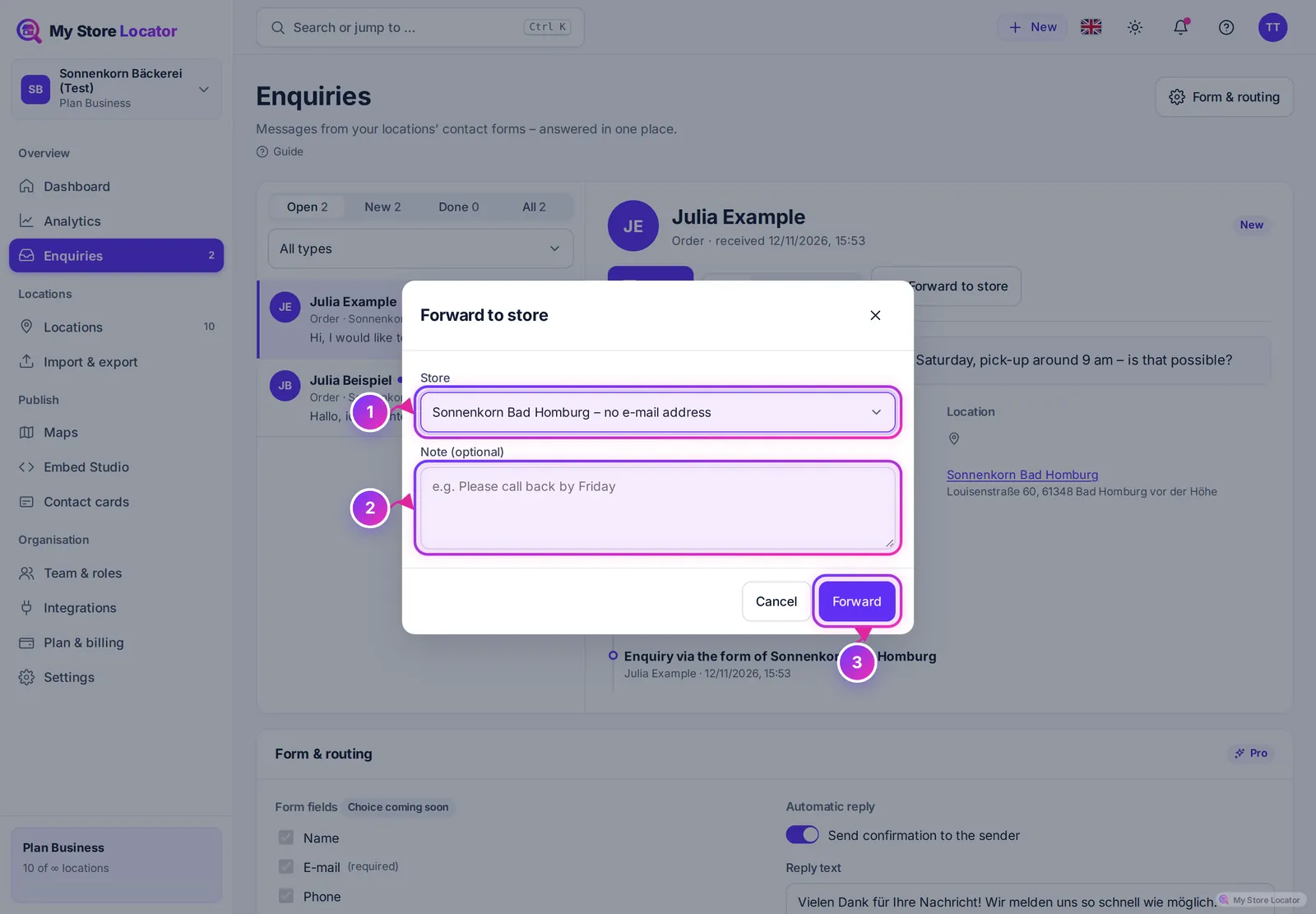
- Choose the store. Its e-mail is shown next to it – or a note that there is none.
- Optionally a note, for example "Please call back by Friday".
- Forward. The store's answers go straight to the customer.
Tip: For forwarding to work the location needs an e-mail address – enter it in the location under Contact.
Good to know
How long are enquiries stored?
Until you delete them. An automatic deletion period is in preparation.
Can I change the form fields?
Not yet – choosing the fields is in preparation. Where enquiries go and the automatic reply are set under form & routing.