
What you need
- The owner role – only owners can change the plan
Your plan and your usage
Open Plan & billing in the menu – or click Upgrade plan at the bottom left.
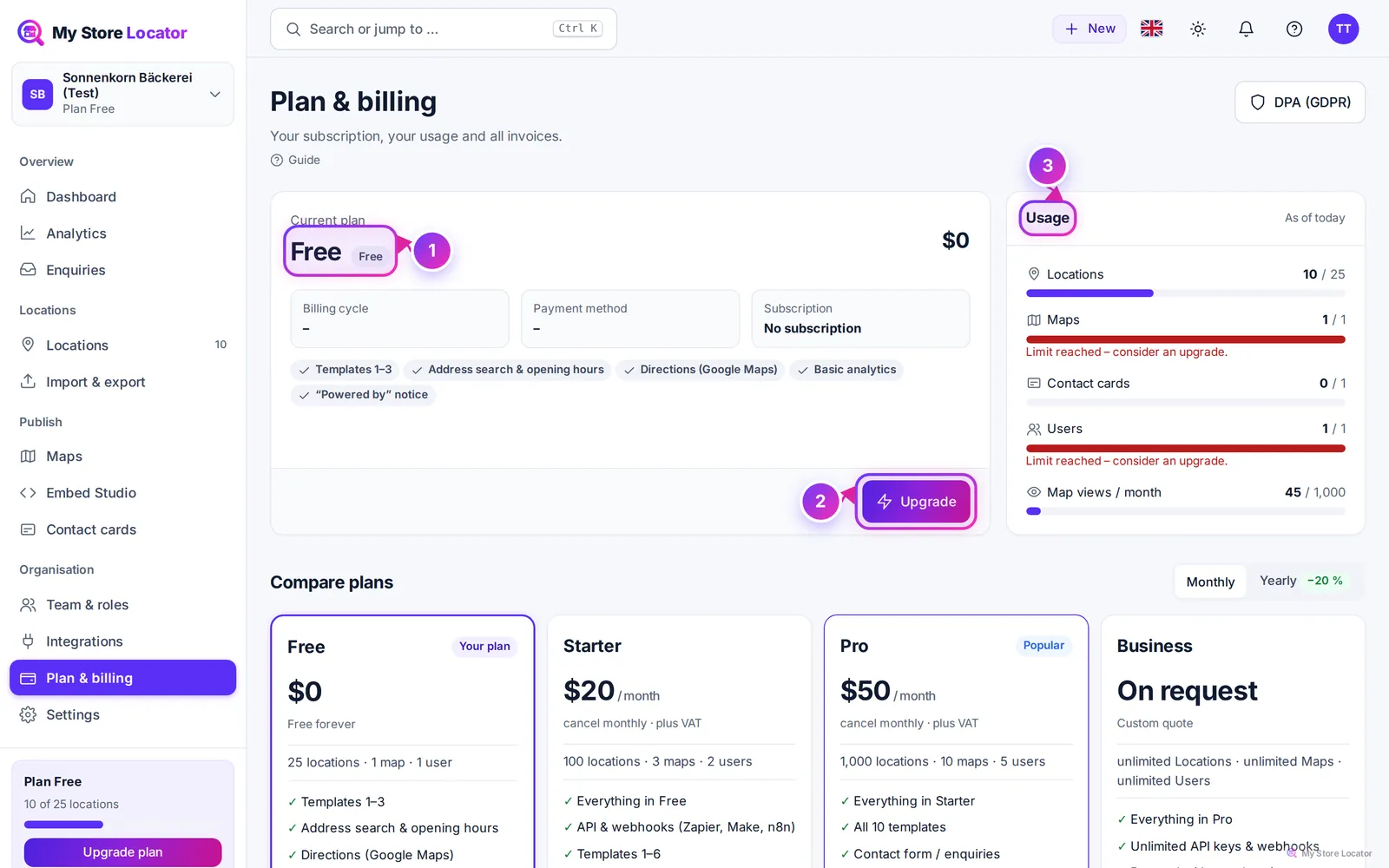
- The Current plan card shows plan, price, billing cycle, payment method and what is included.
- Upgrade jumps to the plan comparison.
- Usage shows how much of your plan is used – locations, maps, contact cards, users and map views per month. At 80 % a note appears, at 100 % "Limit reached".
Compare and book plans
The comparison shows the price, limits and features of each plan. All prices are net plus VAT.
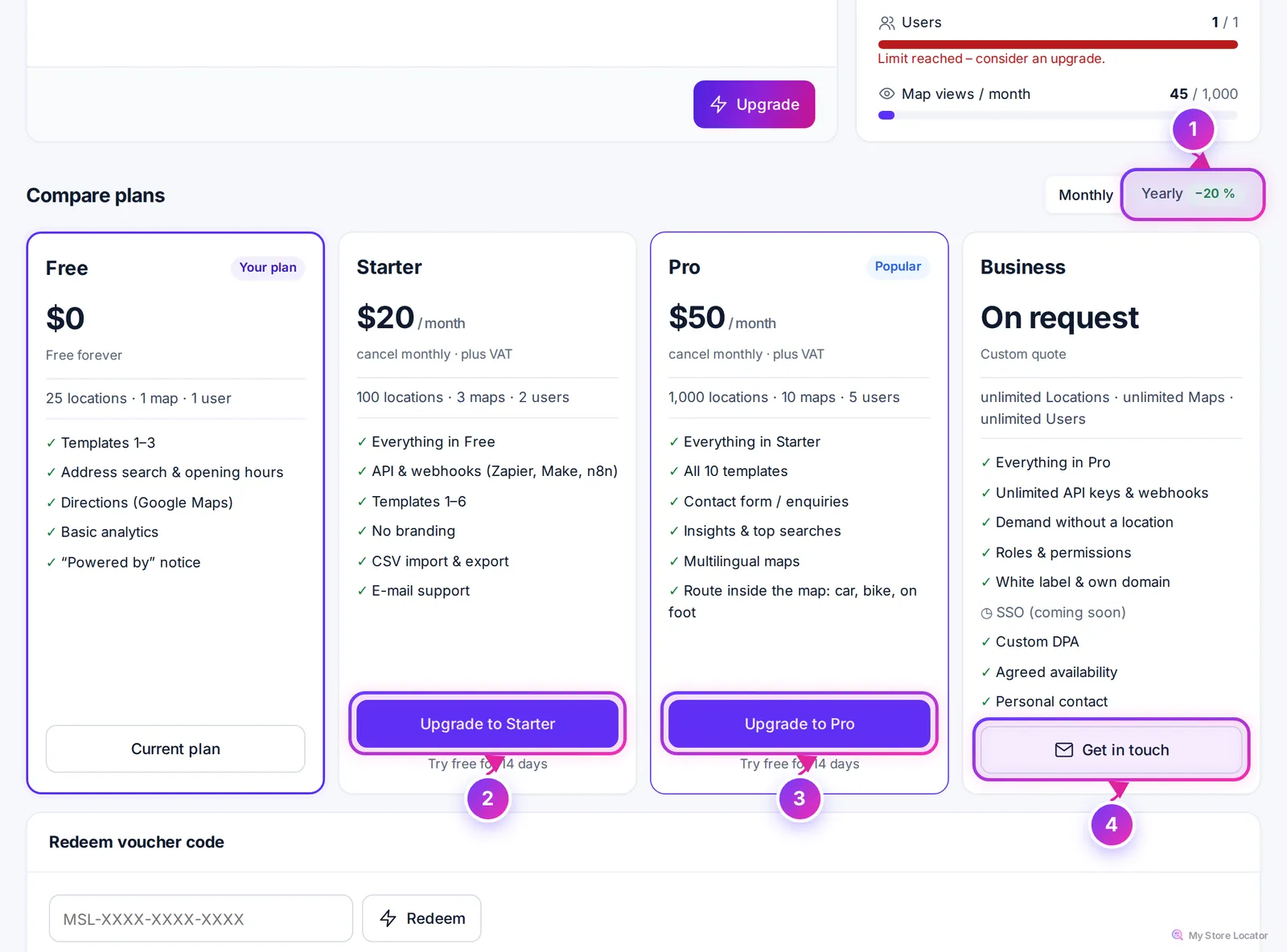
- Switch between Monthly and Yearly – yearly saves 20 %.
- Upgrade to Starter opens the secure Stripe checkout. If you have not had a trial yet, "Try free for 14 days" is shown below.
- Upgrade to Pro works the same way.
- Business is available on request, see Request Business.
Tip: Upgrades apply immediately (prorated), downgrades at the end of the billing period. When a subscription ends, the account switches to the Free plan – your data is kept.
Voucher and invoices
Further down the page:
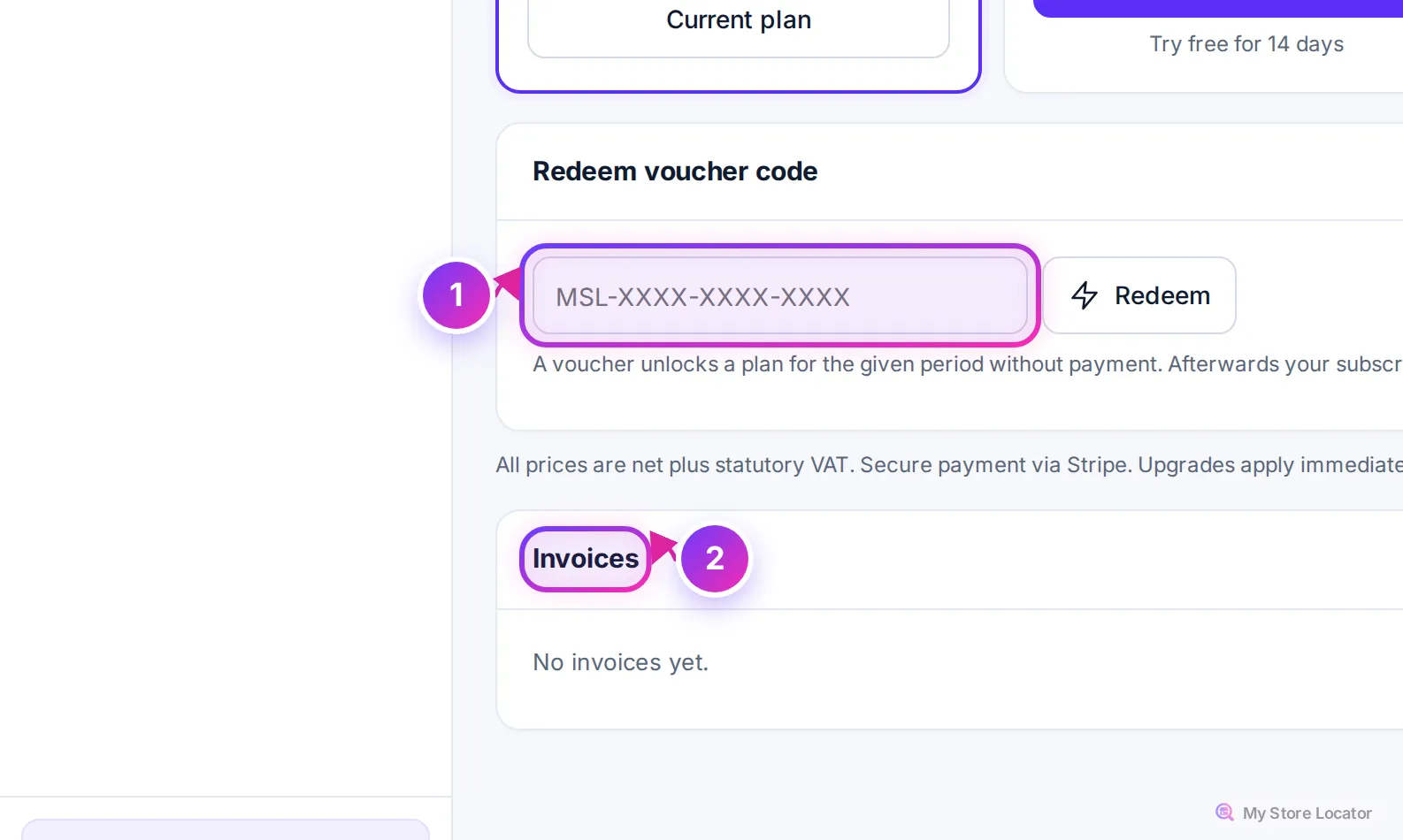
- Redeem voucher code: a voucher unlocks a plan for a given period without payment.
- Invoices lists all invoices with PDF. You manage payment details and cancellation in the Stripe customer portal.
Good to know
Am I charged automatically after the trial?
Yes – the plan card says so too. You can cancel at any time before.
Why can't I change the plan?
Only the owner can change the plan.