
What you need
- A My Store Locator account with a published map – the Free plan is enough
- TYPO3 12 or 13 in Composer mode, HTTPS and an admin login
Copy the command
Open Integrations → TYPO3. The extension is on Packagist; the panel shows the matching commands.
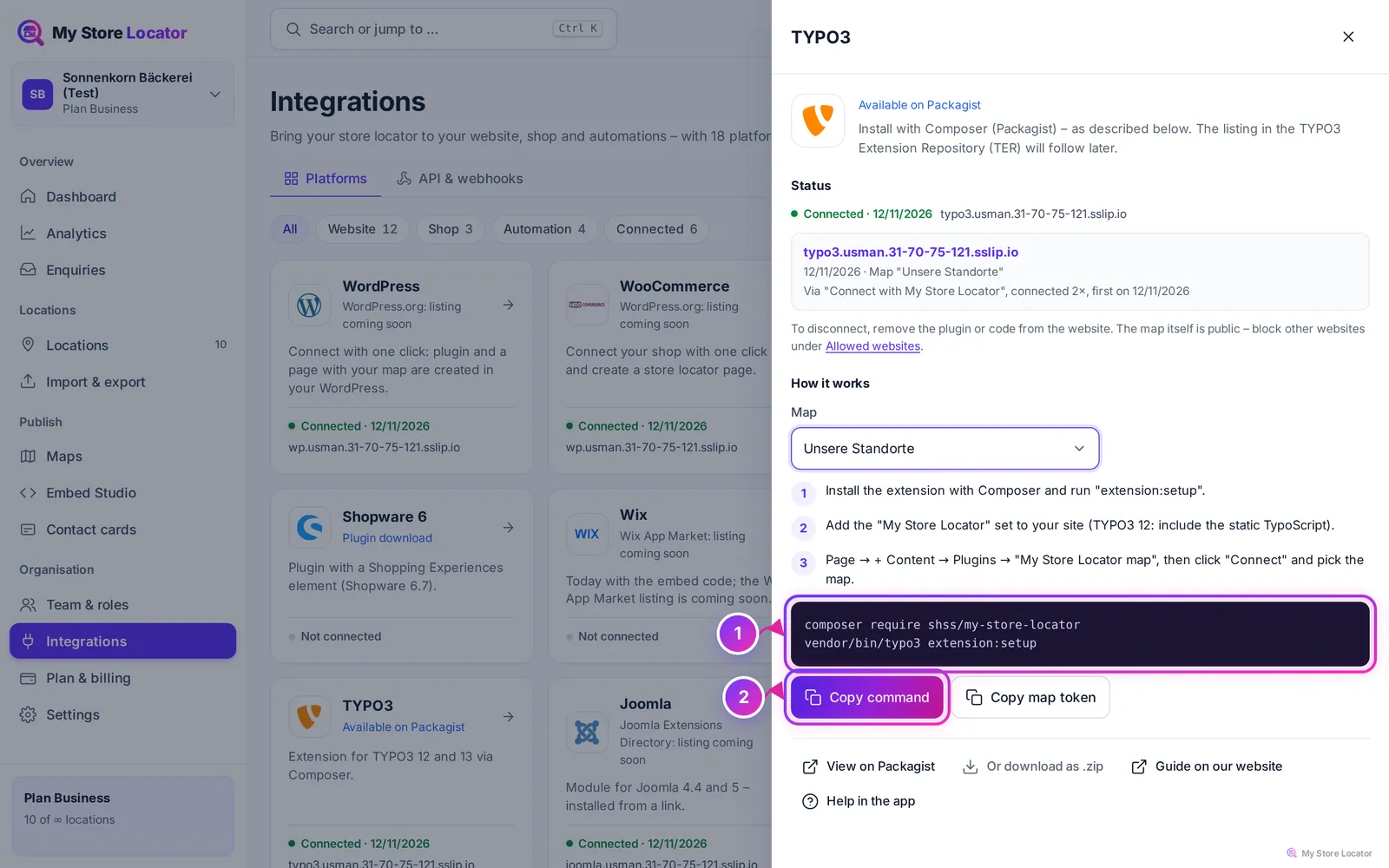
composer require shss/my-store-locatordownloads the extension,vendor/bin/typo3 extension:setupsets it up.- Copy command puts both lines on the clipboard – for you or your agency. Without Composer the extension is also available as a .zip.
Add the set to your site
Go to Site Management → Sites and edit your site.
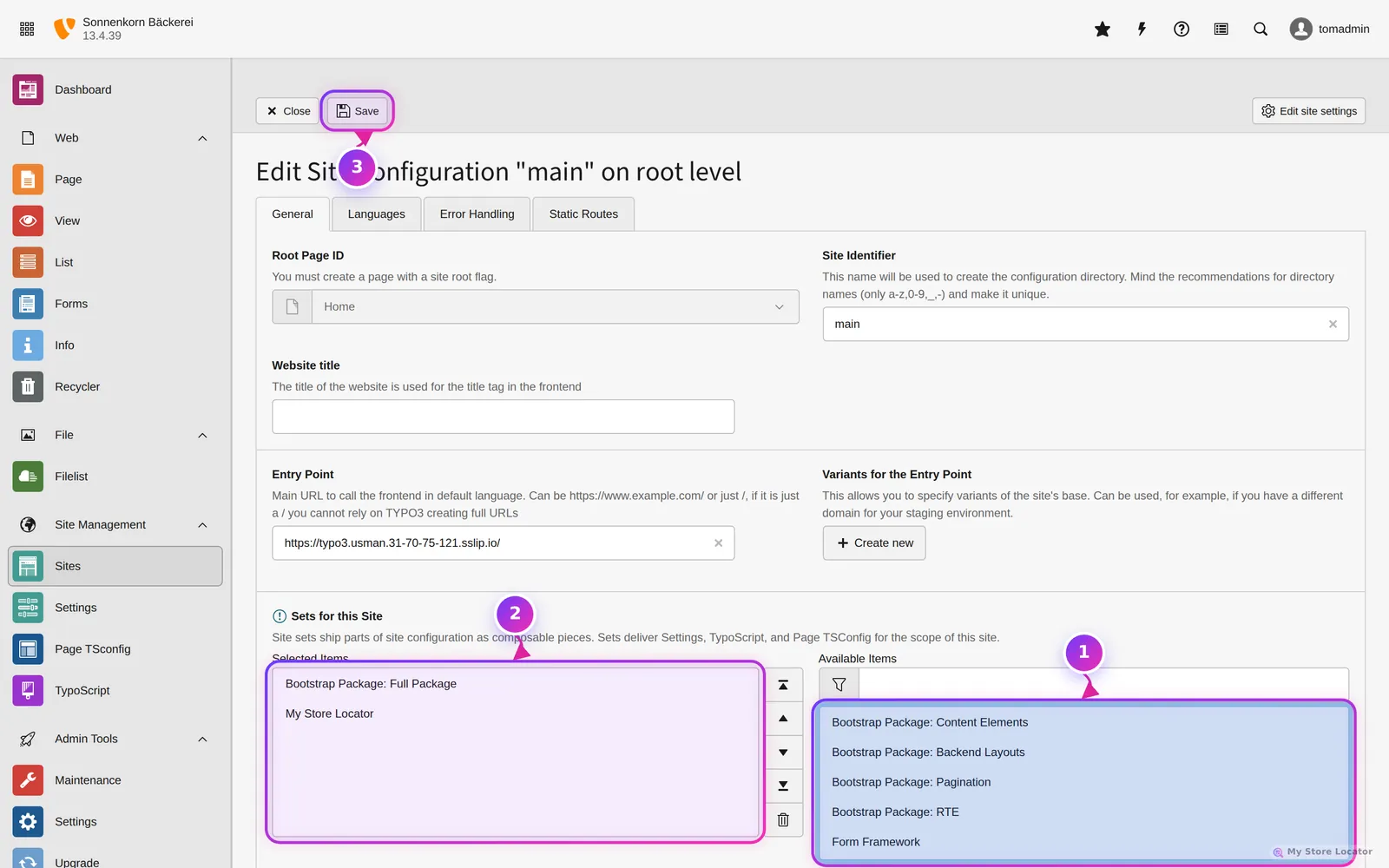
- Under Sets for this Site, click My Store Locator in the available items on the right.
- The set now appears on the left among the selected items.
- Click Save.
Tip: TYPO3 12 or a site with its own TypoScript record: include the extension's static TypoScript there.
Add the content element
Open Web → Page, choose the page and click + Content.
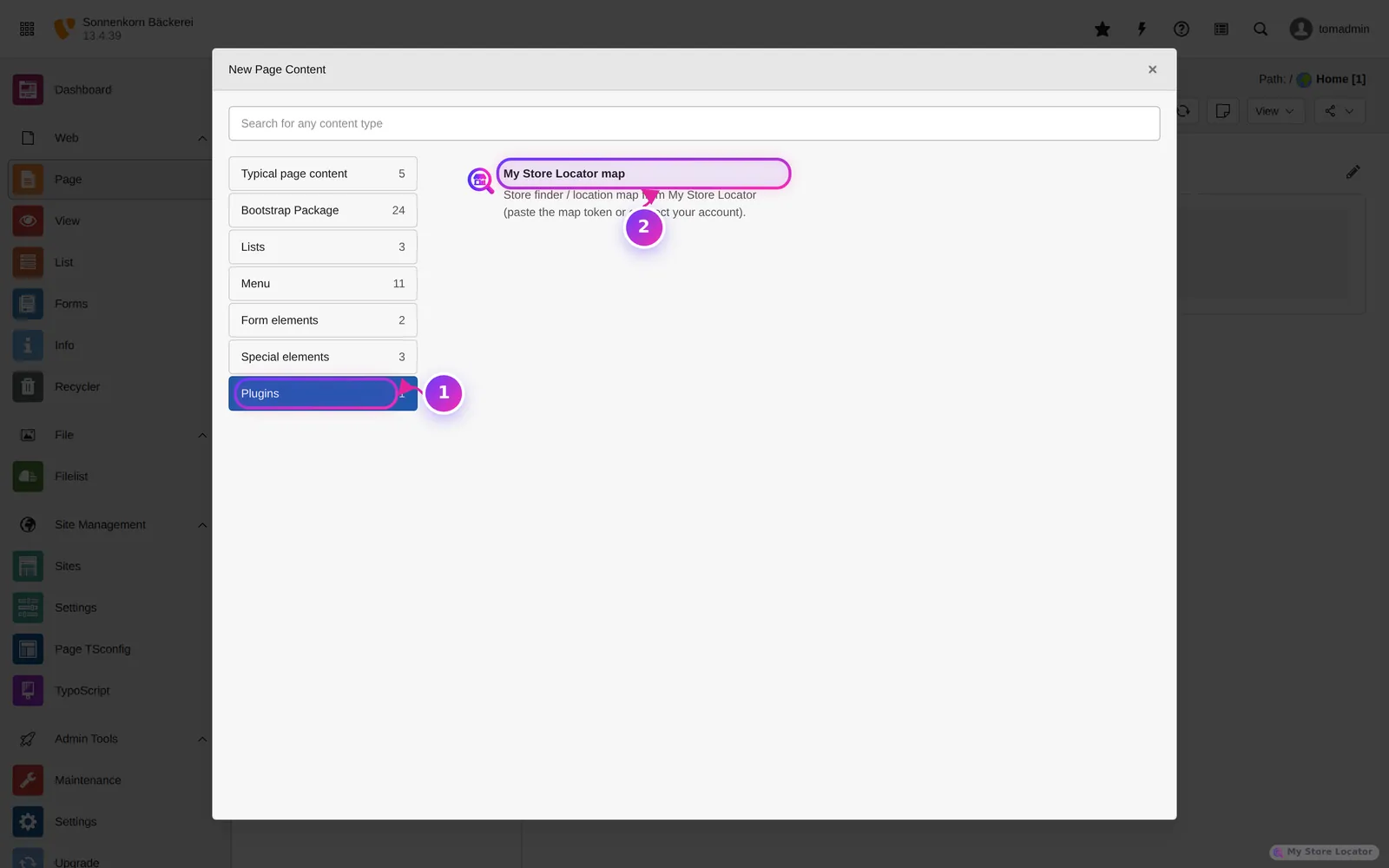
- Choose the Plugins tab.
- Click My Store Locator map.
Connect with My Store Locator
In the element's form open the Map tab.
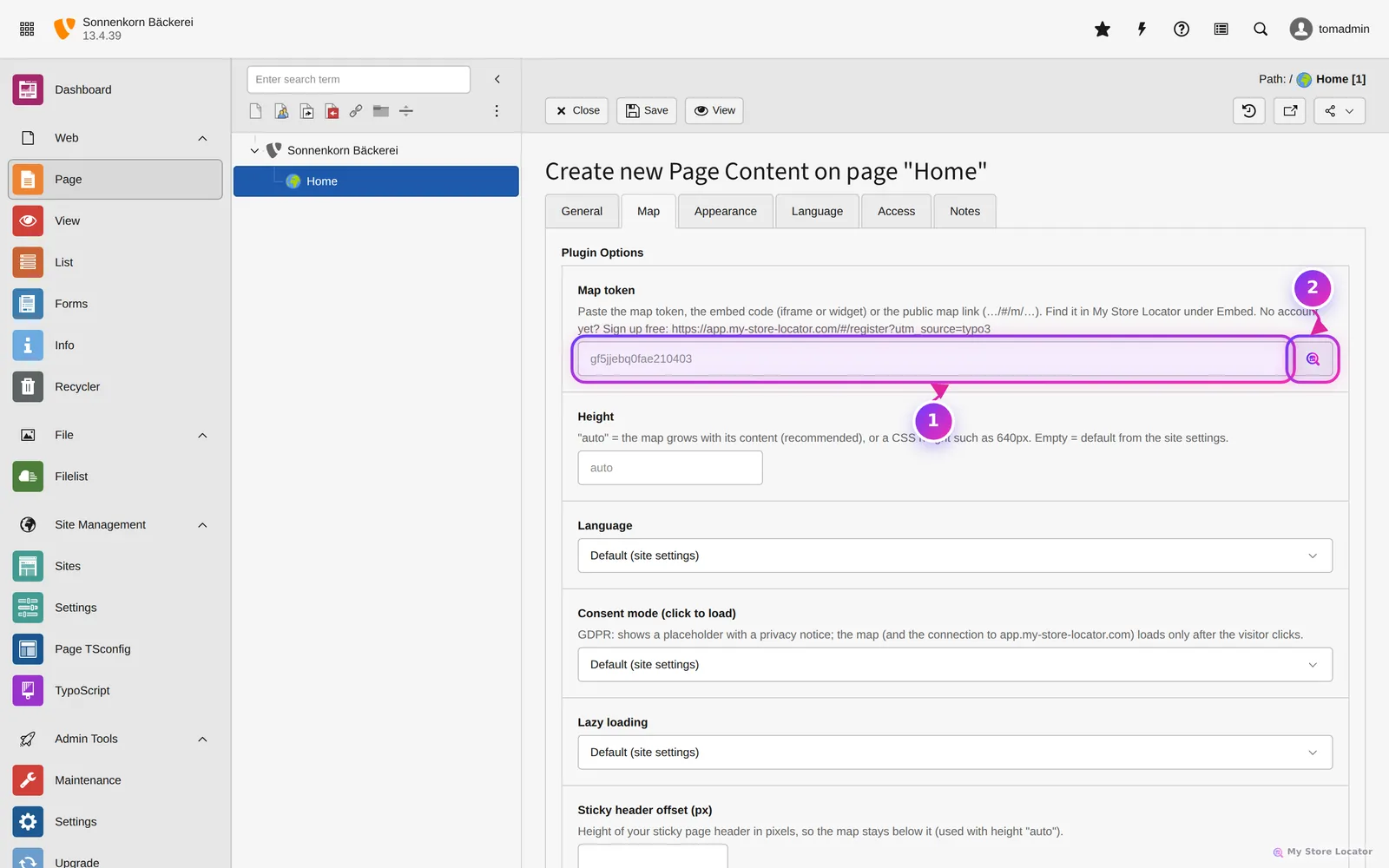
- The Map token field is still empty.
- Click the icon next to it: Connect with My Store Locator (choose a map). A small window opens.
Choose the map
Sign in in the window if needed and choose the map.
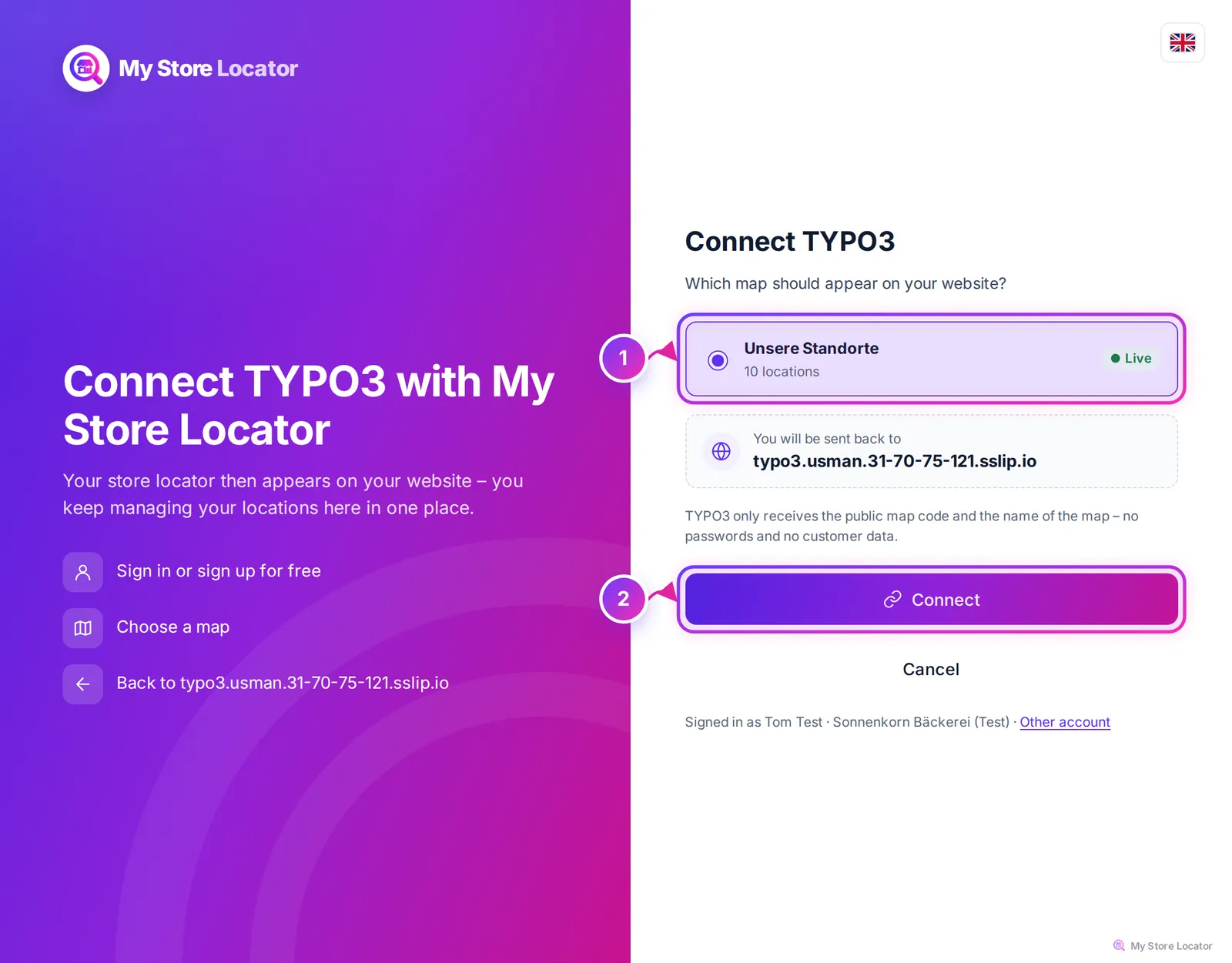
- Choose your map.
- Click Connect. The window closes and the map token appears in the field.
Tip: TYPO3 only receives the public map code and the name of the map – no passwords and no customer data.
Save
Below you can set height, language, consent mode and lazy load if needed. "Default" uses the site settings.
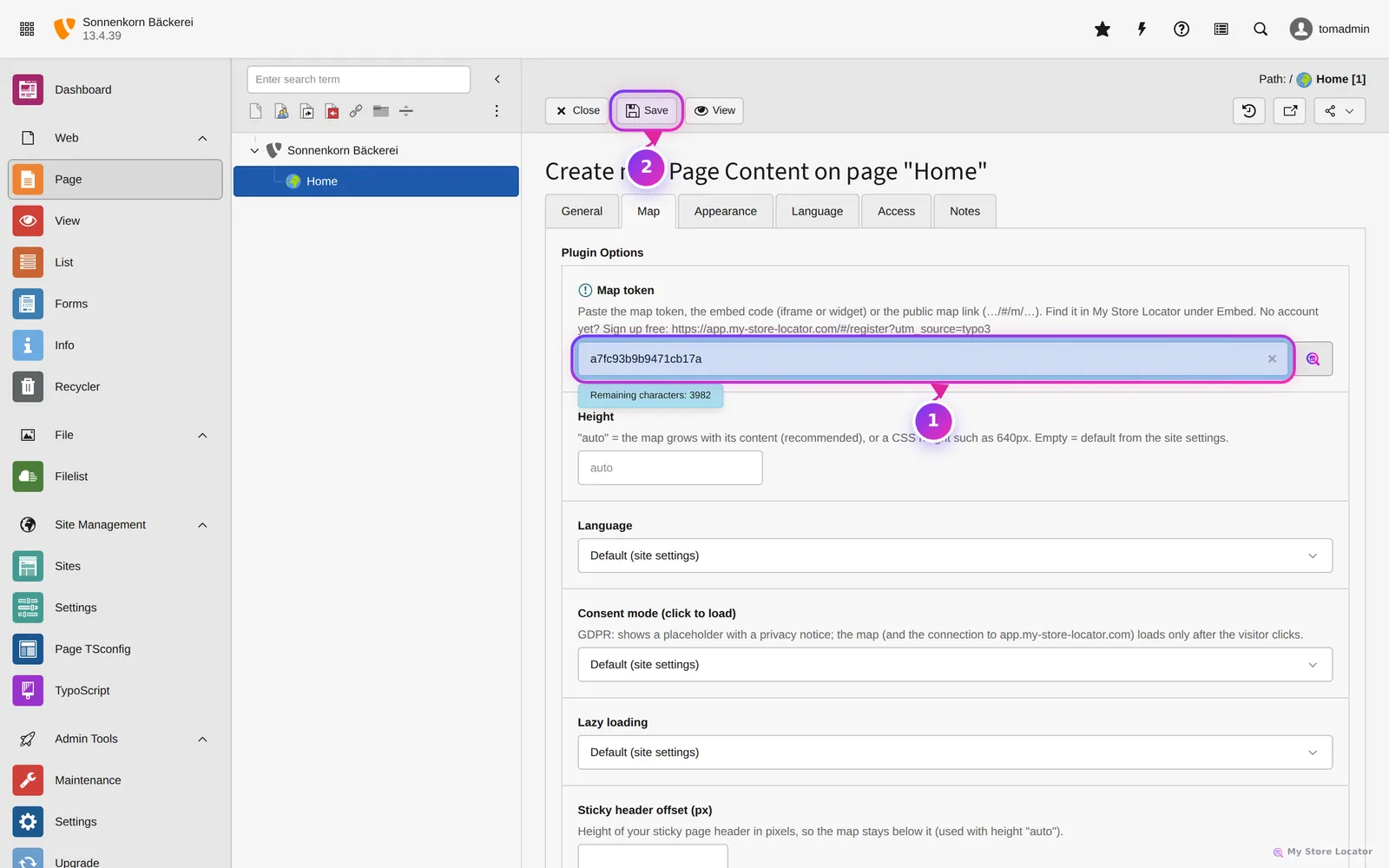
- The map token is filled in.
- Click Save.
The map on your TYPO3 page
This is the map on the website after the visitor clicked "Load map".
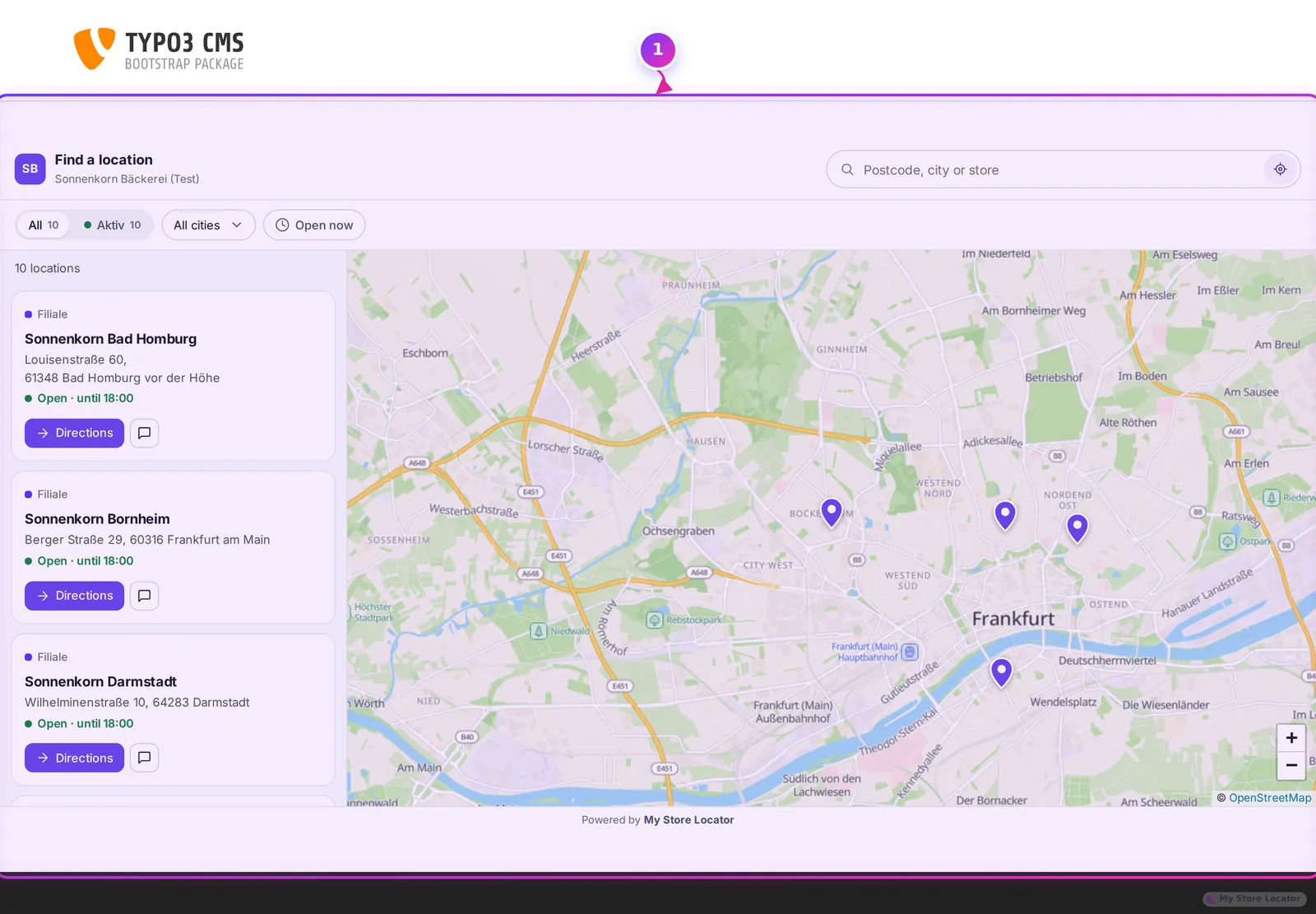
- Your map in the page content. New locations appear here by themselves after you save them in My Store Locator.
Good to know
Does it work without the extension?
Yes: add a "Plain HTML" element and paste the embed code, see embed the map with HTML or iframe.
The page shows "has no rendering definition".
The "My Store Locator" set (or the static TypoScript) is not active for this site yet. Add it as in step 2 and clear the cache.