
What you need
- A My Store Locator account with a published map – the Free plan is enough
- Drupal 10 or 11 with Composer and Drush (or access to "Extend") and HTTPS
Copy the command
Open Integrations → Drupal. The module is on drupal.org; the panel shows the matching commands.
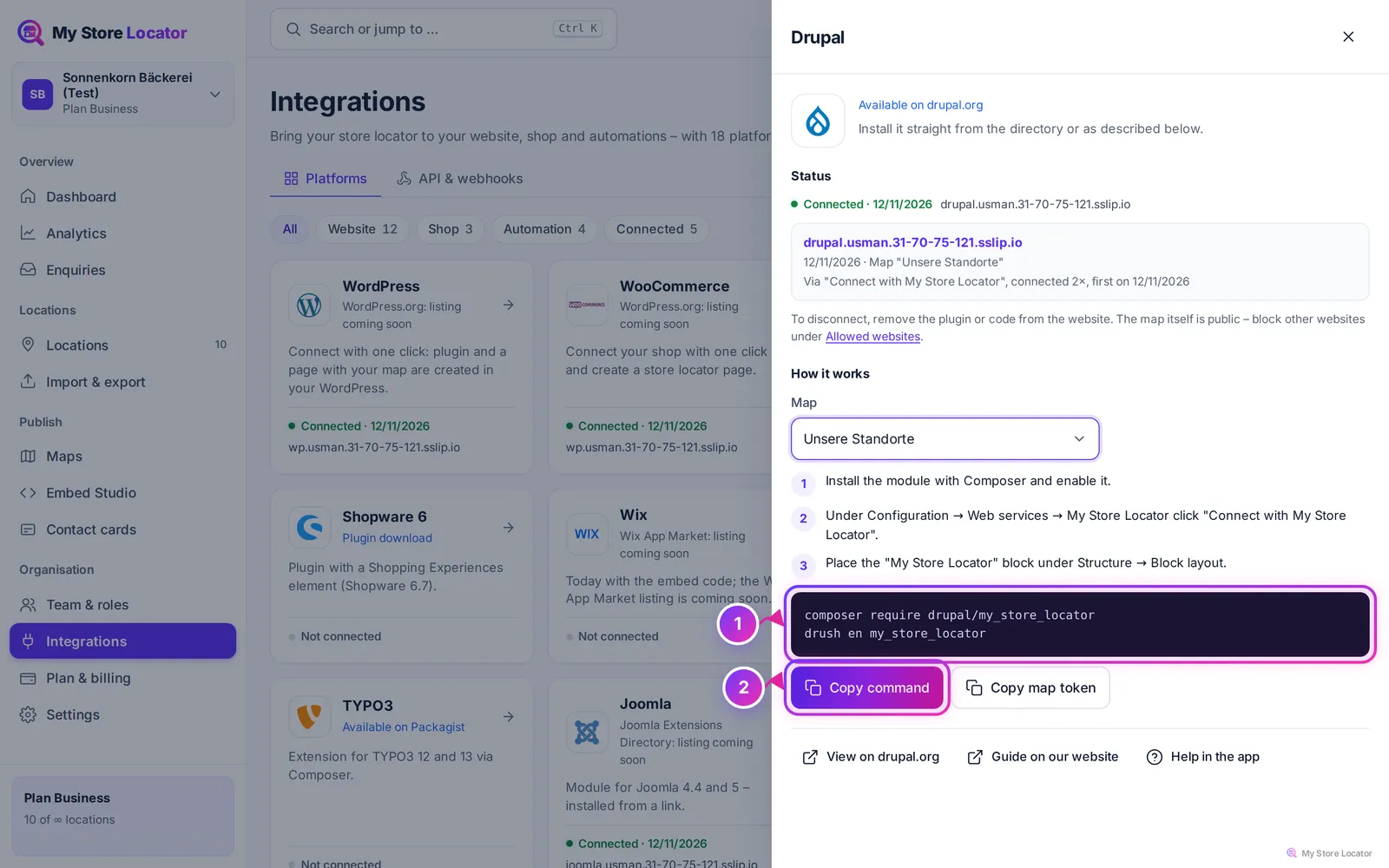
composer require drupal/my_store_locatordownloads the module,drush en my_store_locatorswitches it on.- Copy command puts both lines on the clipboard – for you or your agency.
Enable the module
Without Drush you enable the module under Extend.
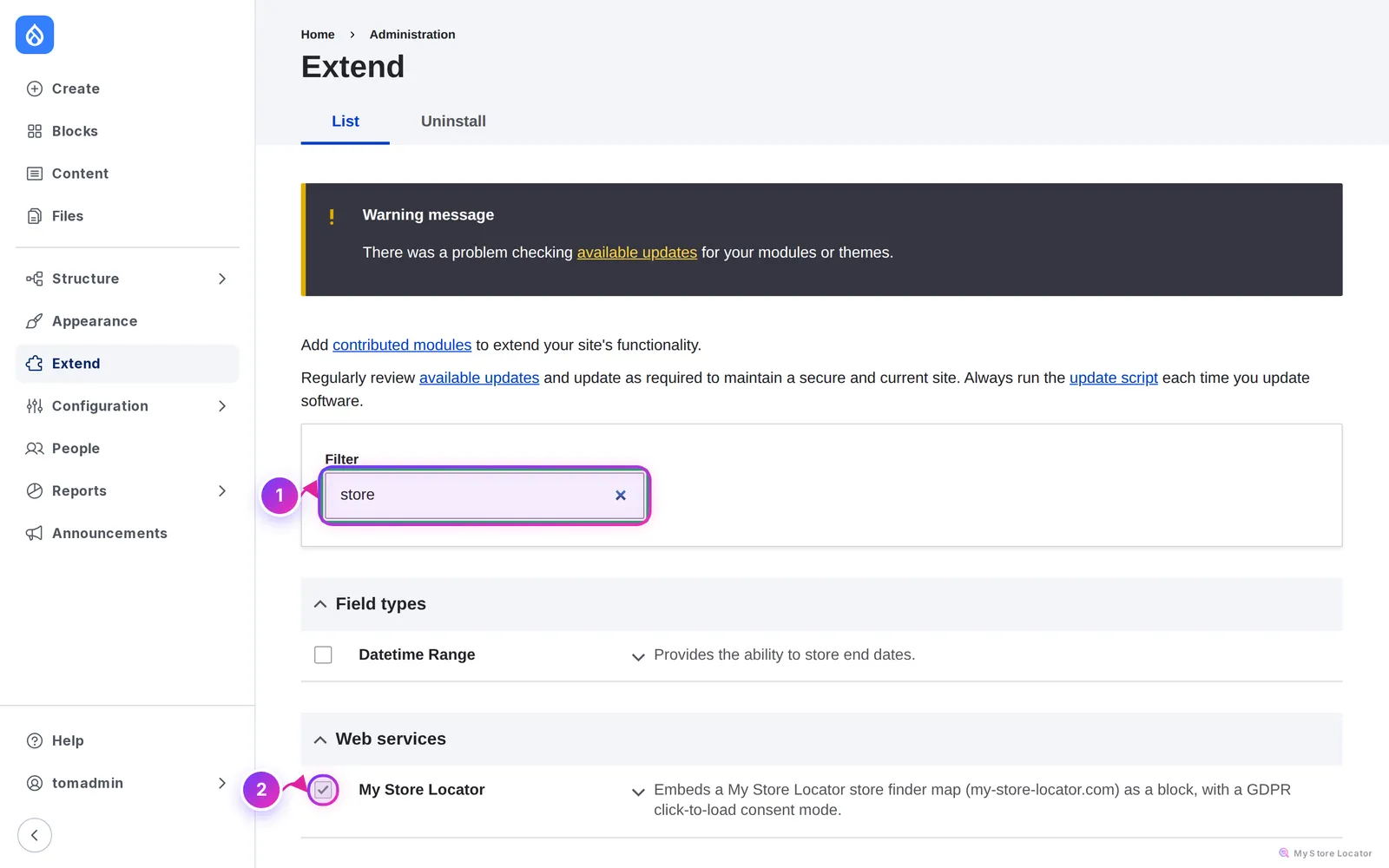
- Type "store" into the filter.
- Tick My Store Locator and click Install at the bottom. If the module is already active, the box is greyed out.
Open the settings and connect
Go to Configuration → Web services → My Store Locator.
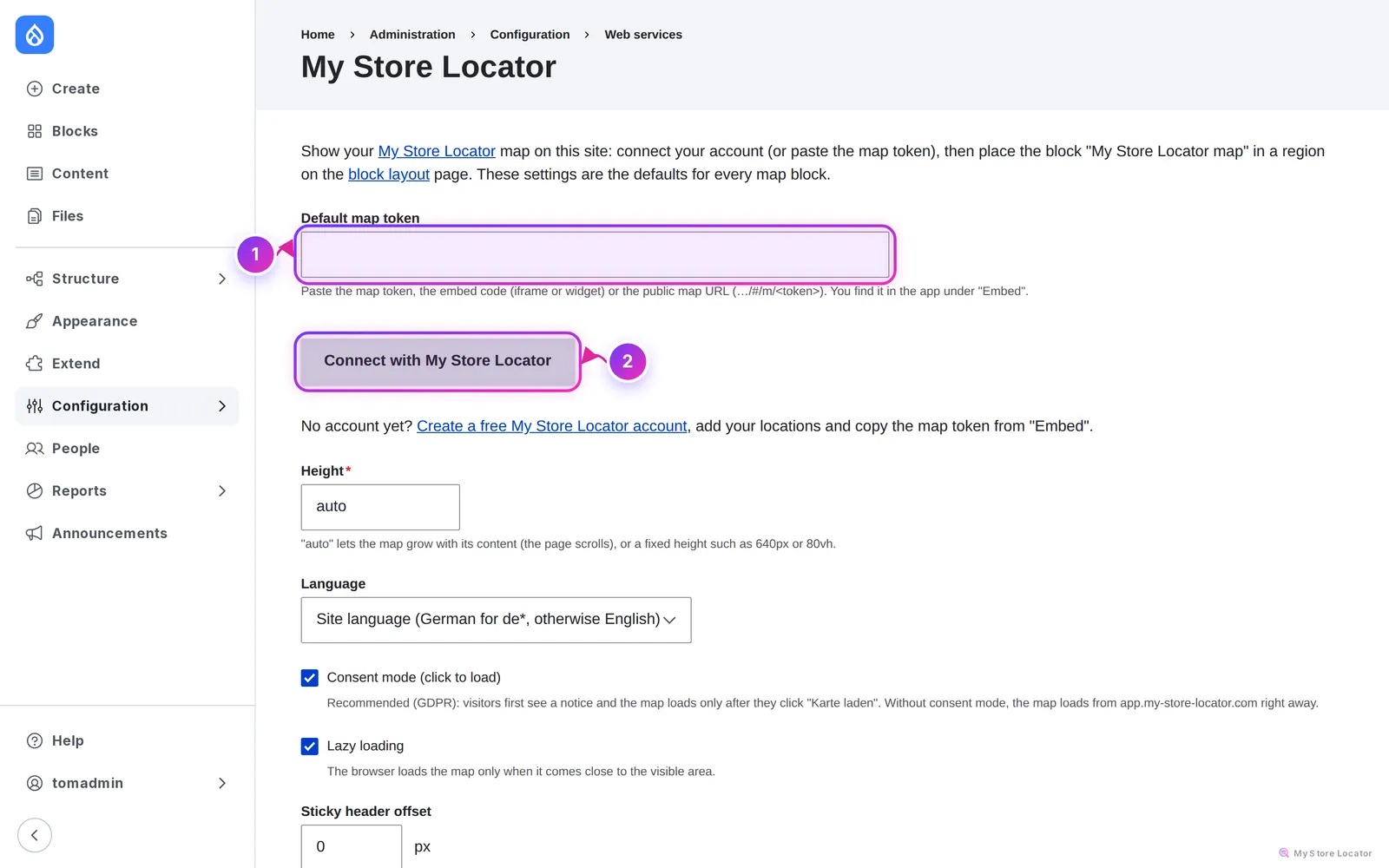
- The map token field is still empty.
- Click Connect with My Store Locator. A small window opens.
Choose the map
Sign in in the window if needed and choose the map.
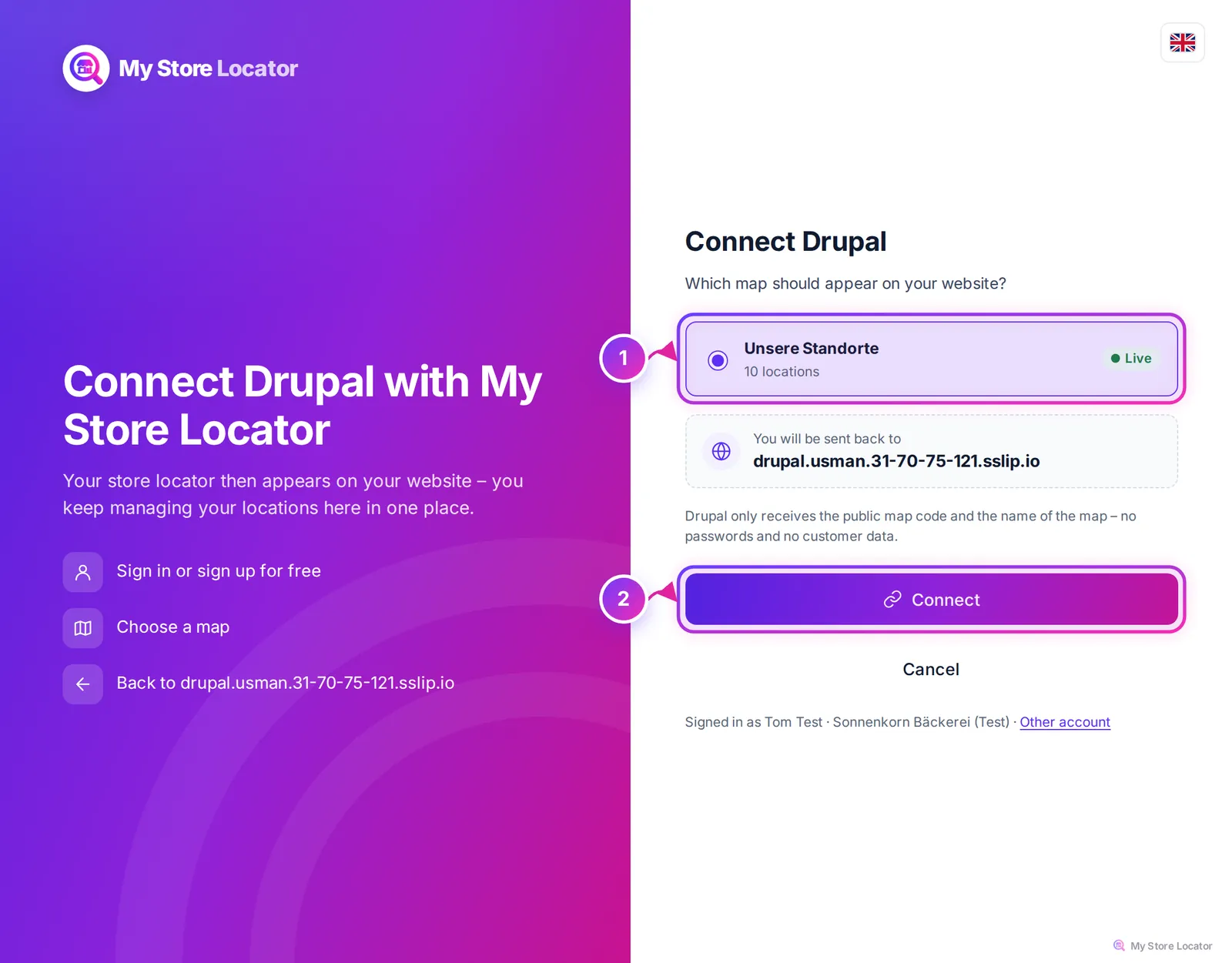
- Choose your map.
- Click Connect. The window closes and the map token appears in the field.
Tip: Drupal only receives the public map code and the name of the map – no passwords and no customer data.
Save the defaults
These settings apply to every map block unless the block sets its own.
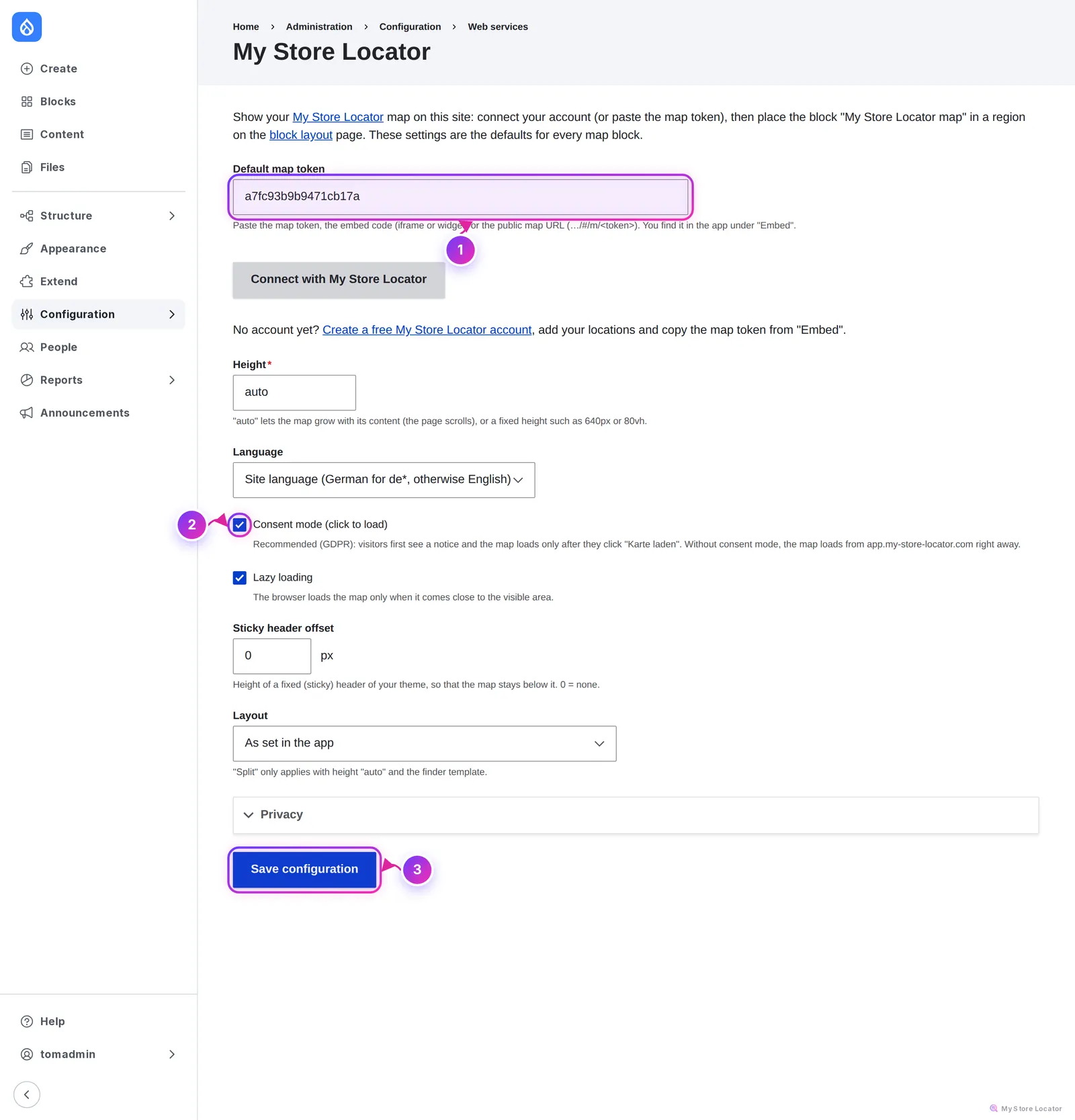
- The map token is filled in.
- Consent mode is recommended (GDPR): visitors load the map with one click.
- Click Save configuration.
Place the block
Go to Structure → Block layout and click Place block in the region you want.
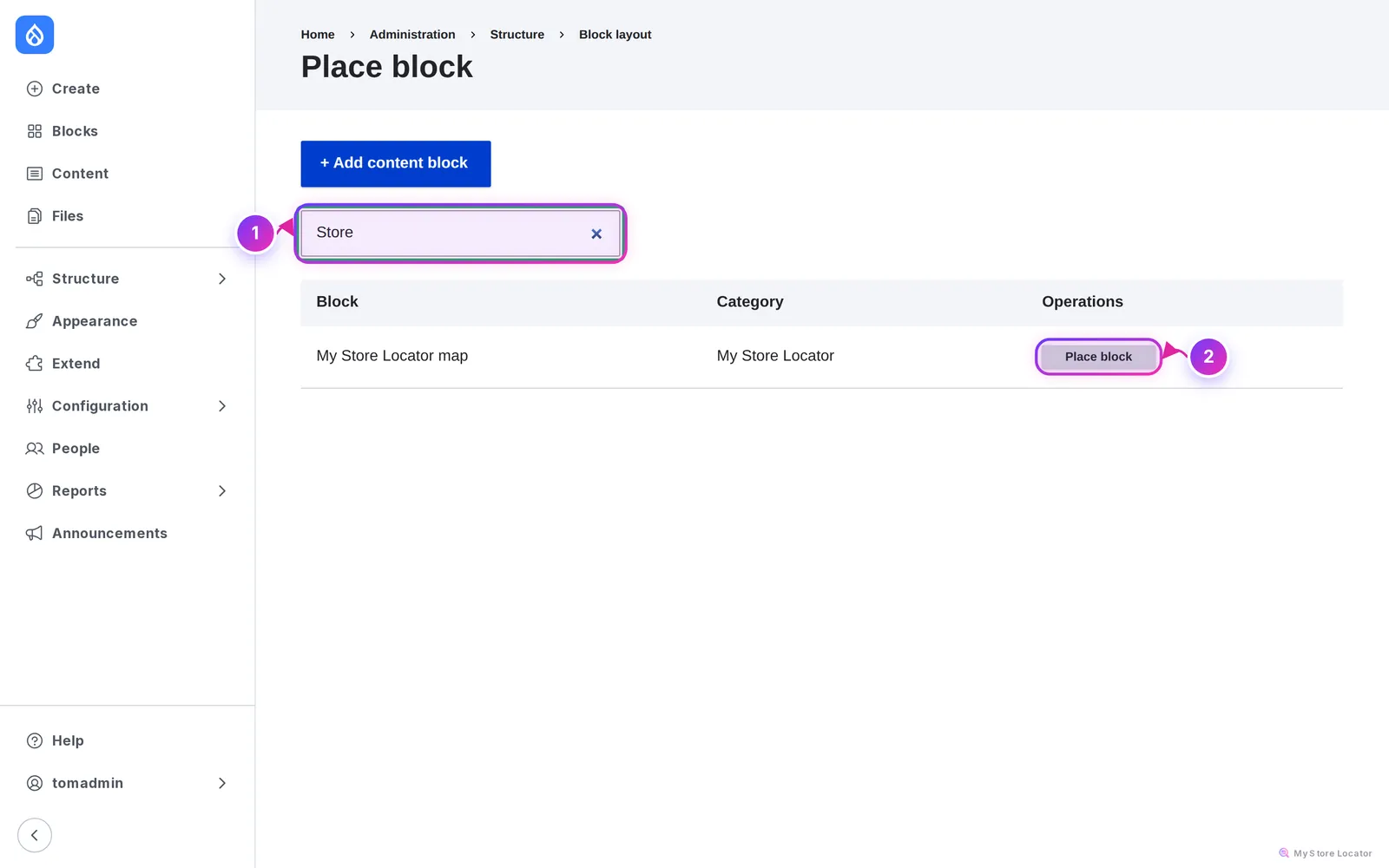
- Type "Store" into the filter.
- Click Place block next to My Store Locator map.
Configure the block
In the form you can choose another map or your own values for this block. Empty fields use the defaults from the settings.
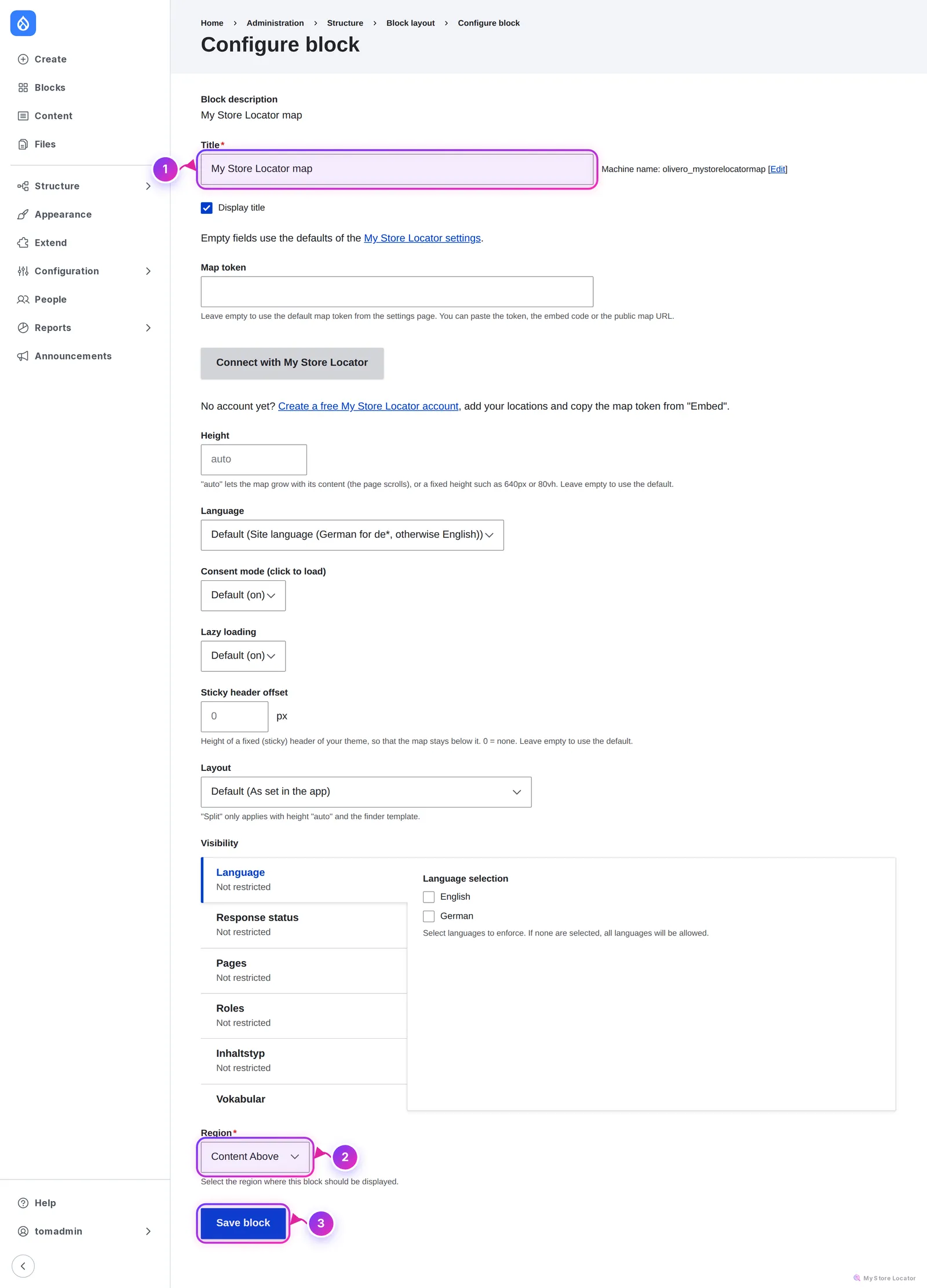
- Give the block a Title; with "Display title" it appears above the map.
- Check the Region.
- Click Save block.
Tip: Under Visibility you decide on which pages the block appears – for example only on your "Stores" page.
The map on your Drupal site
This is the map on the website after the visitor clicked "Load map".
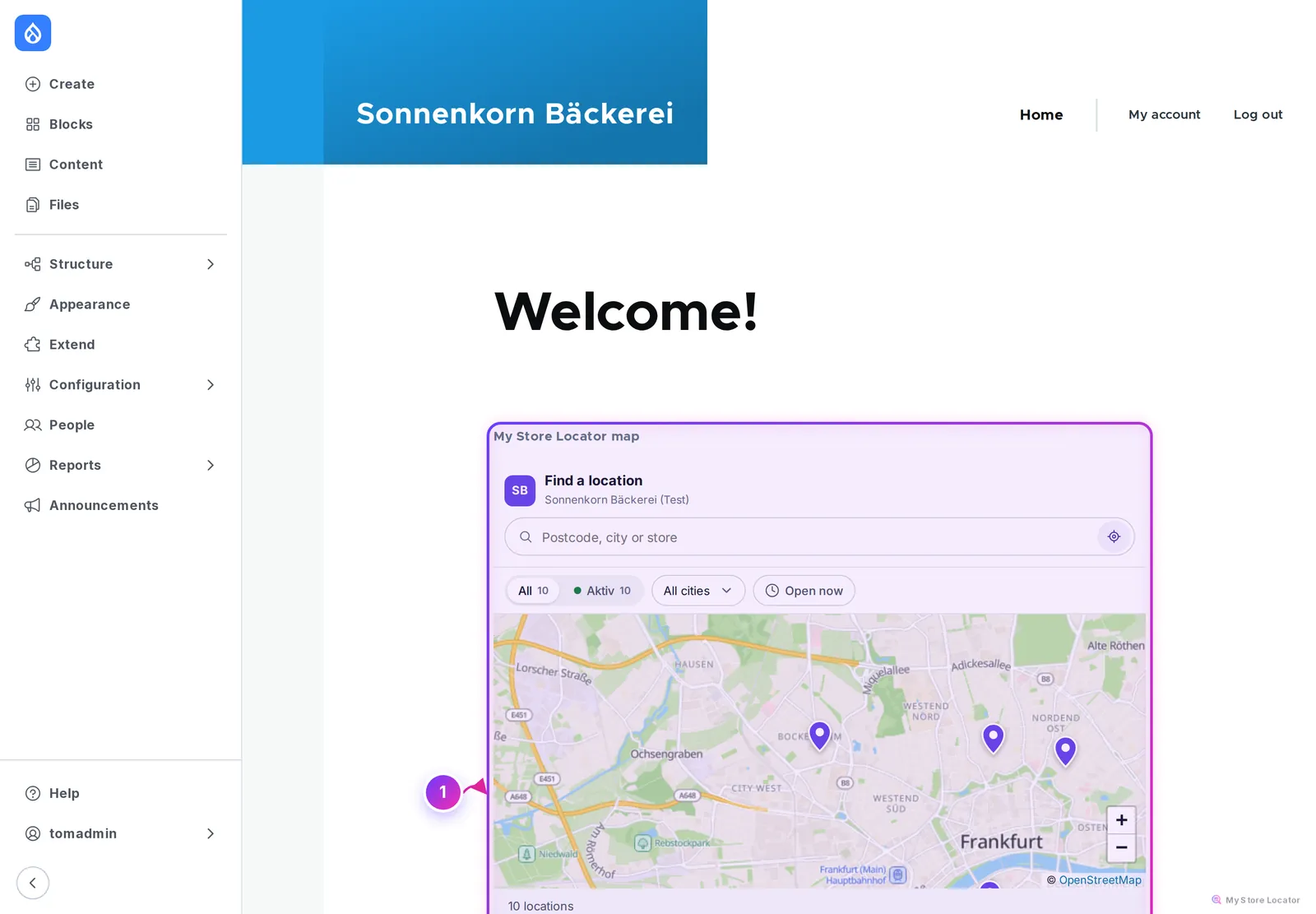
- Your map in the chosen region. New locations appear here by themselves after you save them in My Store Locator.
Good to know
Can I install the module without Composer?
Drupal 10 and 11 rely on Composer. If you have no access, ask your agency or host to run the two commands.
Does it work without the module?
Yes: create a block with the "Full HTML" text format and paste the embed code, see embed the map with HTML or iframe.