
What you need
- Plan Pro or Business
- A map, see create and publish a map
Set up the route in the map editor
Open Maps, your map and the Search & filters step. At the bottom you find the group Route inside the map.
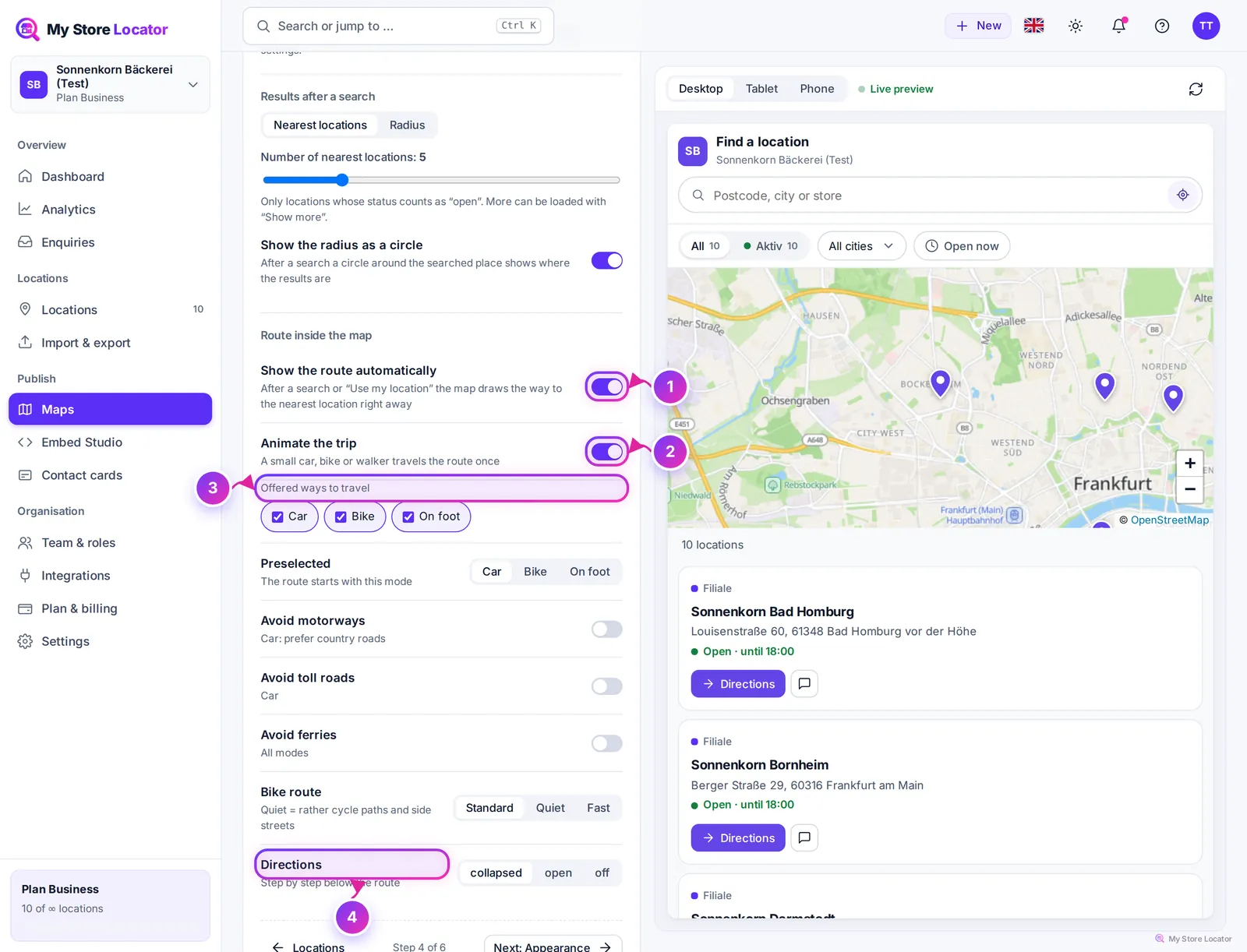
- Show the route automatically: after a search or "Use my location" the map draws the way to the nearest location right away.
- Animate the trip: a small car, bike or walker travels the route once.
- Offered ways to travel: car, bike, on foot – and which one is preselected. Below: avoid motorways, toll roads or ferries, quiet or fast bike route.
- Directions: step by step below the route – collapsed, open or off. Then Save.
What visitors see
A visitor searches for a place, for example "Frankfurt Hauptbahnhof".
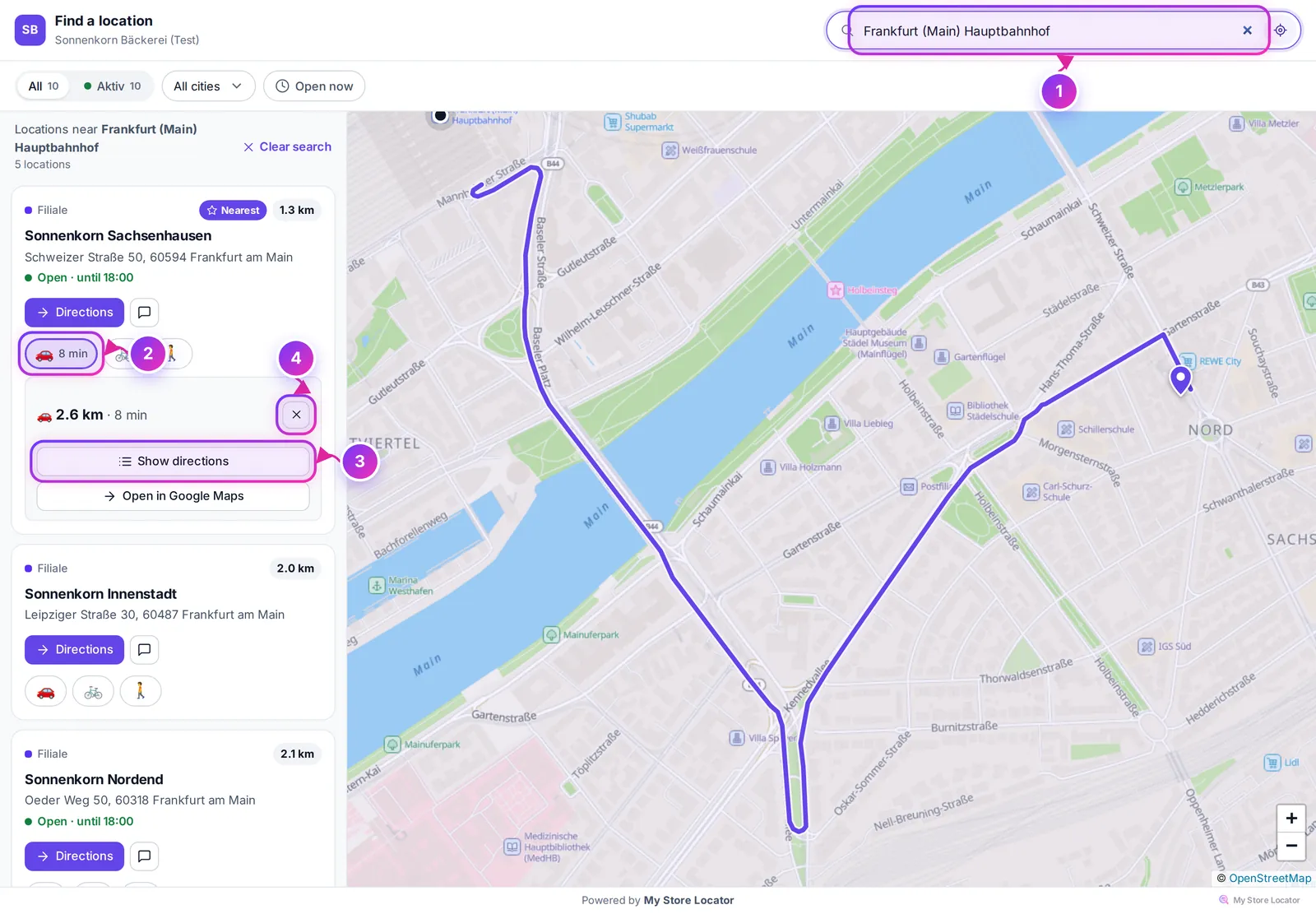
- The search by address, postcode or city.
- At the nearest location the car, bike and on-foot buttons show the travel time; the map draws the way with distance and time.
- Show directions opens the steps. Below, Open in Google Maps opens the same route at Google.
- The × removes the route again.
Directions
The steps appear in the language of the map.
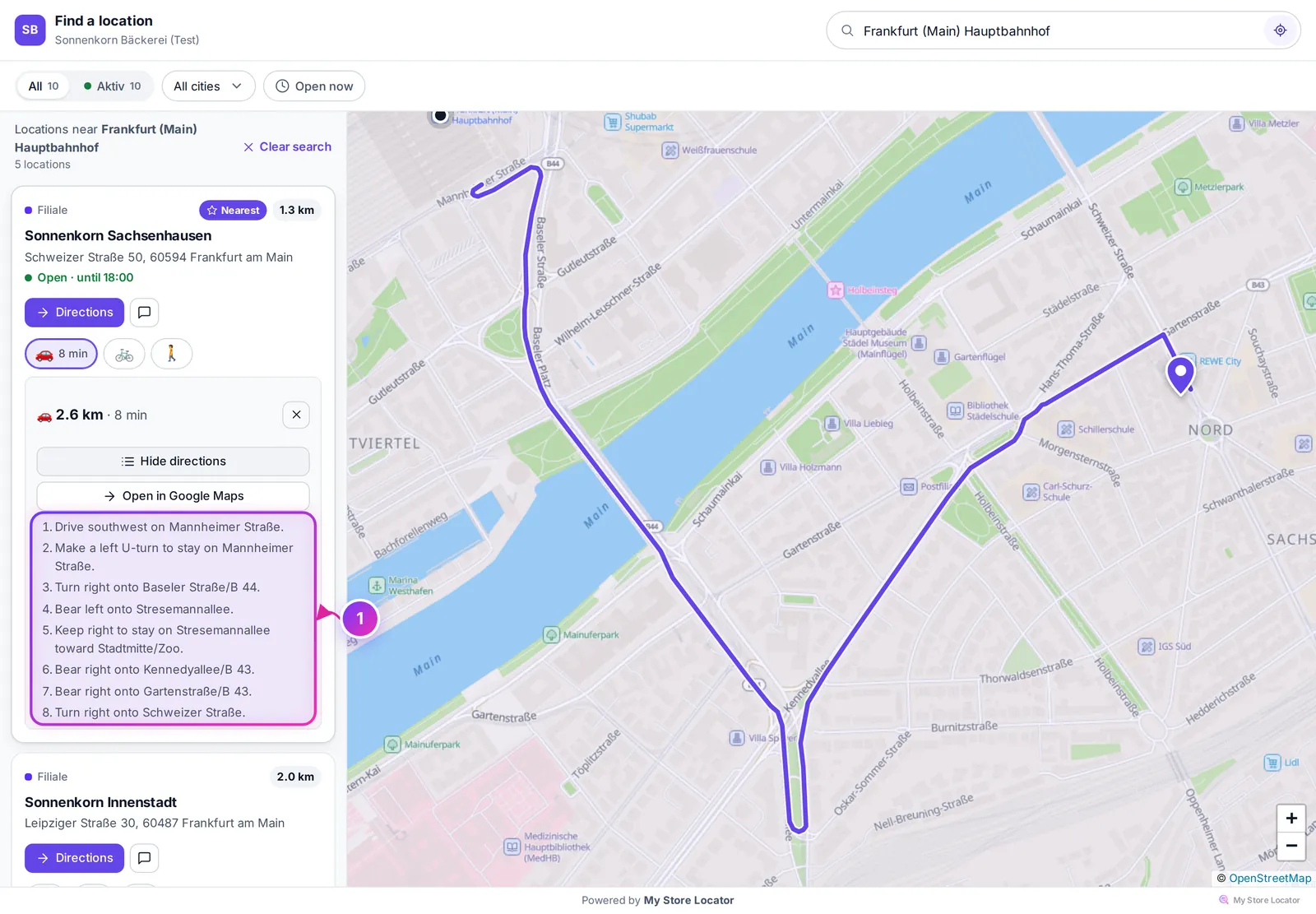
- Step by step to the store.
Tip: The route inside the map works in Europe. If there is no route (for example outside Europe), the buttons disappear – the Google Maps link stays.
Good to know
Does the route cost extra?
No. It is included in the Pro and Business plans and calculated by our own map server – no Google key.
And on the Free and Starter plans?
There "Directions" opens the route in Google Maps.