
What you need
- The permission "View Embed Studio" (platforms) or "View API & webhooks" (API tab)
- At least one connected integration, e.g. WordPress
Find connected integrations
Open Integrations in the menu. Above the cards you see how many integrations are connected or active.
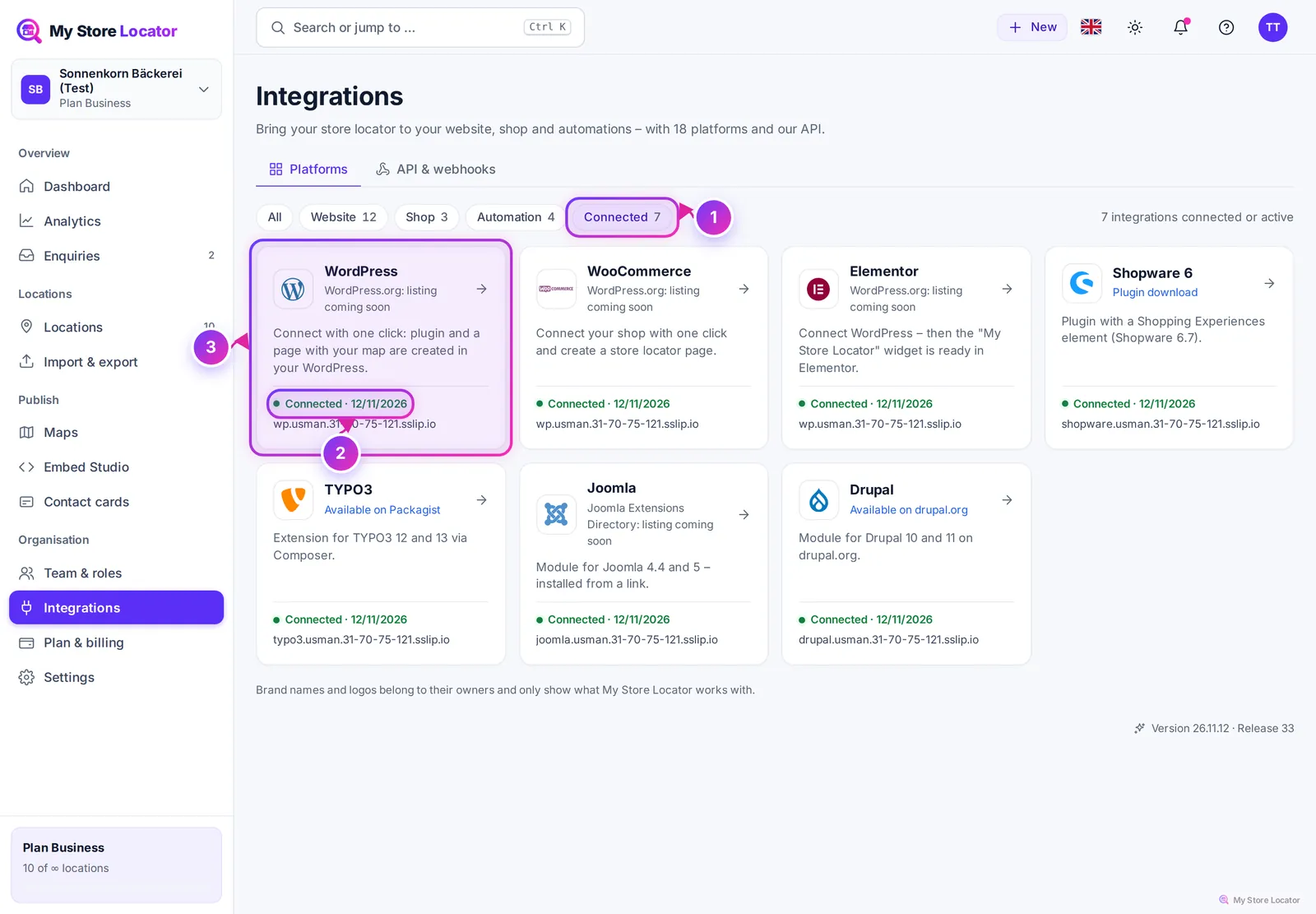
- The Connected filter shows only the integrations you already use.
- Each card shows the status with the date and, below it, the connected website.
- Click the card to open the details.
Details of a connection
The integration opens on the right – here WordPress as an example. All connected websites are listed under Status.
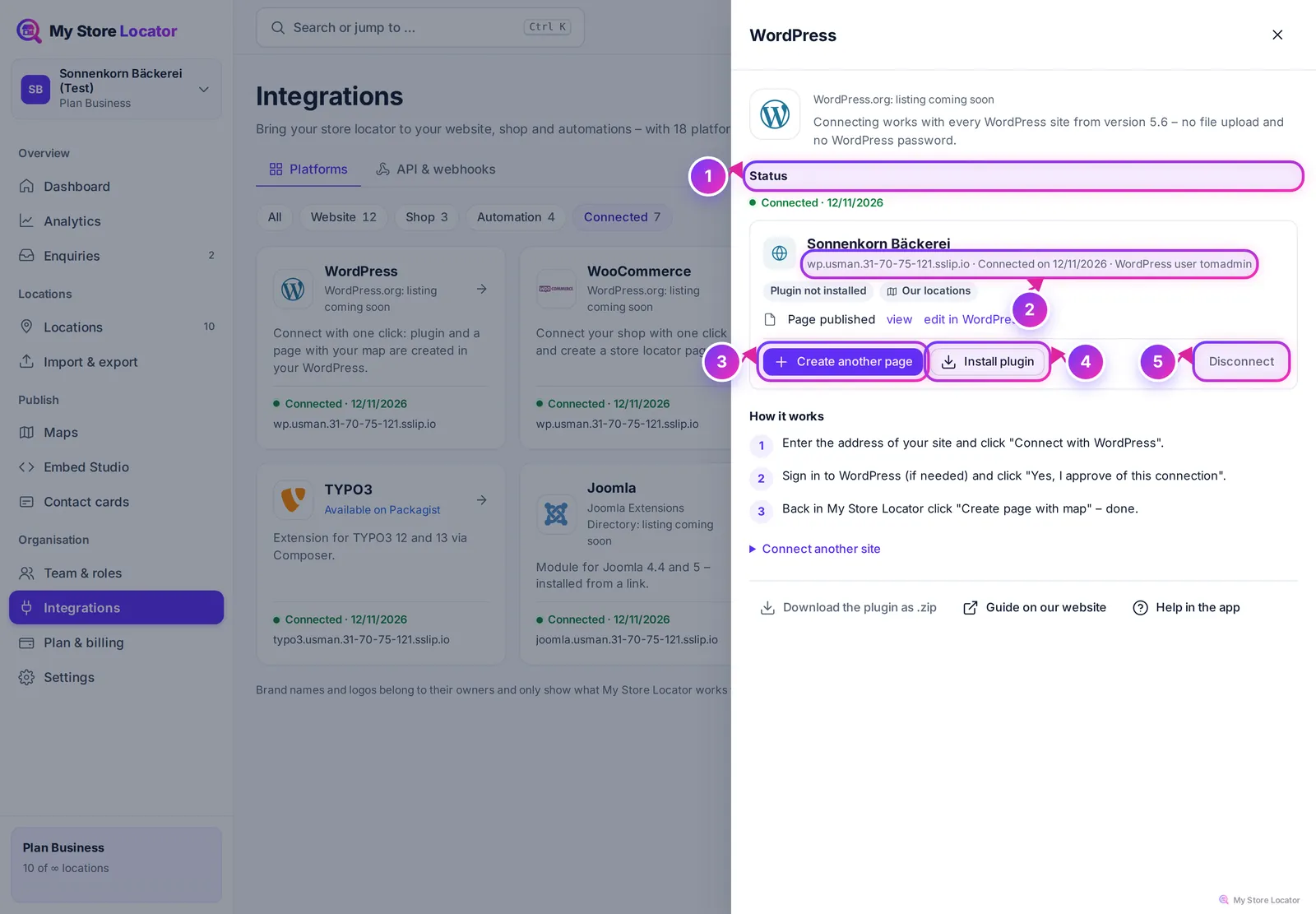
- Status: connected since when.
- The website with address, date and the WordPress user who approved the connection. Below: plugin installed or not, which map, and whether a page is published (view, edit in WordPress).
- Create another page creates a new page with your map.
- Install plugin installs the plugin on this website.
- Disconnect ends the connection, see below.
Tip: For Joomla, Drupal, TYPO3 and Shopware the card shows the connected websites in the same way. How to connect them is in the platform guides, e.g. Joomla.
Disconnect
After you click Disconnect, My Store Locator asks once more.
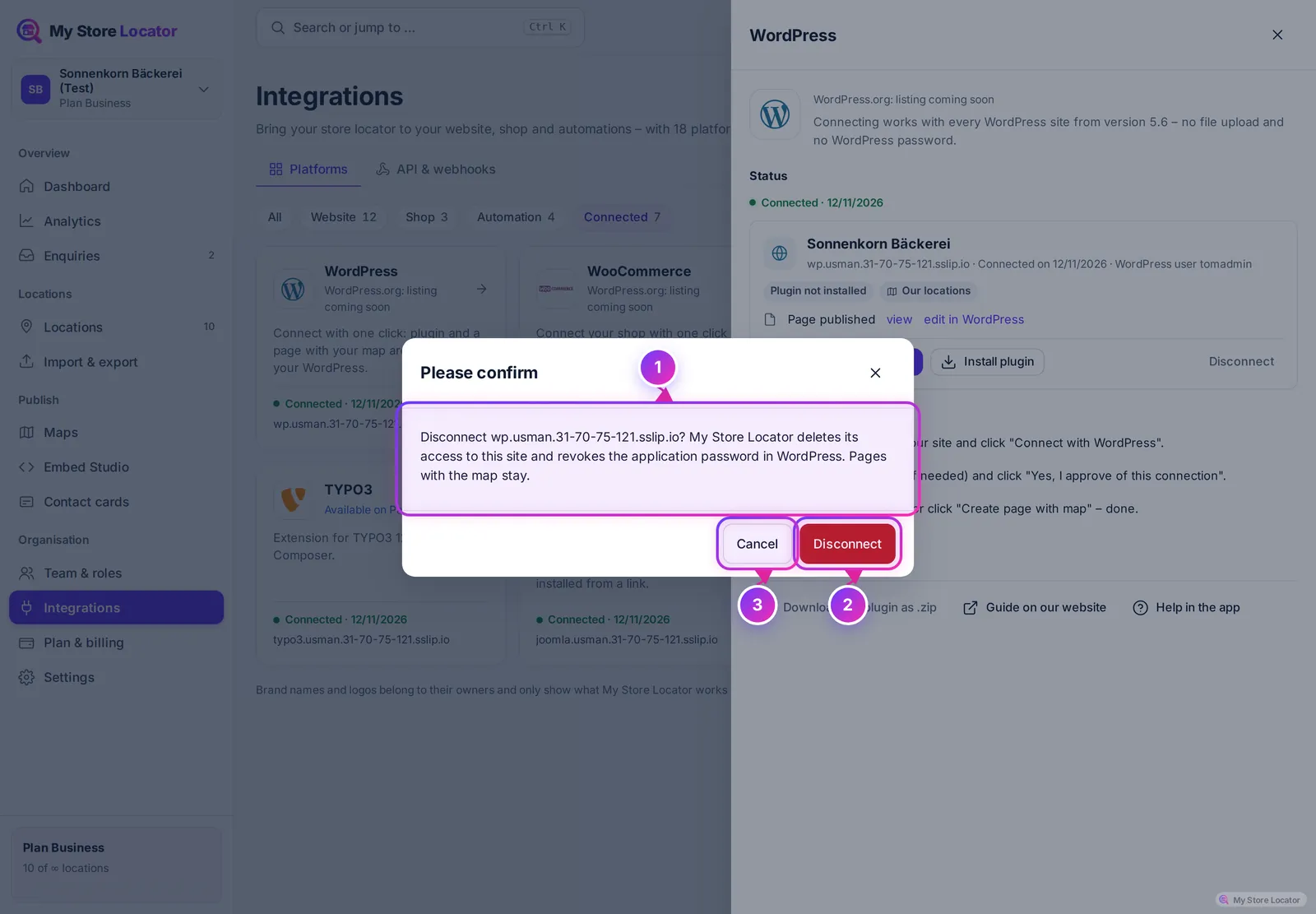
- The message explains what happens: My Store Locator deletes its access to this website and revokes the application password in WordPress. Pages with the map stay.
- Disconnect confirms.
- Cancel closes the window without changing anything.
Tip: The map on pages you already published keeps working after you disconnect. If it should disappear, delete the page in WordPress.
Good to know
WordPress could not be reached when I disconnected – what now?
Then the access is only deleted in My Store Locator. Revoke the application password yourself in WordPress: Users → Profile → Application Passwords → "My Store Locator" → Revoke.
How do I disconnect Zapier, Make or n8n?
Every app connection counts as an API key. Open Integrations → API & webhooks and click Revoke next to the entry, see Create an API key. The app loses access at once.
Does my map stay on the website when I disconnect?
Yes. Disconnecting only ends My Store Locator's access to your website. Pages and embedded maps stay until you delete them there.
Can I connect the website again later?
Yes, at any time – just like the first time, see Connect WordPress.