
What you need
- Plan Business
- The right "Invite people" (owners and administrators)
What store managers may do
Open Team & roles. Under Roles & permissions you see what each role may do.
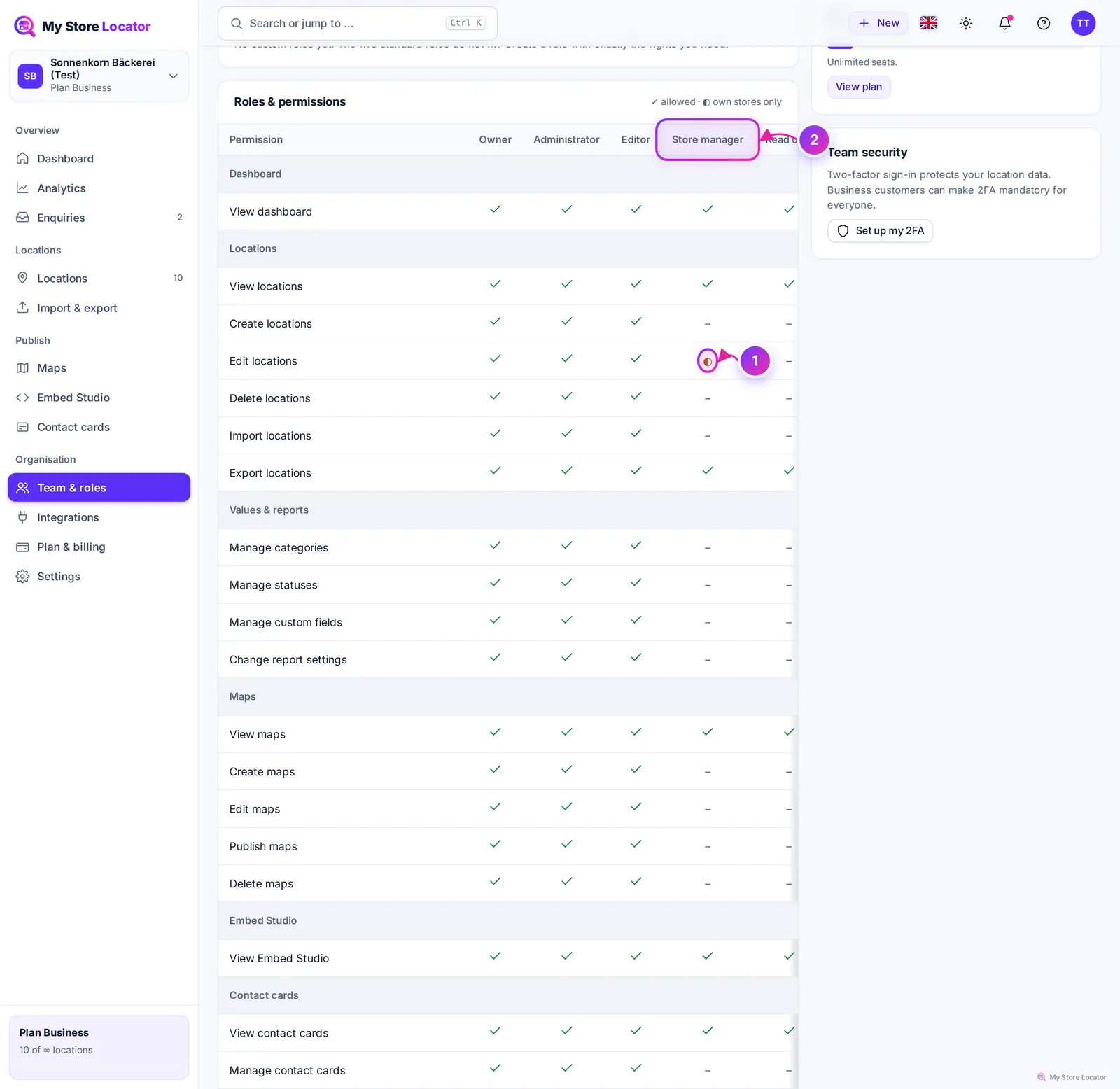
- ◐ means: only for their own stores – for example editing locations and viewing enquiries.
- The Store manager column: they can't create, delete or import locations, change maps or manage the team.
Invite a store manager
Click Invite person at the top right.
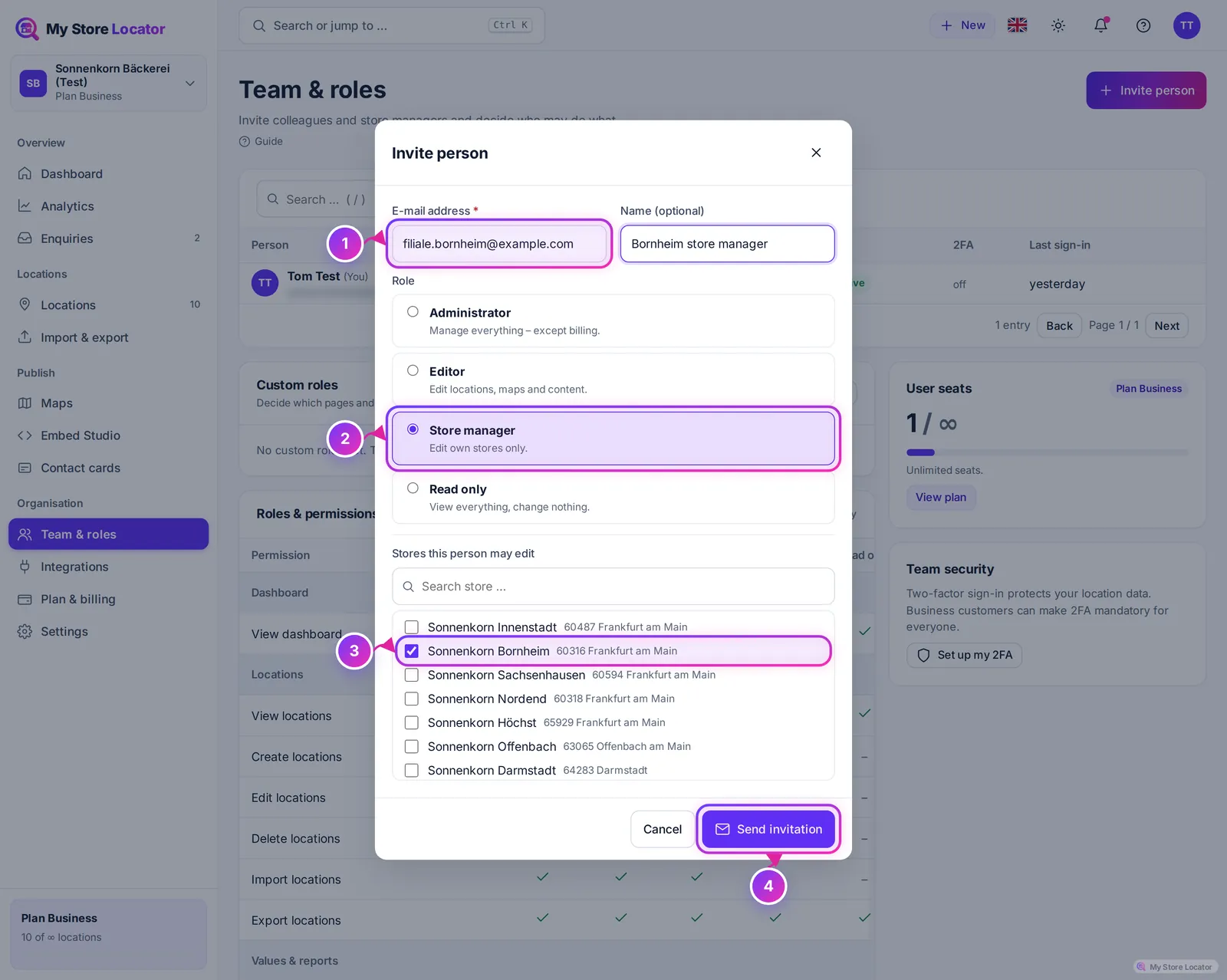
- Enter the e-mail address, optionally the name.
- Choose the role Store manager.
- Your locations appear below: tick the stores this person may edit.
- Send invitation. The person gets an e-mail; the link is valid for 7 days.
Tip: Every invited person needs a free user seat. On the Business plan they are unlimited.
Good to know
Can a store manager look after several stores?
Yes. Tick several stores when you invite them – you can change that later with "Change role".
What do store managers see of other stores?
They can view all locations but only edit their own. They only see enquiries for their stores.