
What you need
- The right to view the audit log (owners and administrators have it)
- The Free plan is enough
Find and download entries
Open Settings → Audit log. The newest entries are at the top; each row shows time, person, action, object and details.
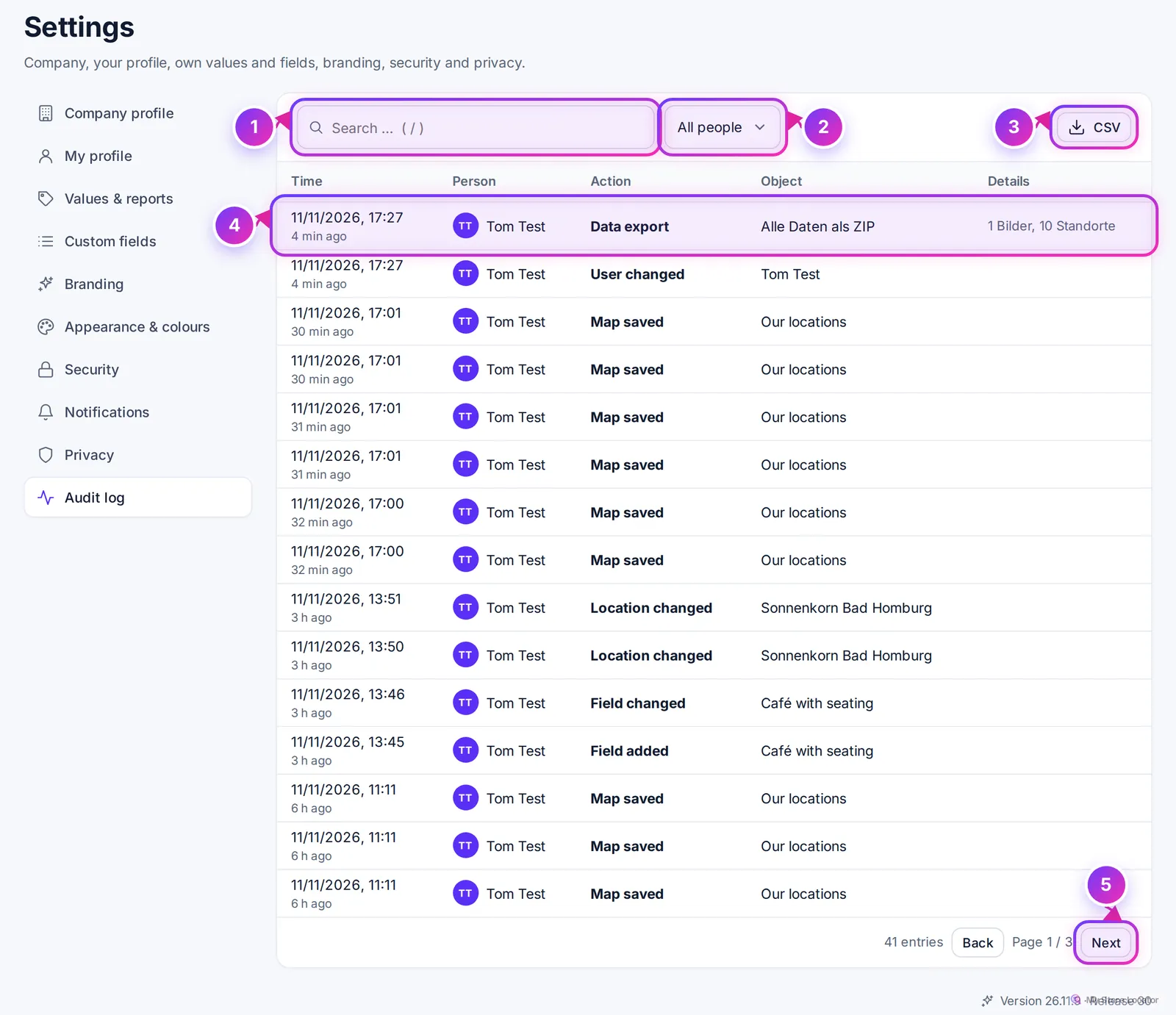
- The search looks through the entries. Tip: the / key jumps straight into the search.
- All people filters by one person – or by "System" for automatic changes.
- CSV downloads the log for Excel.
- Each row is one entry, e.g. "Data export" or "Map saved".
- Use Back and Next to page through older entries.
Good to know
Can I delete entries?
No. The audit log can only be read and downloaded.
Why can't I see "Audit log"?
You lack the right to view the audit log. Ask the owner or an administrator.