
What you need
- A location, see Add a location
- For public holidays: an address with a German federal state
- The Free plan is enough
Regular opening hours and lunch break
Open the location and switch to the Opening hours tab. New locations start with Mon–Fri 09:00–18:00, Sat 10:00–14:00 and Sunday closed. At the top you see whether the location is open right now.
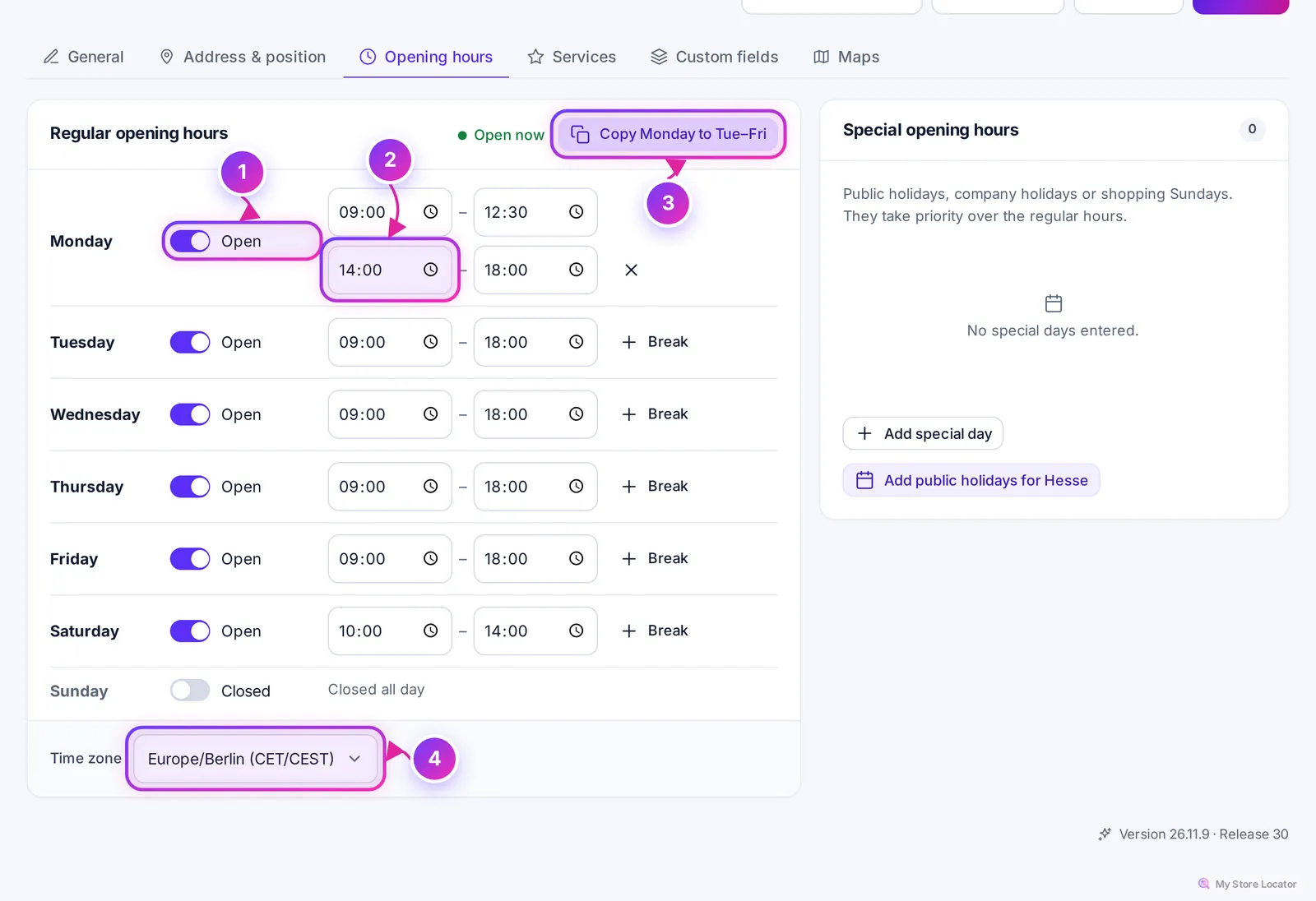
- The switch decides whether the day is Open or Closed. Next to it you enter the from–to times.
- + Break adds a second time slot – for example for the lunch break. Remove it again with ×.
- Copy Monday to Tue–Fri copies Monday's hours to Tuesday to Friday.
- Check the Time zone. "Open now" is calculated in the location's time zone.
Tip: Times past midnight work too, for example 22:00–02:00.
Special days: company holidays and exceptions
Under Special opening hours you enter days that differ from the normal week – company holidays, stock-taking or Sunday openings. Special days take priority over the regular hours.
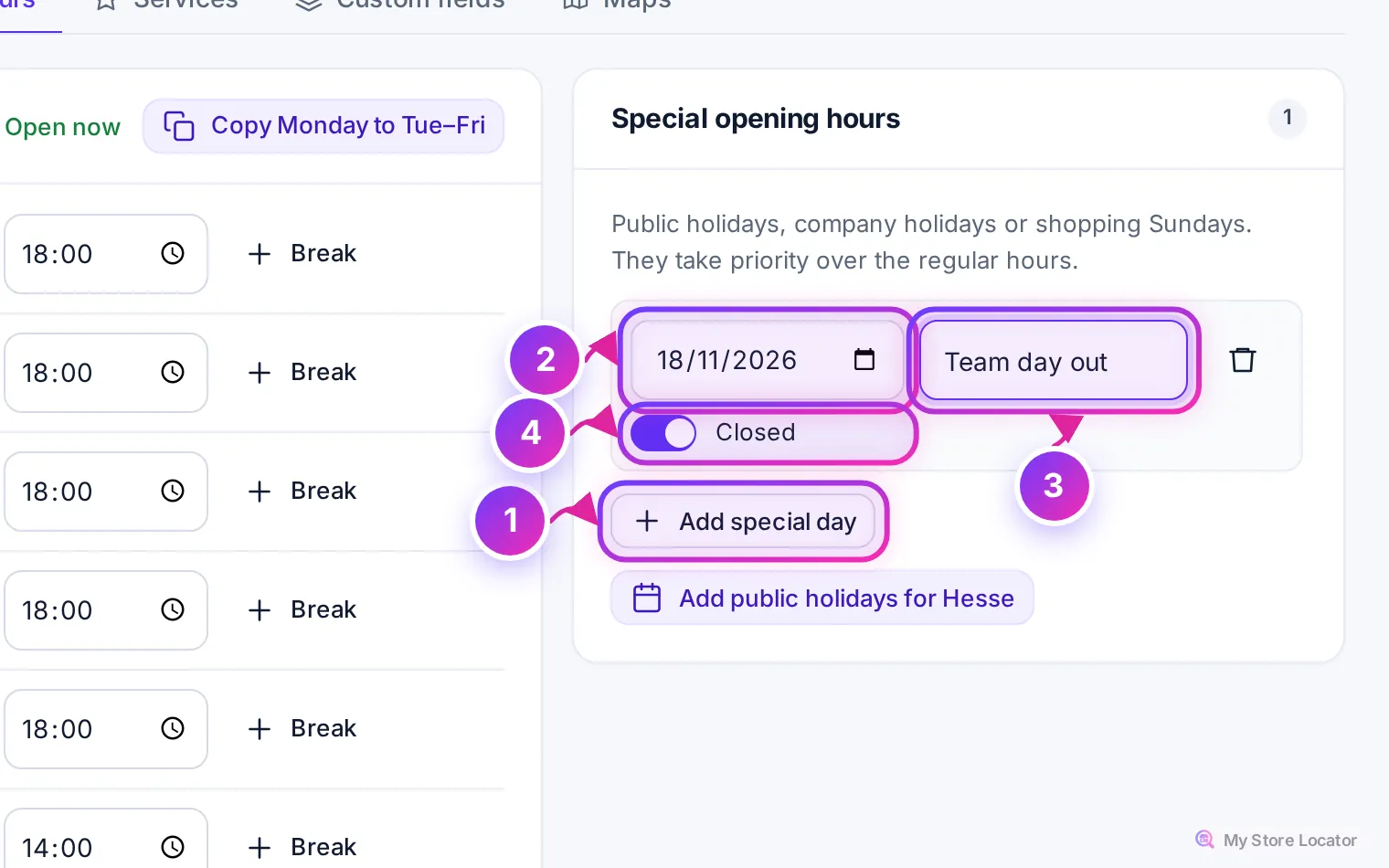
- Click Add special day.
- Choose the date.
- Enter a label, for example "Team day out".
- Leave Closed on – or switch it off and enter different hours.
Public holidays in one click
For locations in Germany, the app adds the public holidays of the federal state from the address. Past special days disappear from the map automatically.
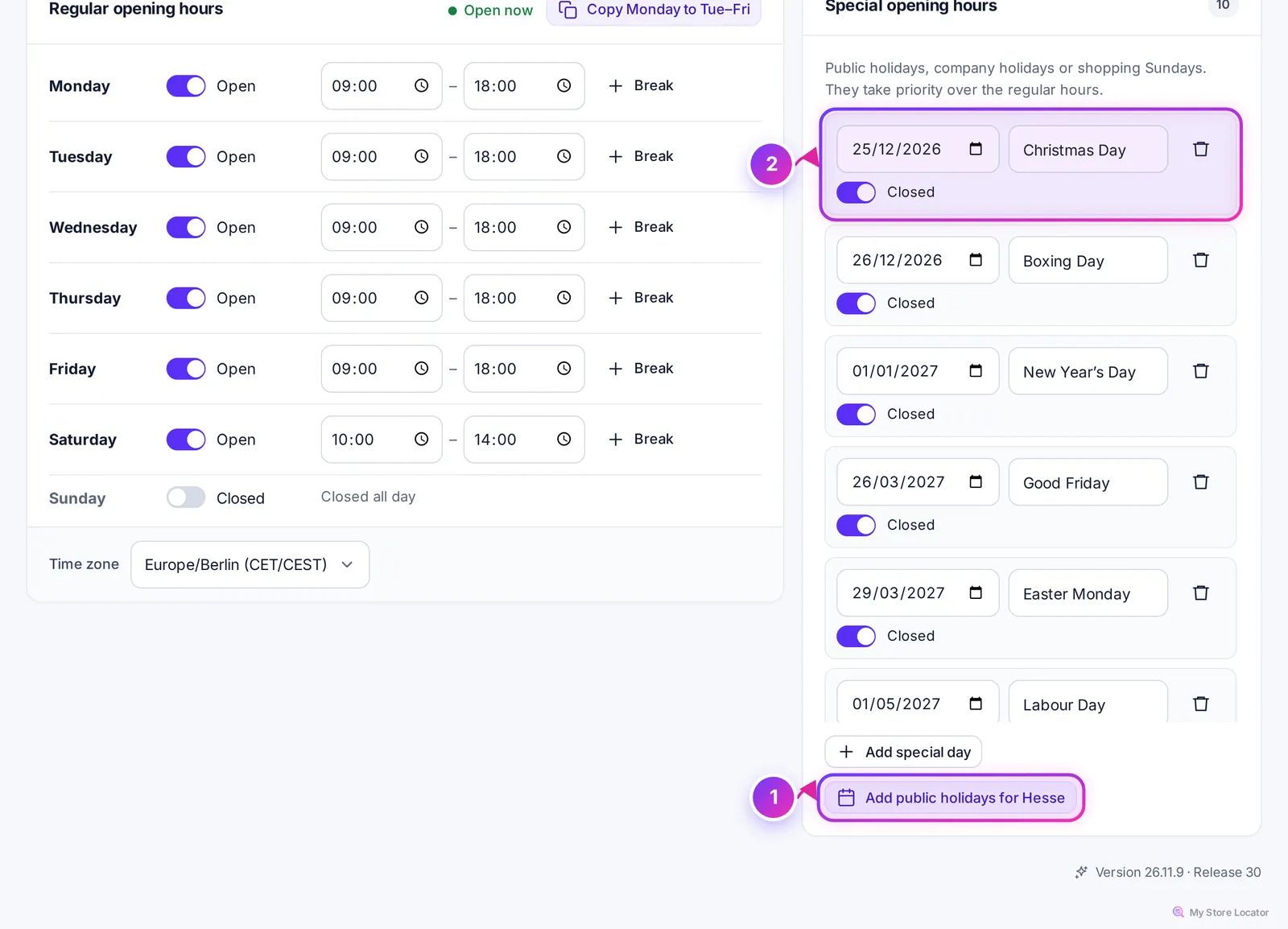
- Click Add public holidays for {state} – here "Hesse".
- The holidays appear as special days set to Closed. Change single days or delete them with the bin icon.
- Click Save at the top right.
Tip: If you are open on a holiday after all (e.g. a Sunday opening), switch Closed off for that day and enter the hours.
Good to know
What do visitors see on the map?
The location's opening hours and whether it is open now. With the "Open now" filter they hide closed locations.
Do I have to add the holidays again every year?
The click adds the upcoming public holidays. Check the list from time to time to see whether the next holidays are already in it.