
What you need
- A My Store Locator account with at least one location – the Free plan is enough
- A photo as JPG or PNG, ideally 1200 × 800 pixels (landscape)
1. Upload a photo and write a description
Open Locations and click the location. You find photo and description in the General tab – how to add a new location is explained under Add a location.
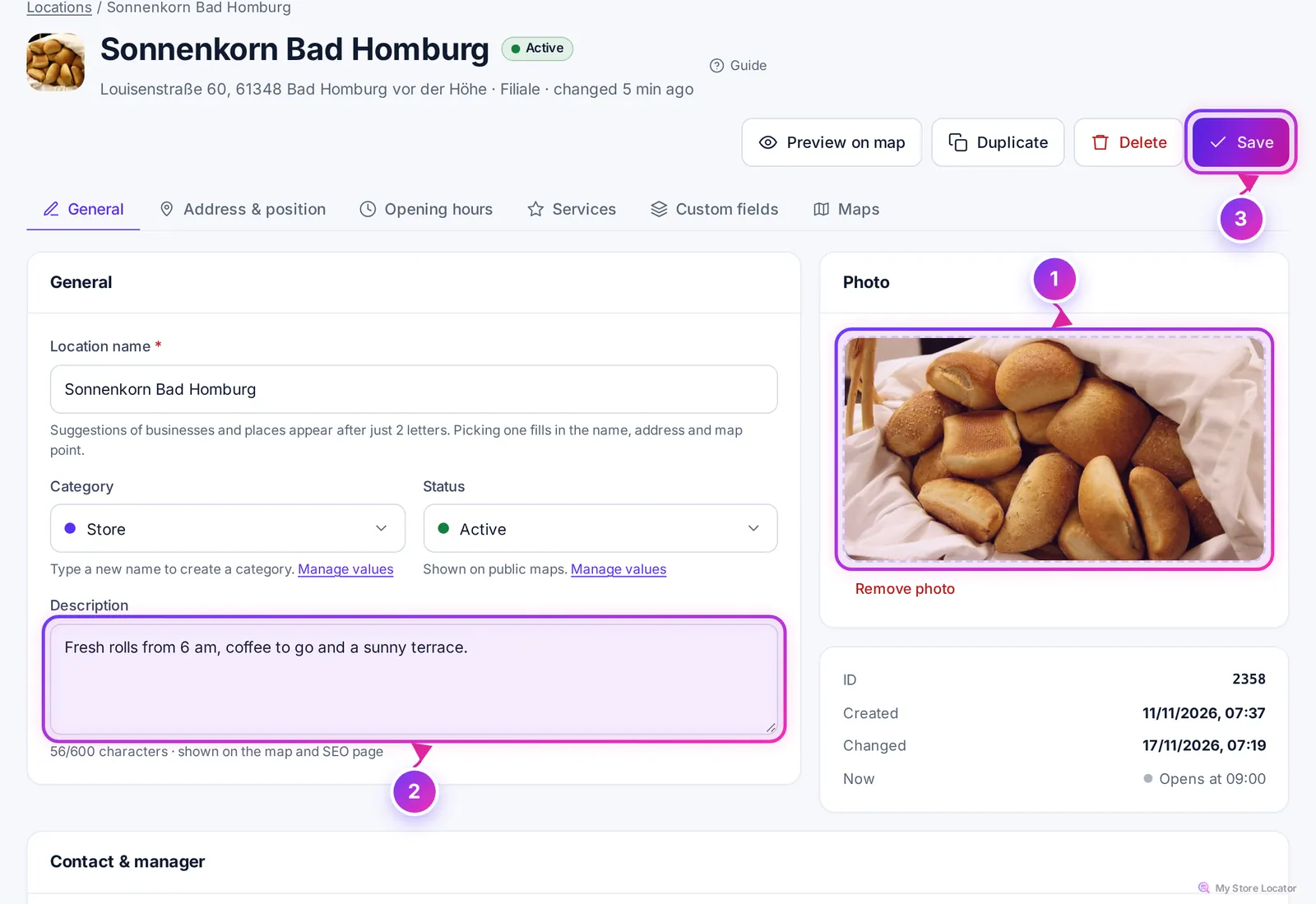
- In the Photo card, click Upload photo (or drag the picture in) and choose the photo. It shows up as a preview straight away – and as a small picture next to the name.
- Under Description, write in one or two sentences what customers can expect here, e.g. products, parking or anything special. The counter below shows how many of the 600 characters you have used.
- Click Save. Only then do visitors see the photo and the text.
Tip: Another photo? Just click the picture and choose a new one. Remove photo deletes it – then save.
2. What visitors see
On the map, the location's card in the list shows the photo as a small picture and the description below it, followed by the Directions and Send enquiry buttons. Shown here in the default template 1 · List + map. How the photo looks in the other templates is explained in the questions below.
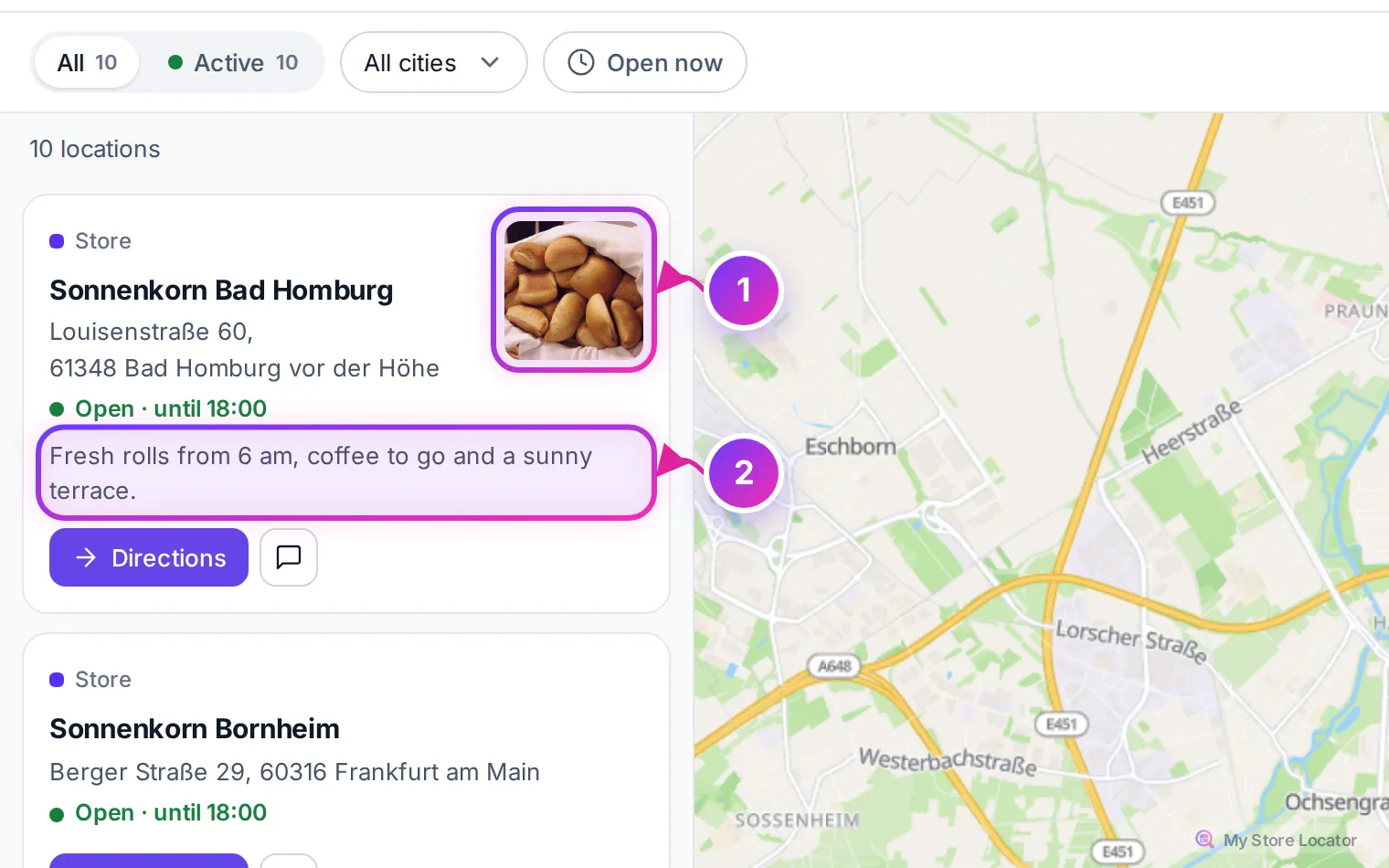
- The photo of the location – as a small picture in the location's card.
- The description, right below the opening hours.
Good to know
In which templates do visitors see the photo and the description?
In all 10 templates. In the templates with a list (1, 3, 4 and 6), the photo is a small picture in the location's card with the description below it. In the templates with a detail view – 2 · Single location, 5 · Split view and the single-location templates 7–10 – the photo is shown large at the top and the description below the buttons. You change the template in the map editor, see The 10 templates compared.
Which picture works best?
A bright landscape photo, ideally 1200 × 800 pixels, as JPG or PNG – for example the shop front or the counter. The map crops the picture a little at the top and bottom, so keep important things in the middle. Only use photos you have the rights to.
Can I upload several photos per location?
No, every location has exactly one photo. A new photo replaces the old one.
Where else does the description appear?
According to the hint below the field, it is shown on the map and on the location's SEO page. So write it in a way that makes sense without the map, too.
What's next?
- Opening hours, lunch break and public holidays
- The 10 templates compared
- Single-location templates 7–10