
What you need
- An account, see Sign up
Menu and top bar
On the left is the menu in four areas: Overview, Locations, Publish and Organisation. Pages your role may not open are hidden.
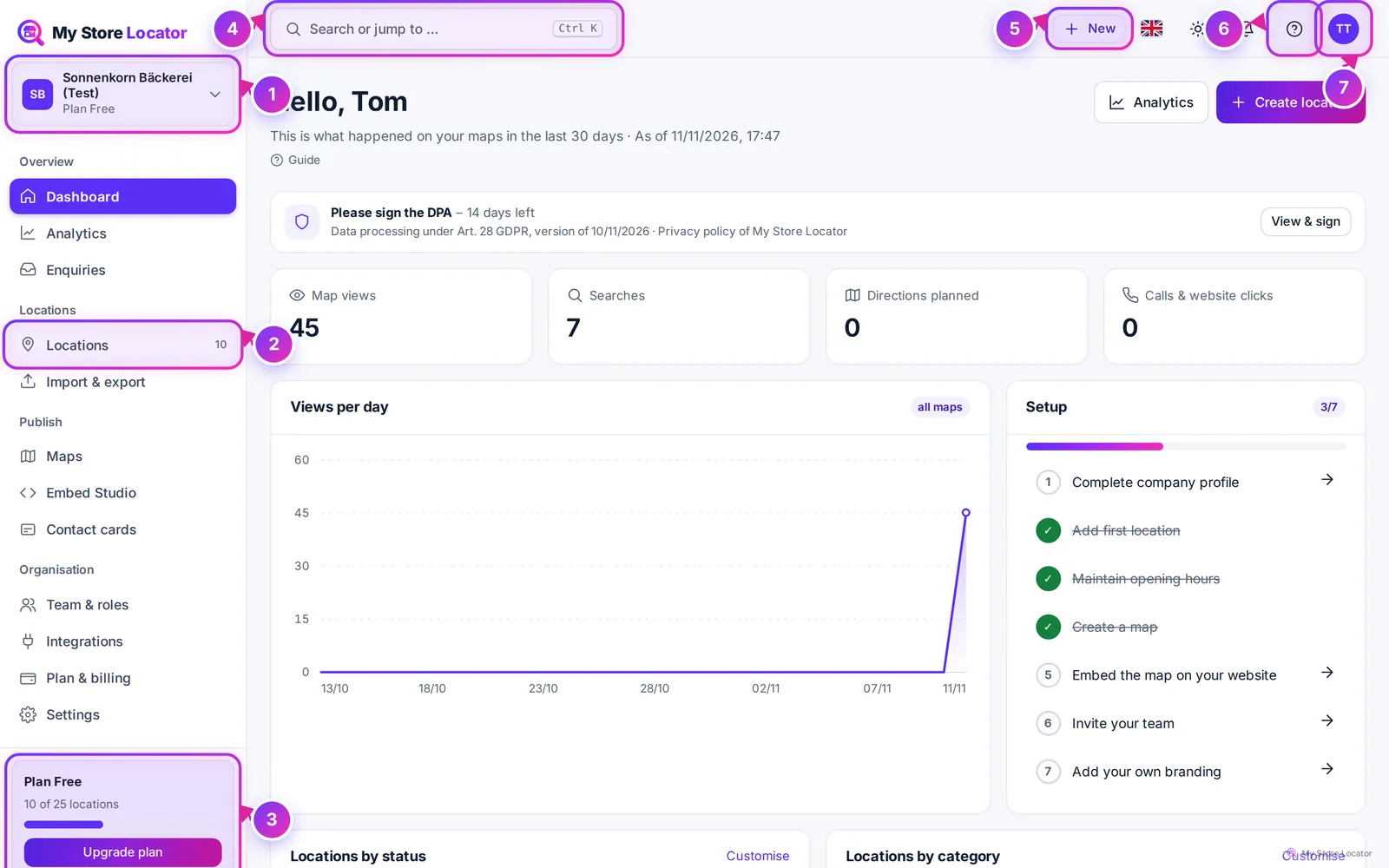
- The company button shows company and plan and opens company profile, plan & billing, team & roles and branding.
- The menu items – the number next to Locations shows how many locations you have.
- The plan box shows how many locations your plan still allows.
- Search or jump to … Ctrl K opens the search (see below).
- + New quickly creates a location or a map, imports locations or invites a person – depending on your role.
- Next to it: language, light/dark, notifications and the ? – it opens the guide for the current page.
- Your profile menu with My profile, Appearance & colours, Security, Keyboard shortcuts and Sign out.
Jump anywhere with Ctrl K
Press Ctrl + K (Mac: ⌘ + K) or click the search at the top. It finds pages, actions such as creating a new location, every location and every map.
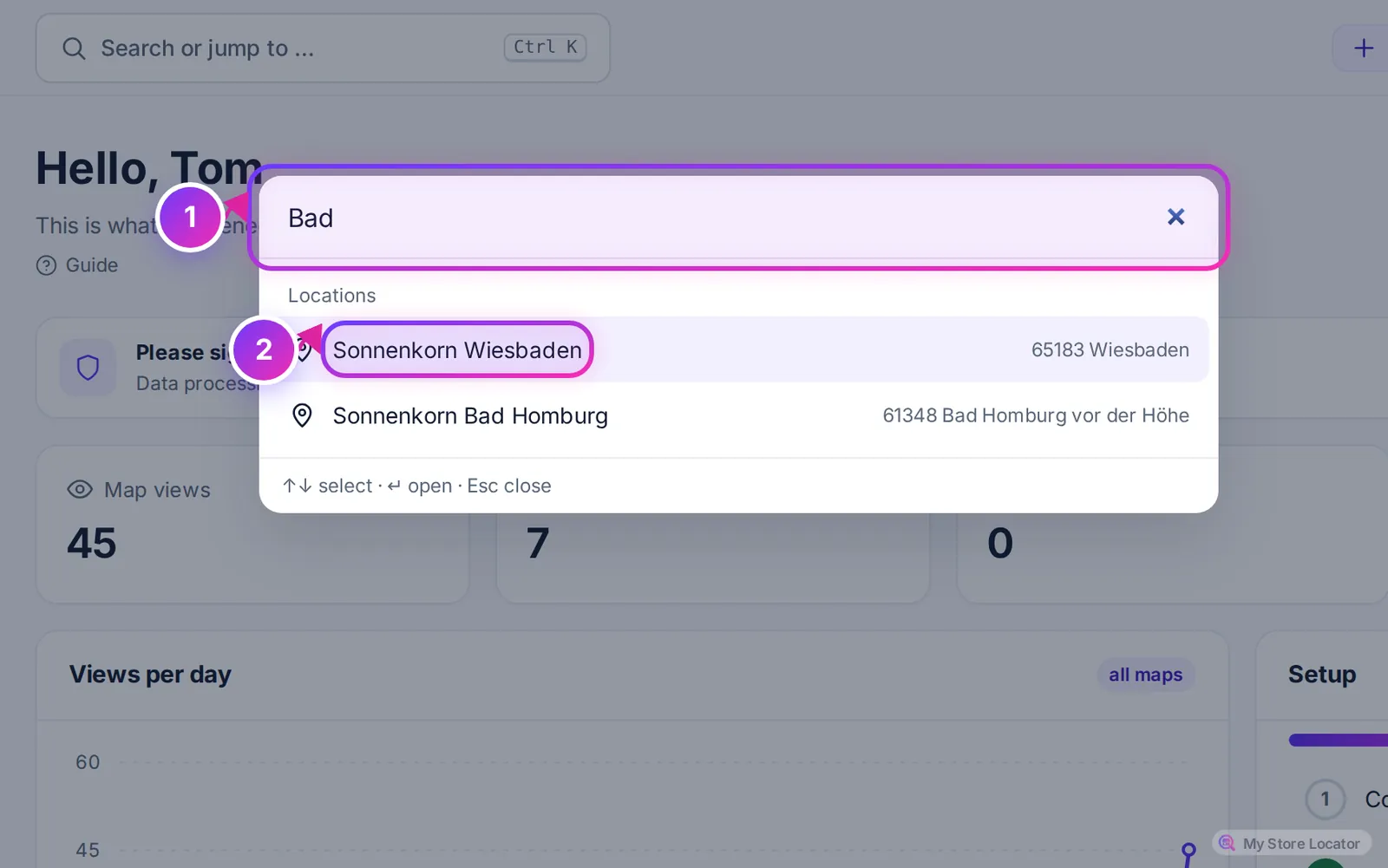
- Type a few letters, e.g. "Bad".
- Choose with ↑ ↓ and open with ↵ – Esc closes the search.
Tip: More shortcuts: / jumps into a list's search field, g s opens Locations, g k Maps, n creates a new location, ? shows them all.
Tours
Tours show you a page step by step: one element is highlighted and a small box explains it. The start tour runs once for new accounts; many pages have their own tour on the first visit.
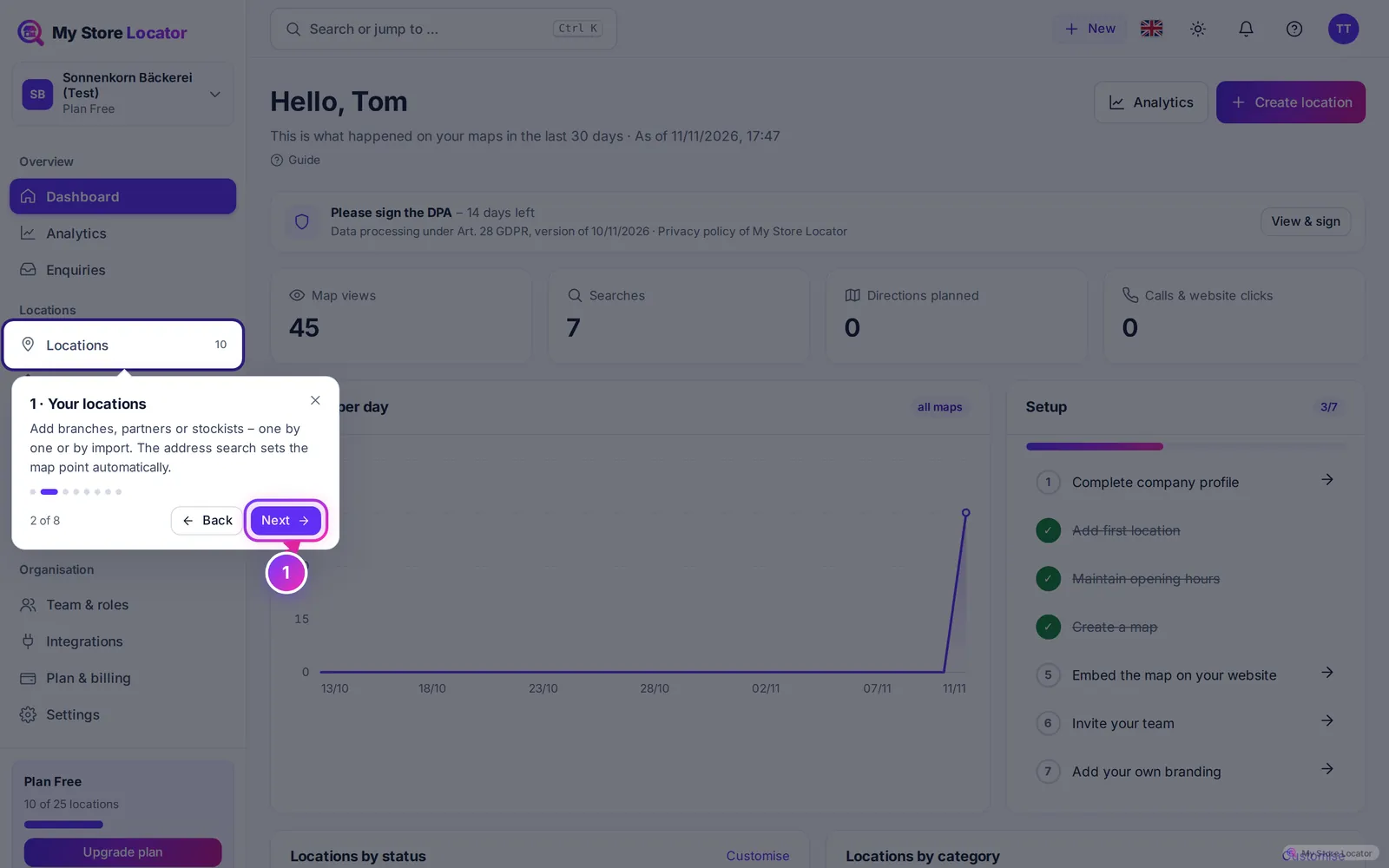
- Use Next and Back to go through the tour, × or Esc ends it. The round Tour button at the bottom right restarts the tour of the current page at any time.
Good to know
Why are some menu items missing for me?
Your role may not open these pages. Ask a person with rights for "Team & roles".