
What you need
- A My Store Locator account
- The Free plan is enough
Find guides
Open Help via the ? at the top right – it opens the guide for the current page directly – or via the address #/help.
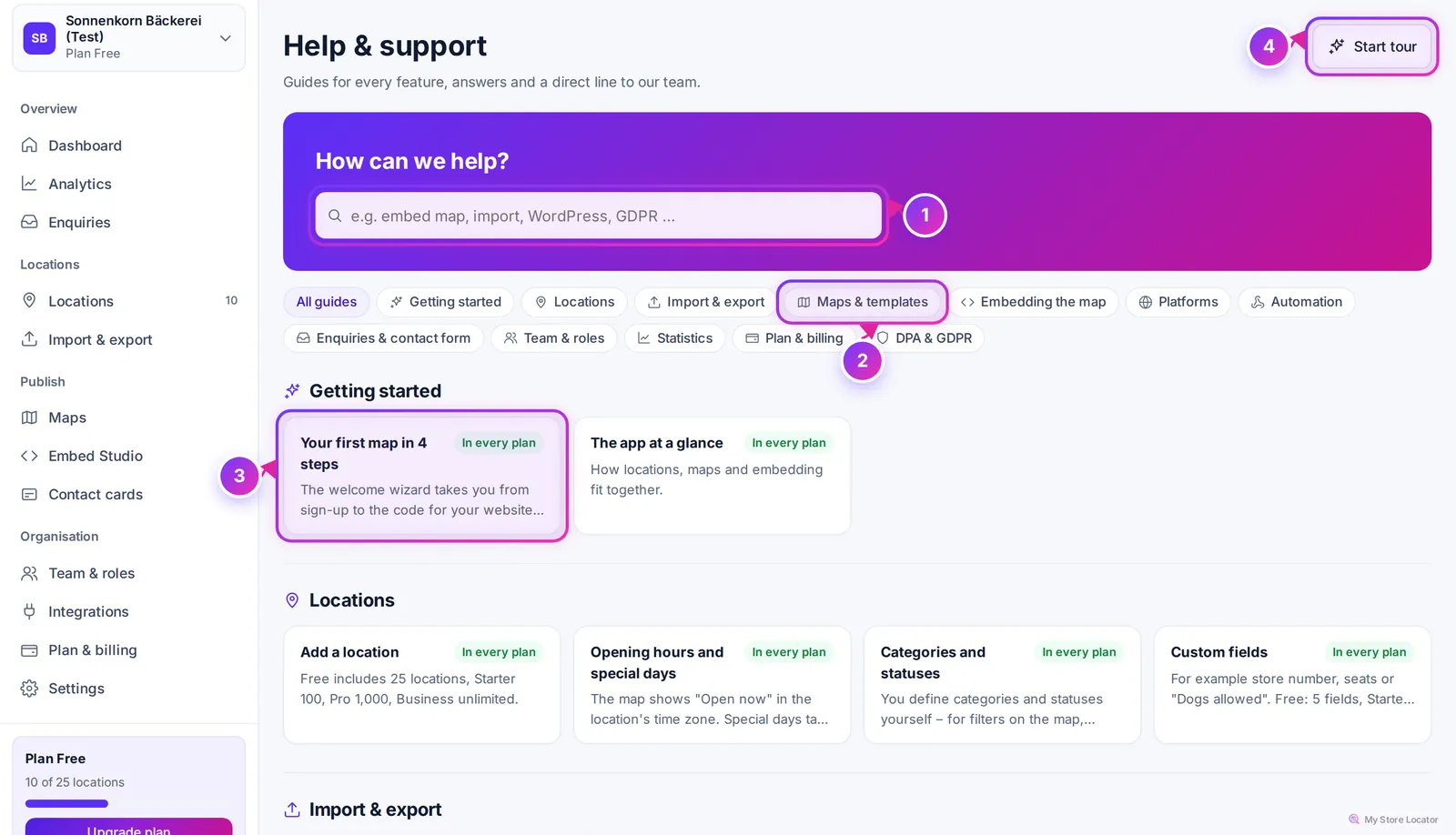
- Type a keyword into the search, e.g. "embed map" or "WordPress".
- The topic buttons show only the guides of one area, e.g. Maps & templates.
- Each card opens a guide with steps and the plan from which the feature is available.
- Start tour shows you the app step by step.
Contact support
At the bottom of the Help page you write directly to our team. The reply usually arrives within 4 hours (Mon–Fri) at your account's e-mail address.
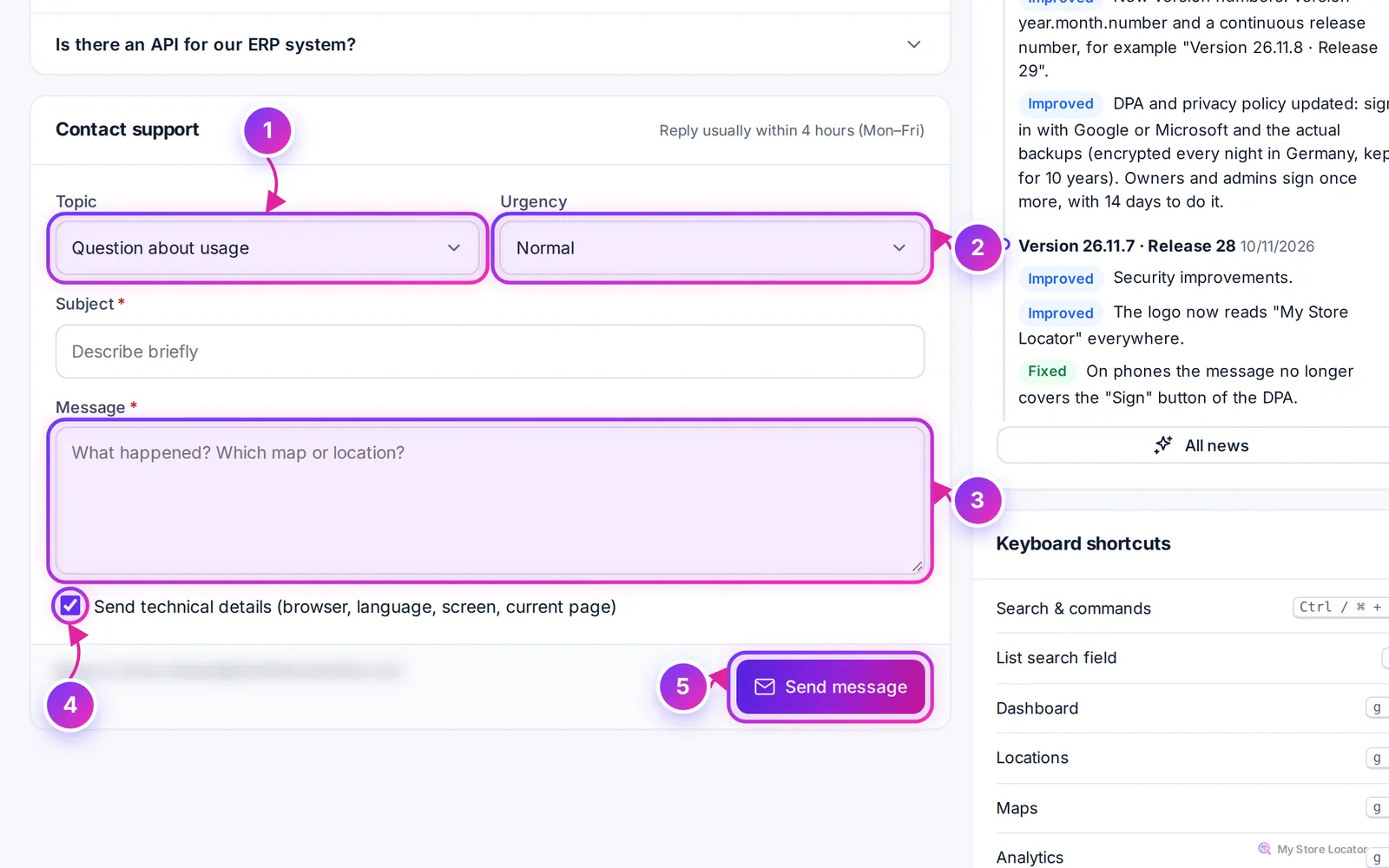
- Choose the topic: question about usage, technical problem, billing, feature request or privacy.
- Urgency: Normal – or High if a map is not working.
- Enter a subject and describe what happened and which map or location is affected.
- Send technical details adds browser, language, screen and current page – this helps with errors.
- Click Send message.
System status and frequent questions
Before you write, it is worth checking the system status and the frequent questions.
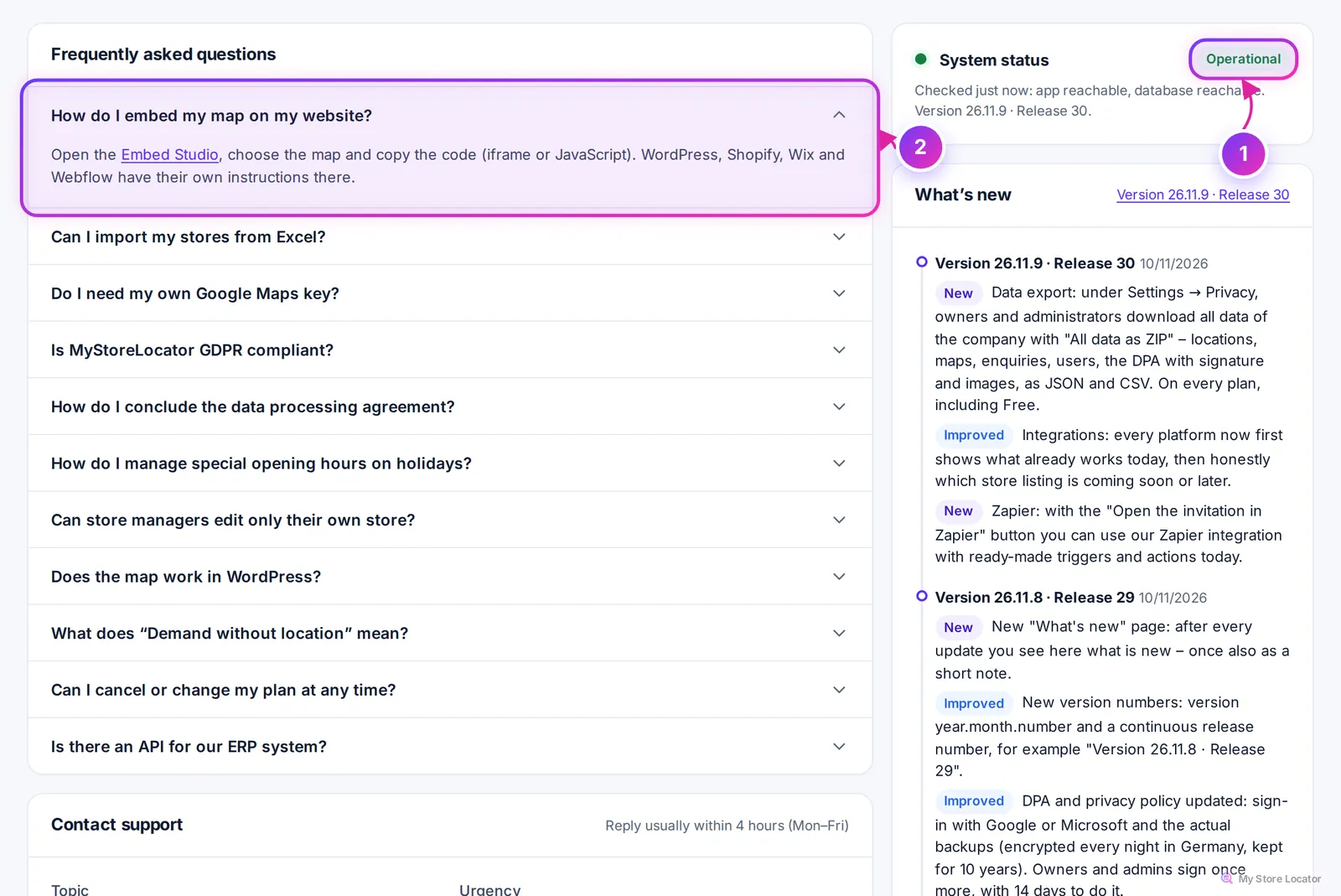
- The system status checks the app and database live: "Operational" or a disruption.
- A click on a question opens the answer.
What's new
After an update the app shows a short note once. You find all changes under What's new – for example via All news in Help.
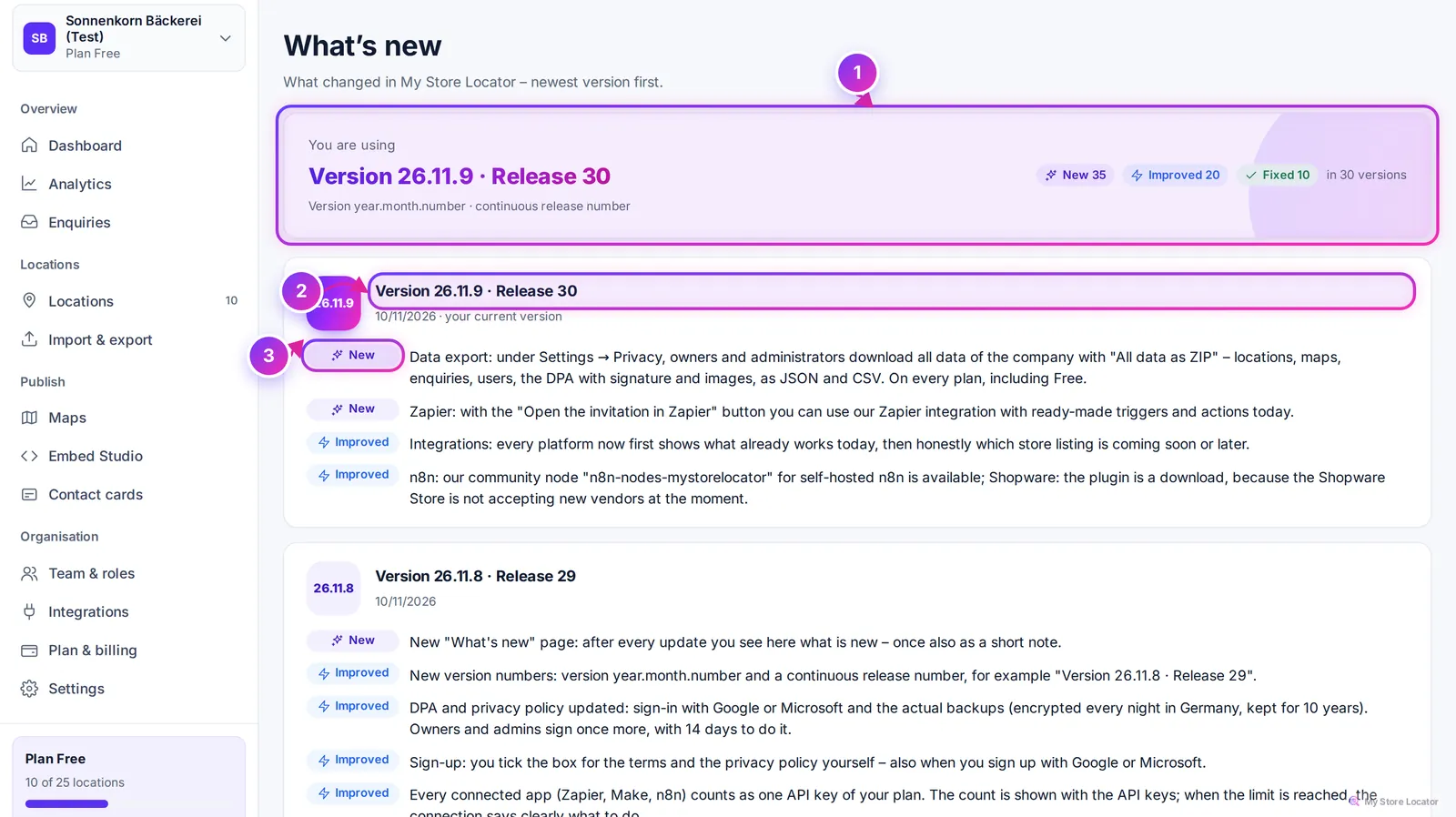
- At the top is the version you are using and how much was new, improved and fixed.
- Below are the versions – newest first.
- Each entry is tagged: New, Improved or Fixed.
Good to know
Are there keyboard shortcuts?
Yes. Ctrl + K (Mac: ⌘ + K) opens search and commands, / jumps into a list's search field, g plus a letter changes the page (e.g. g s for Locations). ? shows all shortcuts.